
Home > WHITE RODGERS > White-Rodgers 1F83-277 Heating & Air Conditioning Auto Changeover Heat Pump Thermostat User Manual
White-Rodgers 1F83-277 Heating & Air Conditioning Auto Changeover Heat Pump Thermostat User Manual
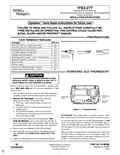



OPERATION
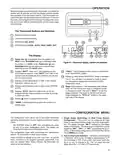
The system "mode" is selected by pressing the SYSTEM the room temperature is 70° with the equipment using only the
button. Icons on the bottom right corner of the display will first stage of heat. Since the equipment is keeping the tempera-
ture within 1° of setpoint, the thermostat will delay second stage
for a longer time if you manually raise the temperature or if the
be shown on the right side of the display. In OFF, this area will room temperature quickly changes. Once the second stage
indicatethemode: COOL( ), AUTO(
), HEAT ( ),EMER,
or OFF. In any mode except OFF, the setpoint temperature will
be blank. The current temperature will be displayed on the left
side of the display.
comes on, it will come on sooner the next time there is a
difference between the setpoint and the room temperature. The
net effect of the staging program is that when the first stage is
capable of making temperature the second stage will delay
longer. When the thermostat calculates that first stage cannot
make temperature in a reasonable time, the second stage will
come on sooner. This built in function automatically optimizes
the use of additional stages of heat or cool.
To operate properly in the AUTO mode, the heat setpoint
temperature cannot be the same as or higher than the cool
setpoint temperature. The heat setpoint must be at least 1°
lower than the cool setpoint.
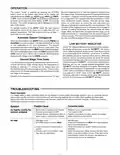
Automatic System Changeover
When the thermostat is in the AUTO mode, both theFlame and
Snowflake icons are displayed. The thermostat will call for heat
or cool depending on the room temperature. The setpoint
temperature displayed will be that of the last mode called. If the
lastsystemcyclewasheat, the HEAT setpointwillbedisplayed.
IftheroomtemperatureraisesabovetheHEAT setpointandthe
COOL setpoint and a call for cool is required, the temperature
displayed will change to be the COOL setpoint.
LOW BATTERY INDICATOR
Ifthe2“AA”alkalinebatteriesarelowandshouldbereplaced,
the display will be blank except for “LO BATT”. We recom-
mend replacing batteries every 2 years. If the home is going
to be unoccupied for an extended period (over 3 months),
the batteries should be replaced before leaving. When the
batteries are low, pressing any button will cause the display
tooperatedfortenseconds. Aftertenseconds, thedisplaywill
be blank except for “LO BATT”. You cannot program with low
batteries, but you can override setpoint temperature. After
“LO BATT” has been displayed for 4 weeks, the thermostat
will raise the temperature 10 degrees above your setpoint in
COOL mode and will drop the temperature 10 degrees below
your setpoint in HEAT mode. If the “LO BATT” condition
continues, and when it reaches certain value, the thermostat
will turn off all the loads and “LO BATT” will flash.
Second Stage Time Delay
Your thermostat is designed to determine the optimum time to
activate the second stage. Simply raising the temperature in
heating or lowering it in cooling will not always force the
thermostat to bring the second stage on quickly. There is a time
delay from 0-30 minutes depending on the performance of the
first stage of the system.
EXAMPLE: For the last 2 hours the thermostat is set on 70° and
TROUBLESHOOTING
Reset Operation
If a voltage spike or static discharge blanks out the display or causes erratic thermostat operation, you can reset the thermo-
stat by removing the wires from terminals R and C and removing batteries for 2 minutes. After resetting the thermostat,
replace the wires and batteries. If the thermostat has been reset and still does not function correctly, contact your heating/
cooling service person or place of purchase.
Possible Cause
Corrective Action
Symptom
1. Blown fuse or tripped circuit breaker.
2. Furnace power switch to OFF.
Replace fuse or reset breaker.
Turn switch to ON.
No Heat/No Cool/No Fan
(common problems)
3. Furnace blower compartment door or
panel loose or not properly installed.
Replace door panel in proper position to engage
safety interlock or door switch.
1. Pilot light not lit.
2. SYSTEM button not set to HEAT.
Re-light pilot.
Press SYSTEM button to HEAT and raise setpoint
above room temperature.
No Heat
3. Loose connection to thermostat or
system.
Verify thermostat and system wires are securely
attached.
4. Furnace Lock-Out Condition. Heat
may also be intermittent.
Many furnaces have safety devices that shut down
when a lock-out condition occurs. If the heat works
intermittently contact the furnace manufacturer or
local service person for assistance.

| General | Details |
|---|---|
| Name | White-Rodgers 1F83-277 Heating & Air Conditioning Auto Changeover Heat Pump Thermostat User Manual |
| Make | WHITE RODGERS |
| Language | English |
| Filetype | PDF (Download) |
| File size | 0.24 MB |
 (1 votes, average: 5.00 out of 5)
 Loading...

White-Rodgers 1E78 Non Programmable Heat Only Thermostat User Manual

White-Rodgers 1F97-1277 Big Blue Single Stage Thermostat User Manual

White-Rodgers 1F56N-444 Thermostat User Manual

White-Rodgers M30 Thermostat Instruction Manual

WHITE-RODGERS 1F51N-619 Low Voltage Evaporative Cooler Thermostat Instruction Manual

White Rodgers 1F78-151 Non Programmable Thermostat Instructions

WHITE RODGERS 1F80-51 Programmable Electronic Digital Thermostat Instruction Manual

WHITE-RODGERS 1F86-0471 Blue Single 1 1 Stage Thermostat Instruction Manual

WHITE-RODGERS 1F90-71 5-Day 2-Day Electronic Digital Thermostat Instruction Manual

WHITE-RODGERS 1F95-1277 Universal Thermostat Owner’s Manual


Danfoss Link Connect Thermostat User Guide

Honeywell T7350 Programmable Thermostat Owner’s Manual
Stelpro STE362RNP Electronic Thermostat User Guide

GLOBAL Digital Heating Thermostat User Manual

HITACHI ATW-RTU-05 Wireless Intelligent Room Thermostat Instruction Manual

ADVENT AIR ACTH12 Digital LCD Thermostat Instruction Manual

Honeywell Home T10 Programmable Smart Thermostat Installation Guide

Danfoss Ally Cheap Radiator Thermostat Owner’s Manual

MI-HEAT MTS200 WiFi Thermostat Instruction Manual

Eberle UTE 3500 Smart Home Capable Flush Mounted Thermostat Installation Guide