
Home > WHITE RODGERS > WHITE RODGERS 1F80-51 Programmable Electronic Digital Thermostat Instruction Manual
WHITE RODGERS 1F80-51 Programmable Electronic Digital Thermostat Instruction Manual
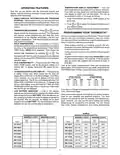


independently for both weekday and weekend programs (for
example, you may select 5:00 AM and 70° as the weekday 1st
period heating start time and temperature, and also choose
7:00 AM and 76° as the weekday 1st period cooling start time
andtemperature). Usethetableatthebottomofthepagetoplan
your program time periods, and the temperatures you want
during each period. You may also want to look at the sample
program table to get an idea of how the thermostat can be
programmed.
4. Press
or
tochangethedisplayedtemperaturetoyour
selected temperature for the 1st heating program period.
5. Press SET TIME once (the programmed time will flash).
Press
or
until your selected time appears. The time
will change in 15 minute increments. When your selected
time is displayed, press SET TIME again to return to the
change temperature mode.
6. Press VIEW PRGM once. The currently programmed start
time and setpoint temperature for the 2nd heating program
period will appear.
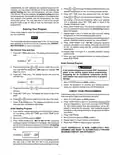
Entering Your Program
Follow these steps to enter the heating and cooling programs
you have selected.
7. Repeat steps 4 and 5 to select the start time and heating
temperature for the 2nd heating program period.
NOTE
8. Repeatsteps4through6forthe3rdand4thheatingprogram
periods. Weekday heating programs are now complete.
The thermostat should be programmed in the 12-hour format,
then switched to the 24-hour format, if desired (see OPERAT-
ING FEATURES for more information).
9. Press VIEW PRGM once. “SA SU” (indicating weekend
program) will appear in the display, along with the start time
for the 1st heating period and the currently programmed
temperature.
Set Current Time and Day
10.Repeat steps 4 through 8 to complete weekend heating
programming.
1. Press SET TIME button once. The display will show the hour
only.
11.When you have completed entering your heating program,
press RUN PRGM.
PM
EXAMPLE:
Enter Cooling Program
2. Press and hold either
or
until you reach the correct
CAUTION
!
hour and AM/PM designation (AM begins at midnight; PM
begins at noon).
If the outside temperature is below 50°F, disconnect
power to the cooling system before programming.
Energizing the air conditioner compressor during
cold weather may cause personal injury or property
damage.
3. Press SET TIME once. The display window will show the
minutes only.
EXAMPLE:
1. Move SYSTEM switch to COOL position.
2. Follow the procedure for entering your heating program,
using your selected cooling times and temperatures.
4. Press and hold either
minutes.
or
until you reach the correct
CHECK YOUR PROGRAMMING
5. Press SET TIME once. The display will show the day of the
week.
Follow these steps to check your thermostat programming one
final time before beginning thermostat operation.
6. Press
or
until you reach the current day of the week.
1. Move SYSTEM switch to HEAT position.
2. Press VIEW PRGM to view the 1st weekday heating period
time and temperature. Each time you press VIEW PRGM,
the next heating period time and temperature will be dis-
played in sequence for weekday, then weekend program
periods(youmaychangeanytimeortemperatureduringthis
procedure).
7. Press RUN PRGM once. The display will show the correct
time and room temperature alternately.
Enter Heating Program
1. If you want to change the display from Fahrenheit to Celsius
(or vice-versa), press SET TIME and HOLD TEMP at the
same time.
3. Press RUN PRGM.
4. Move SYSTEM switch to COOL position.
5. Repeat step 2 to check cooling temperatures.
6. Press RUN PRGM to begin program operation.
2. Move the SYSTEM switch to HEAT.
3. Press VIEW PRGM once. “MO TU WE TH FR” (indicating
weekdayprogram)willappearinthedisplay. Alsodisplayed
are the currently programmed start time for the 1st heating
period and the currently programmed temperature (flash-
ing).
YOUR THERMOSTAT IS NOW COMPLETELY PRO-
GRAMMED AND READY TO AUTOMATICALLY PROVIDE
MAXIMUM COMFORT AND EFFICIENCY!
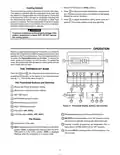
MO TU WE TH FR
AM
EXAMPLE:
This display window shows that for the 1st weekday period,
the start time is 6:00 AM, and 68° is the programmed
temperature(thisexamplereflectsfactorypreprogramming).

| General | Details |
|---|---|
| Name | WHITE RODGERS 1F80-51 Programmable Electronic Digital Thermostat Instruction Manual |
| Make | WHITE RODGERS |
| Language | English |
| Filetype | PDF (Download) |
| File size | 0.12 MB |
 (1 votes, average: 5.00 out of 5)
 Loading...

White-Rodgers 1F83-277 Heating & Air Conditioning Auto Changeover Heat Pump Thermostat User Manual

White-Rodgers 1E78 Non Programmable Heat Only Thermostat User Manual

White-Rodgers 1F97-1277 Big Blue Single Stage Thermostat User Manual

White-Rodgers 1F56N-444 Thermostat User Manual

White-Rodgers M30 Thermostat Instruction Manual

WHITE-RODGERS 1F51N-619 Low Voltage Evaporative Cooler Thermostat Instruction Manual

White Rodgers 1F78-151 Non Programmable Thermostat Instructions

WHITE-RODGERS 1F86-0471 Blue Single 1 1 Stage Thermostat Instruction Manual

WHITE-RODGERS 1F90-71 5-Day 2-Day Electronic Digital Thermostat Instruction Manual

WHITE-RODGERS 1F95-1277 Universal Thermostat Owner’s Manual


COMFORT SENTRY OH-522 Programming Thermostat Instruction Manual

SALUS WQ610RF Wireless Slim Programmable Thermostat Installation Guide

GENERAL Life SOLARA 330S RF Wireless Room Thermostat User Guide

AuVerte C504 Ondur Elegant Temperature Control Thermostat Installation Guide

OLIMPIA SPLENDID 9899 Thermostat User Manual

Honeywell T6 Smart Thermostat User Guide

Wyze WTHERM Smart WI-FI Thermostat User Manual

homematic IP HmIP-WTH-B-2 Wall Thermostat Installation Guide

BEOK BOT-R6X Wireless Gas Boiler Thermostat User Manual

ENGO CONTROLS E901 Wireless Programmable Smart Wifi Thermostat User Manual