
Home > Homematic IP > homematic IP HmIP-WTH-B-2 Wall Thermostat Installation Guide
homematic IP HmIP-WTH-B-2 Wall Thermostat Installation Guide










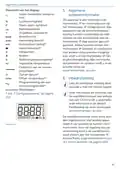


Configuration menu
equipment and, if necessary, per-
sonal safety equipment;
7.1 Manual operation
In manual mode, the temperature is
controlled in accordance with the
current temperature set via the push-
buttons (D + F). The temperature re-
mains activated until the next manual
change. To activate the manual mode,
please proceed as follows:
• Evaluation of measuring results;
• Selection of electrical installation
material for safeguarding shut-off
conditions;
• IP protection types;
• Installation of electrical installation
material;
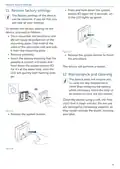
• Press and hold down the menu
button (E) to open the configurati-
on menu.
• Type of supply network (TN sys-
tem, IT system, TT system) and the
resulting connecting conditions
(classical zero balancing, protective
earthing, required additional mea-
sures etc.).
• Select “Manu” via the plus and mi-
nus buttons (D + F) in the menu.
• Confirm with the menu button.
To confirm, the symbol flashes twice
and the device changes back to manu-
al mode.
7 Configuration menu
When using the wall thermostat wit-
hout Homematic IP Access Point, you
can select the following modes via
the configuration menu after set-up
directly on the device and adjust the
settings to your personal needs. To do
this, proceed as follows:
7.2 Automatic mode
Switching from manual to auto-
matic mode is only possible if the
date and time have been set.
In automatic mode, the temperature is
controlled in accordance with the set
heating profile. Manual changes are
activated until the next point at which
the profile changes. Afterwards, the
defined heating profile will be activated
again. To activate the automatic mode,
please proceed as follows:
• By pressing and holding the menu
button (E) for at least 2 s, you will
be entering the configuration
menu.
• Select the desired icon via the plus
and minus buttons (D + F) by pres-
sing the menu button briefly to
change the settings of the different
menu items.
• Press and hold down the menu
button (E) to open the configurati-
on menu.
Press and hold down the menu
button (E) to get back to the pre-
vious level. The menu automati-
cally closes without applying
changes if there is no operation
for more than 1 minute.
• Select “Auto” via the plus and mi-
nus buttons (D + F) in the menu.
• Confirm with the menu button.
To confirm, the symbol flashes twice
and the device changes back to auto-
matic mode.
32

| General | Details |
|---|---|
| Name | homematic IP HmIP-WTH-B-2 Wall Thermostat Installation Guide |
| Make | Homematic IP |
| Language | English |
| Filetype | PDF (Download) |
| File size | 3.71 MB |
 (1 votes, average: 5.00 out of 5)
 Loading...

homematic IP HmIP-eTRV-2 Radiator Thermostat Instruction Manual

homematic IP HmIP-BWTH-A Wall Thermostat Installation Guide

homematic IP TRV-E-A Monday Radiator Thermostat Instruction Manual

homematic IP HAP Radiator Thermostat Instruction Manual

homematic IP HmIP-eTRV-F Radiator Thermostat Instruction Manual

Homematic IP HmIP-WTH-B Wireless Wall Thermostat Instruction Manual

homematic IP HmIP-eTRV-E Series Radiator Thermostat Evo Installation Guide

Homematic IP BMOAONSUT Radiator Thermostat User Manual

homematic IP C-2 Radiator Thermostat Instruction Manual

homematic IP IP HmIP-eTRV-CL Radiator Thermostat Instruction Manual


hyco PT01 Programmable Thermostat Instruction Manual

Danfoss 014G0013 Z Wave Radiator Thermostat Installation Guide

MOES BRT-100 Radiator TRV Thermostat Instruction Manual

HERSCHEL T-MT Mains Powered WiFi Thermostat

Hotwire HWTH Horizontal Thermostat Instructions

GENERAL LIFE FH105S Underfloor Heating Thermostat User Manual

WARMZONE UWG5 WiFi LED Touch Thermostat User Guide

ENGO CONTROLS EASYBATB Wired Thermostat User Guide

resideo P200 Series Focus PRO Thermostat User Guide

BAXI uSense 2 Wired Smart Thermostat Installation Guide