
Home > Homematic IP > homematic IP HmIP-WTH-B-2 Wall Thermostat Installation Guide
homematic IP HmIP-WTH-B-2 Wall Thermostat Installation Guide










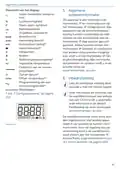


Configuration menu
7.3 Holiday mode
menu.
• Confirm with the menu button.
• Use the plus button to select “On”
to activate the operating lock or
minus “OFF”, to deactivate the
function and confirm with the
menu button.
If you want to maintain a constant
temperature for a certain period, e.g.
during your holidays or a party, the
holiday mode can be used. To activate
the holiday mode, please proceed as
follows:
• Press and hold down the menu
button (E) to open the configurati-
on menu.
To confirm, On or OFF flashes twice
and the device changes back to the
standard display.
• Select “Holiday” using the plus or
minus buttons (D + F) and confirm
with the menu button.
After activating the operating lock, the
“lock” symbol is shown in the display.
• Use the plus or minus buttons to
select the time, until which you
want to activate the holiday mode
and confirm with the menu button.
• Use the plus or minus buttons to
select the date, until which you
want to activate the holiday mode
and confirm with the menu button.
• Use the plus or minus buttons to
select the temperature for the ho-
liday mode and confirm with the
menu button.
To deactivate the operating lock, ple-
ase proceed as follows:
• Press and hold down the menu
button (E) to open the configurati-
on menu.
• Confirm with the menu button.
• Select “OFF” via the minus buttons
(D) to deactivate the operating
lock.
7.5 Time and date
To set the date and time, please pro-
ceed as follows:
To confirm, the symbol flashes twi-
ce and the device changes to holiday
mode.
• Press and hold down the menu
button (E) to open the configurati-
on menu.
7.4 Operating lock
• Select “Date/time” via the plus and
minus buttons (D + F) in the menu.
• Confirm with the menu button.
• Select the desired year using the
plus or minus button and confirm
with the menu button.
Operation of the device can be lo-
cked to avoid settings being changed
unintended (e.g. through involuntary
touch). To activate the operating lock,
please proceed as follows:
• Press and hold down the menu
button (E) to open the configurati-
on menu.
• Select the desired month using the
plus or minus button and confirm
with the menu button.
• Select “Operating lock” via the plus
and minus buttons (D + F) in the
• Select the desired day using the
plus or minus button and confirm
33

| General | Details |
|---|---|
| Name | homematic IP HmIP-WTH-B-2 Wall Thermostat Installation Guide |
| Make | Homematic IP |
| Language | English |
| Filetype | PDF (Download) |
| File size | 3.71 MB |
 (1 votes, average: 5.00 out of 5)
 Loading...

homematic IP HmIP-eTRV-2 Radiator Thermostat Instruction Manual

homematic IP HmIP-BWTH-A Wall Thermostat Installation Guide

homematic IP TRV-E-A Monday Radiator Thermostat Instruction Manual

homematic IP HAP Radiator Thermostat Instruction Manual

homematic IP HmIP-eTRV-F Radiator Thermostat Instruction Manual

Homematic IP HmIP-WTH-B Wireless Wall Thermostat Instruction Manual

homematic IP HmIP-eTRV-E Series Radiator Thermostat Evo Installation Guide

Homematic IP BMOAONSUT Radiator Thermostat User Manual

homematic IP C-2 Radiator Thermostat Instruction Manual

homematic IP IP HmIP-eTRV-CL Radiator Thermostat Instruction Manual


GENERAL 250 Smart Room Thermostat User Manual

Honeywell Decorative Cover Plate forT8775, T87K, or T87N Thermostat Installation Guide

Wengart TP808 Wi-Fi Low Voltage Thermostat User Guide

Klima SF300 Digital Thermostat Instruction Manual

Primevolve NFJ2002E Space Heater with Thermostat Instruction Manual

BEOK CONTROLS BOT-R6W Gas Boiler Thermostat Instruction Manual

vaillant VR 92f/3 Wireless Additional Room Thermostat Instructions

ENGO CONTROLS E901 Wireless Programmable Smart Wifi Thermostat User Manual

Innova B3V151 Electronic Thermostat User Manual

EcoNet RETST800SYS Smart Thermostat User Guide