Home > Homematic IP > homematic IP IP HmIP-eTRV-CL Radiator Thermostat Instruction Manual

homematic IP IP HmIP-eTRV-CL Radiator Thermostat Instruction Manual

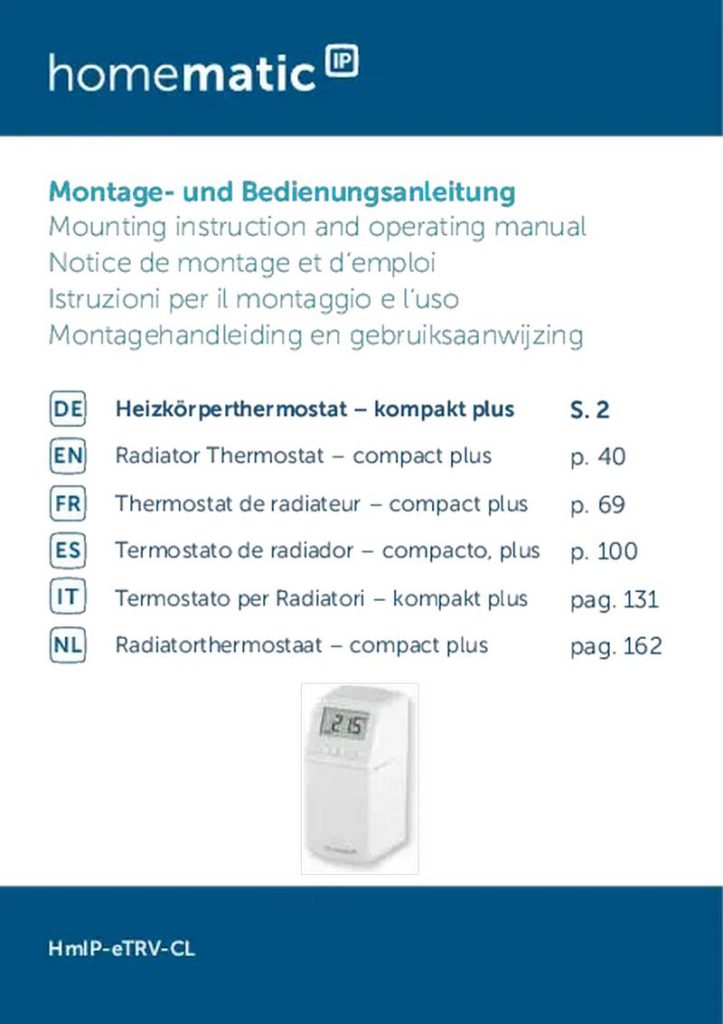
Montage- und Bedienungsanleitung  
Mounting instruction and operating manual  
Notice de montage et d‘emploi  
Istruzioni per il montaggio e l‘uso  
Montagehandleiding en gebruiksaanwijzing  
Heizkörperthermostat – kompakt plus  
EN Radiator Thermostat – compact plus  
DE  
S. 2  
p. 40  
FR  
ES  
IT  
Thermostat de radiateur – compact plus  
Termostato de radiador – compacto, plus  
Termostato per Radiatori – kompakt plus  
Radiatorthermostaat – compact plus  
p. 69  
p. 100  
pag. 131  
pag. 162  
NL  
HmIP-eTRV-CL  
GeneralDetails
Namehomematic IP IP HmIP-eTRV-CL Radiator Thermostat Instruction Manual
MakeHomematic IP
LanguageEnglish
FiletypePDF (Download)
File size1.91 MB
Download PDF
1 Star2 Stars3 Stars4 Stars5 Stars (1 votes, average: 5.00 out of 5)
Loading...
homematic IP HmIP-eTRV-2 Radiator Thermostat Instruction Manual
homematic IP HmIP-BWTH-A Wall Thermostat Installation Guide
homematic IP HmIP-WTH-B-2 Wall Thermostat Installation Guide
homematic IP TRV-E-A Monday Radiator Thermostat Instruction Manual
homematic IP HAP Radiator Thermostat Instruction Manual
homematic IP HmIP-eTRV-F Radiator Thermostat Instruction Manual
Homematic IP HmIP-WTH-B Wireless Wall Thermostat Instruction Manual
homematic IP HmIP-eTRV-E Series Radiator Thermostat Evo Installation Guide
Homematic IP BMOAONSUT Radiator Thermostat User Manual
homematic IP C-2 Radiator Thermostat Instruction Manual

homematic IP IP HmIP-eTRV-CL Radiator Thermostat Instruction Manual
Get the free PDF manual for the homematic IP IP HmIP-eTRV-CL Radiator Thermostat Instruction Manual and access setup steps, usage instructions, and troubleshooting tips. 👉 View online or download now to keep your thermostat running smoothly!

homematic IP IP HmIP-eTRV-CL Radiator Thermostat Instruction Manual Overview

Summary of Contents

  • Page 1: Montage- und Bedienungsanleitung Mounting instruction and operating manual Heizkörperthermostat – kompakt plus Radiator Thermostat – compact plus Thermostat de radiateur – compact plus Termostato de radiador – compacto, plus Termostato per Radiatori – kompakt plus Radiatorthermostaat – compact plus HmIP-eTRV-CL
  • Page 2: Lieferumfang Heizkörperthermostat – kompakt plus Demontageschutz – kompakt Adapter Danfoss (RA, RAV und RAVL) Stützring Mutter M4 Zylinderkopfschraube M4 x 12 mm 1,5 V LR6/Mignon/AA Batterien Bedienungsanleitung Beiblatt mit Sicherheitshinweisen Alle Rechte vorbehalten. Ohne schriftliche Zustimmung des Herausgebers darf diese Anleitung auch nicht auszugsweise in irgendeiner Form reproduziert werden. Es ist möglich, dass die vorliegende Anleitung noch drucktechnische Mängel oder Druckfehler aufweist. Die Angaben in dieser Anleitung werden jedoch regelmäßig überprüft und Korrekturen in der nächsten Ausgabe vorgenommen. Für Fehler technischer oder drucktechnischer Art und ihre Folgen übernehmen wir keine Haftung. Änderungen im Sinne des technischen Fortschritts können ohne Vorankündigung vorgenommen werden.
  • Page 3: Page 3
  • Page 4: Page 4
  • Page 5: Page 5
  • Page 6: Page 6
  • Page 7: Page 7
  • Page 8: Page 8
  • Page 9: Hinweise zur Anleitung Gefahrenhinweise Funktion und Geräteübersicht Allgemeine Systeminformationen Inbetriebnahme Anlernen Montage Bedienung Fehlerbehebung Wartung und Reinigung
  • Page 10: Hinweise zur Anleitung Lesen Sie diese Anleitung sorgfältig, bevor Sie Ihre Homematic IP Geräte in Betrieb nehmen. Bewahren Sie die Anleitung zum späteren Nachschlagen auf. Wenn Sie das Gerät anderen Personen zur Nutzung überlassen, übergeben Sie auch diese Anleitung. Benutzte Symbole: Achtung! Hier wird auf eine Gefahr hingewiesen. Hinweis. Dieser Abschnitt enthält zusätzliche wichtige Informationen! Gefahrenhinweise Öffnen Sie das Gerät nicht. Es enthält keine durch den Anwender zu wartenden Teile. Im Fehlerfall lassen Sie das Gerät von einer Fachkraft prüfen. Betreiben Sie das Gerät nur in trockener sowie staubfreier Umgebung. Das eigenmächtige Umbauen und/oder Verändern des Geräts ist nicht gestattet. Das Gerät ist kein Spielzeug! Erlauben Sie Kindern nicht damit zu spielen.
  • Page 11: Funktion und Geräteübersicht Bei Sach- oder Personenschäden, die durch unsachgemäße Handhabung oder Nichtbeachten der Gefahrenhinweise verursacht werden, übernehmen wir keine Haftung. Das Gerät ist nur für den Einsatz im Umfeld von Wohnbereichen, Geschäfts- und Gewerbebereichen sowie in Kleinbetrieben bestimmt. Die Regelung der Raumtemperatur über den Heizkörperthermostat ist auf ein Zweirohrheizsystem ausgelegt. Eine Verwendung in Einrohrheizsystemen kann zu starken Abweichungen von der eingestellten Temperatur führen. Jeder andere Einsatz, als der in dieser Bedienungsanleitung beschriebene, ist nicht bestimmungsgemäß. Mit dem Homematic IP Heizkörperthermostat können Sie die Raumtemperatur zeitgesteuert und bedarfsgerecht regulieren. Individuelle Temperaturverläufe können einfach über konfigurierbare Heizprofile eingestellt werden. Das manipulationssichere Gehäusedesign schützt den Thermostat gegen unerwünschte Bedienung. Sie können den Heizkörperthermostat direkt am Gerät konfigurieren und an Ihre persönlichen Bedürfnisse anpassen. Alternativ haben Sie die Möglichkeit, den Heizkörperthermostat in Verbindung mit einem Homematic IP Access Point zu nutzen.
  • Page 12: Funktion und Geräteübersicht Smartphone-App zu steuern. Heiztemperatur beim Lüften automatisch abgesenkt, damit keine Energie verschwendet wird. Der Heizkörperthermostat passt auf alle gängigen Heizkörperventile und ist einfach zu montieren. Geräteübersicht: (A) Metallmutter (B) LC-Display (C) Plus-Taste (D) Menü-/Boost-Taste und Geräte-LED (E) Minus-Taste (F) Batteriefachdeckel Displayübersicht: Übersicht der Heizphasen Soll-Temperatur Uhrzeit und Datum Fenster-auf-Symbol Funkübertragung Leere Batterien Urlaubsmodus Automatischer Betrieb Manueller Betrieb Programmierung eines Heizprofils
  • Page 13: Allgemeine Systeminformationen Dieses Gerät ist Teil des Homematic IP Smart-Home-Systems und kommuniziert über das Homematic IP Funkprotokoll. Alle Geräte des Systems können komfortabel und individuell per Smartphone über die Homematic IP App konfiguriert werden. Alternativ haben Sie die Möglichkeit, Homematic IP Geräte über die Zentrale CCU3 oder in Verbindung mit vielen Partnerlösungen zu betreiben. Inbetriebnahme Bitte lesen Sie diesen Abschnitt erst vollständig, bevor Sie mit dem Anlernen beginnen. Sie können den Heizkörperthermostat entweder direkt an ein oder mehrere Homematic IP Geräte oder an den Homematic IP Access Point anlernen. Beim direkten Anlernen erfolgt die Konfiguration am Gerät und beim Anlernen an den Access Point über die kostenlose Homematic IP App. Direktes Anlernen an ein Homematic IP Gerät Sie können den Homematic IP Heizkörperthermostat an weitere Homematic IP Heizkörperthermostate, an den Homematic IP Fenster- und Türkontakt mit Magnet und/oder an den Homematic IP Wandthermostat anlernen. Halten Sie beim Anlernen einen Mindestabstand von 50 cm zwischen den Geräten ein.
  • Page 14: Inbetriebnahme Sie können den Anlernvorgang durch kurze Betätigung der Menütaste abbrechen. Um das Gerät an ein anderes Homematic IP Gerät anzulernen, müssen beide Geräte in den Anlernmodus gebracht werden. Öffnen Sie die Batteriefächer, indem Sie den Batteriefachdeckel im ersten Schritt nach unten und im zweiten Schritt nach vorne abziehen. Ziehen Sie die Isolierstreifen aus beiden Batteriefächern heraus. Halten Sie die Menütaste solange gedrückt, bis sich das Konfigurationsmenü öffnet. Wählen Sie über die Plus- oder Minustaste den Menüpunkt „PAIr“ aus. Die Geräte-LED beginnt schnell orange zu blinken. Der Anlernmodus ist für 3 Minuten aktiv. Drücken Sie die Systemtaste des anzulernenden Geräts für mindestens 4 Sekunden, um den Anlernmodus zu aktivieren. Erfolgreiches Anlernen wird durch grünes Blinken der Geräte-LED signalisiert. Wenn kein Anlernen erfolgt, wird der Anlernmodus automatisch nach 3 Minuten beendet.
  • Page 15: Inbetriebnahme Um einen weiteren Heizkörperthermostat hinzuzufügen, muss dieser an den bestehenden Heizkörperthermostat angelernt werden. Der neue Heizkörperthermostat kann anschließend an den bestehenden Tür- und Fensterkontakt angelernt werden. Bei mehreren Geräten in einem Raum sollten alle Geräte aneinander angelernt werden. Falls das Gerät bereits an ein anderes Homematic IP Gerät angelernt wurde, müssen die Werkseinstellungen wiederhergestellt werden. Richten Sie den Homematic IP Access Point über die Homematic IP App ein, um weitere Geräte nutzen zu können. Das Gerät kann an den Access Point oder an die Zentrale CCU3 angelernt werden. Für die Integration in Ihr System muss das Gerät an den Homematic IP Access Point angelernt werden. Öffnen Sie die Homematic IP App auf Ihrem Smartphone. Wählen Sie den Menüpunkt „Gerät anlernen“ aus. Öffnen Sie die Batteriefächer, um fortzufahren.
  • Page 16: Inbetriebnahme Ziehen Sie die beiden Isolierstreifen aus den Batteriefächern heraus. Der Anlernmodus ist für 3 Minuten aktiv. Die Geräte-LED beginnt orange zu blinken. Sie können den Anlernmodus manuell für weitere 3 Minuten starten, indem Sie das Konfigurationsmenü über die Menü-Taste öffnen. Das Gerät erscheint automatisch in der Homematic IP App. Zur Bestätigung geben Sie in der App die letzten vier Ziffern der Gerätenummer ein oder scannen Sie den QR-Code. Warten Sie, bis der Anlernvorgang abgeschlossen ist. Zur Bestätigung eines erfolgreichen Anlernvorgangs leuchtet die LED grün. Leuchtet die LED rot, versuchen Sie es erneut. Vergeben Sie in der App einen Namen für das Gerät und ordnen Sie es einem Raum zu. Montage Bitte lesen Sie diesen Abschnitt erst vollständig, bevor Sie mit der Montage beginnen. Die Montage des Homematic IP Heizkörperthermostats ist einfach und erfolgt ohne Ablassen von Heizungswasser oder Eingriff in das Heizsystem. Spezialwerkzeug oder ein Abschalten der Heizung sind nicht erforderlich. Die am Heizkörperthermostat angebrachte Metallmutter ist universell einsetzbar und ohne Zubehör passend für alle Ventile mit dem Gewinde-Maß M30 x 1,5 mm der gängigsten Hersteller.
  • Page 17: Inbetriebnahme Informationen über die kompatiblen Hersteller und zu den Ventiladaptern finden Sie auf www.homematic-ip.com. Durch die im Lieferumfang enthaltenen Adapter ist das Gerät auch auf Heizkörperventile vom Typ Danfoss RA, Danfoss RAV und Danfoss RAVL montierbar. Bei erkennbaren Schäden am vorhandenen Thermostat, am Ventil oder an den Heizungsrohren konsultieren Sie bitte einen Fachmann. Demontieren Sie den alten Thermostatkopf von Ihrem Heizkörperventil. Drehen Sie den Thermostatkopf auf den Maximalwert gegen den Uhrzeigersinn. Die Fixierung des Thermostatkopfes kann unterschiedlich ausgeführt sein. Überwurfmutter: Schrauben Sie die Überwurfmutter gegen den Uhrzeigersinn ab. Schnappbefestigungen: Sie können so befestigte Thermostatköpfe einfach lösen. Klemmverschraubungen: Der Thermostatkopf wird durch einen Befestigungsring gehalten. Verschraubung mit Madenschrauben: Lösen Sie die Madenschraube und nehmen Sie den Thermostatkopf ab.
  • Page 18: Inbetriebnahme Heizkörperthermostat montieren Nach der Demontage des alten Thermostatkopfes können Sie den neuen Heizkörperthermostat auf dem Heizungsventil montieren. Setzen Sie den Heizkörperthermostat mit der Metallmutter auf das Heizungsventil. Drehen Sie die Metallmutter auf dem Heizungsventil fest. Bei Bedarf verwenden Sie einen der beiliegenden Adapter für Danfoss Ventile oder den beiliegenden Stützring. Stützring Bei den Ventilen einiger Hersteller weist der in das Gerät hineinragende Teil des Ventils nur einen geringen Durchmesser auf. In diesem Fall sollte der beiliegende Stützring vor der Montage in den Flansch des Geräts eingelegt werden. Adapter für Danfoss Zur Montage auf Ventile von Danfoss ist einer der beiliegenden Adapter erforderlich. Achten Sie darauf, sich nicht die Finger zwischen den Adapterhälften einzuklemmen.
  • Page 19: Inbetriebnahme Die Ventilkörper von Danfoss weisen umlaufend längliche Einkerbungen auf, die auch einen besseren Sitz des Adapters nach dem Aufrasten gewährleisten. Achten Sie bei der Montage darauf, dass die Zapfen im Inneren des Adapters eine deckungsgleiche Position zu den Einkerbungen am Ventil haben. Rasten Sie den Adapter vollständig am Ventil auf. Befestigen Sie den Adapter mit der beiliegenden Schraube und Mutter.
  • Page 20: Inbetriebnahme Die Ventilkörper von Danfoss weisen umlaufend längliche Einkerbungen auf, die auch einen besseren Sitz des Adapters nach dem Aufrasten gewährleisten. Achten Sie bei der Montage darauf, dass die Zapfen im Inneren des Adapters eine deckungsgleiche Position zu den Einkerbungen am Ventil haben. Rasten Sie den Adapter vollständig am Ventil auf. Befestigen Sie den Adapter mit der beiliegenden Schraube und Mutter. Setzen Sie die Stößelverlängerung auf den Ventilstift.
  • Page 21: Inbetriebnahme Die Ventilkörper von Danfoss weisen umlaufend längliche Einkerbungen auf, die auch einen besseren Sitz des Adapters nach dem Aufrasten gewährleisten. Achten Sie bei der Montage darauf, dass die Zapfen im Inneren des Adapters eine deckungsgleiche Position zu den Einkerbungen am Ventil haben. Rasten Sie den Adapter vollständig am Ventil auf. Setzen Sie die Stößelverlängerung auf den Ventilstift. Der RAVL-Adapter muss nicht verschraubt werden.
  • Page 22: Konfigurationsmenü Nach dem Einlegen der Batterien fährt der Motor zunächst zurück, um die Montage zu erleichtern. Wurde die Adaptierfahrt vor der Montage eingeleitet bzw. wird eine Fehlermeldung angezeigt, drücken Sie die Systemtaste und der Motor fährt zurück zur Position. Nachdem der Heizkörperthermostat erfolgreich montiert wurde, muss zur Anpassung ans Ventil eine Adaptierfahrt durchgeführt werden. Wenn im Display „Adaptierfahrt“ steht, drücken Sie die Systemtaste, um die Adaptierfahrt zu starten. Sollte die Hintergrundbeleuchtung des Displays ausgeschaltet sein, müssen Sie die Taste ein zweites Mal drücken, um die Adaptierfahrt zu starten. Der Heizkörperthermostat führt die Adaptierfahrt durch. Währenddessen ist keine Bedienung möglich. Nach erfolgreicher Adaptierfahrt wechselt das Display zur normalen Anzeige. Wenn Sie das Gerät ohne Homematic IP Access Point betreiben, können Sie nach der Inbetriebnahme direkt über das Konfigurationsmenü Modi auswählen. Durch langes Drücken der Menü-Taste gelangen Sie ins Konfigurationsmenü.
  • Page 23: Konfigurationsmenü Wählen Sie das gewünschte Symbol über die Plus- oder Minus-Tasten und kurzes Drücken der Menü-Taste aus, um Einstellungen für die verschiedenen Menüpunkte vorzunehmen. Durch langes Drücken der Menü-Taste gelangen Sie zur vorherigen Ebene zurück. Wenn für mehr als 1 Minute keine Betätigung am Gerät erfolgt, schließt sich das Menü automatisch, ohne eingestellte Änderungen zu übernehmen. Automatikbetrieb Manueller Betrieb Offset-Temperatur Programmierung eines Heizprofils Datum und Uhrzeit Bediensperre/PIN-Eingabe Urlaubsmodus Wenn Sie das Gerät an den Homematic IP Access Point anlernen, können Sie die Einstellungen bequem über die kostenlose Homematic IP App vornehmen.
  • Page 24: Konfigurationsmenü Falls Sie bereits Einstellungen im Konfigurationsmenü vorgenommen haben, müssen Sie zum Anlernen des Heizkörperthermostats an einen Homematic IP Access Point oder an eine Zentrale CCU3 zunächst die Werkseinstellungen des Geräts wiederherstellen. Automatischer Betrieb Im Automatikbetrieb erfolgt die Temperaturregelung gemäß des eingestellten Heizprofils. Manuelle Änderungen bleiben bis zum nächsten Schaltzeitpunkt aktiv. Um den automatischen Betrieb zu aktivieren, drücken Sie für ca. 2 s auf die Menü-Taste, wählen Sie den Menüpunkt „Auto“ aus und bestätigen Sie mit der Menü-Taste. Manueller Betrieb Im manuellen Betrieb erfolgt die Temperaturregelung gemäß der über die Tasten eingestellten Temperatur. Die Temperatur bleibt bis zur nächsten manuellen Änderung erhalten. Um den manuellen Betrieb zu aktivieren, drücken Sie für ca. 2 s auf die Menü-Taste, wählen Sie den Menüpunkt „Manu“ aus und bestätigen Sie mit der Menü-Taste.
  • Page 25: Konfigurationsmenü Offset-Temperatur Die Temperatur am Heizkörperthermostat kann von der tatsächlichen Raumtemperatur abweichen. Eine Offset-Temperatur von 3.5 °C kann eingestellt werden, um dies auszugleichen. Werksseitig ist eine Offset-Temperatur von 0.0 °C eingestellt. Um die Offset-Temperatur anzupassen, drücken Sie die Menü-Taste für ca. 2 s. Wählen Sie den Menüpunkt „Offset“ aus und bestätigen Sie mit der Menü-Taste. Zur Bestätigung blinkt die Temperatur zweimal kurz auf. Programmierung eines Heizprofils In diesem Menüpunkt können Sie ein Heizprofil mit Heiz- und Absenkphasen erstellen. Drücken Sie die Menü-Taste für ca. 2 s, um das Konfigurationsmenü zu öffnen. Wählen Sie den Menüpunkt „Prg“ aus und bestätigen Sie mit der Menü-Taste. Wählen Sie unter „dAY“ die gewünschten Wochentage für Ihr Heizprofil aus. Bestätigen Sie die Startzeit 00:00 Uhr mit der Menü-Taste.
  • Page 26: Konfigurationsmenü Wählen Sie über die Plus- oder Minus-Tasten die gewünschte Temperatur für den nächsten Zeitabschnitt aus und bestätigen Sie mit der Menü-Taste. Wiederholen Sie diesen Vorgang, bis für den gesamten Zeitraum von 0:00 bis 23:59 Uhr Temperaturen hinterlegt sind. Zur Bestätigung blinkt die Uhrzeit zweimal kurz auf und das Gerät wechselt zurück zur Standardanzeige. Uhrzeit und Datum Um Datum und Uhrzeit einzustellen, drücken Sie für ca. 2 s auf die Menü-Taste, um das Konfigurationsmenü zu öffnen. Wählen Sie über die Plus- oder Minus-Tasten den Menüpunkt „Datum/Uhrzeit“ aus und bestätigen Sie mit der Menü-Taste. Wählen Sie über die Plus- oder Minus-Tasten das Jahr aus und bestätigen Sie mit der Menü-Taste. Wählen Sie über die Plus- oder Minus-Tasten den Monat aus und bestätigen Sie mit der Menü-Taste. Die Bedienung am Gerät kann über eine persönliche PIN gesperrt werden, um das ungewollte Verändern von Soll-Temperatur oder der Einstellungen zu verhindern.
  • Page 27: Konfigurationsmenü Drücken Sie für ca. 2 s auf die Menü-Taste, um das Konfigurationsmenü zu öffnen. Wählen Sie über die Plus- oder Minus-Tasten den Menüpunkt „Bediensperre“ aus. Bestätigen Sie mit der Menü-Taste. Um die Bediensperre zu aktivieren und die PIN einzugeben, wählen Sie über die Plus-Taste „On“ aus und bestätigen Sie mit der Menü-Taste. Es erscheint „PIn“ im Display. Bestätigen Sie mit der Menü-Taste. Geben Sie nun nach dem gleichen Schema die zweite, dritte und vierte Ziffer der PIN ein und bestätigen Sie jede Eingabe mit der Menü-Taste. Anschließend erscheint „SAFE“ im Display. Die Bediensperre ist nun aktiv. Um die Bediensperre anschließend wieder zu deaktivieren, drücken Sie solange auf die Menü-Taste, bis das Menü für die Bediensperre im Display angezeigt wird. Wählen Sie über die Minus-Taste „OFF“ aus und bestätigen Sie mit der Menü-Taste. Geben Sie über die Plus- und Minus-Tasten die vier Ziffern Ihrer PIN ein und bestätigen Sie mit der Menü-Taste.
  • Page 28: Konfigurationsmenü Der Urlaubsmodus kann genutzt werden, wenn für einen bestimmten Zeitraum dauerhaft eine feste Temperatur gehalten werden soll. Um den Urlaubsmodus einzustellen, drücken Sie für ca. 2 s auf die Menü-Taste, um das Konfigurationsmenü zu öffnen. Wählen Sie über die Plus- oder Minus-Tasten den Menüpunkt „Urlaub“ aus und bestätigen Sie mit der Menü-Taste. Geben Sie über die Plus- oder Minus-Tasten die Uhrzeit ein, bis zu der der Urlaubsmodus aktiv sein soll. Geben Sie über die Plus- oder Minus-Tasten das Datum ein, bis zu dem der Urlaubsmodus aktiv sein soll. Geben Sie über die Plus- oder Minus-Tasten die gewünschte Temperatur für die Zeit der Abwesenheit ein und bestätigen Sie mit der Menü-Taste. Zur Bestätigung blinkt das Symbol zweimal kurz auf und das Gerät wechselt in den Urlaubsmodus. Um den Heizkörperthermostat direkt an ein anderes Homematic IP Gerät anzulernen, können Sie den Anlernmodus aktivieren. Das schnelle orange Blinken zeigt den aktiven Anlernmodus an.
  • Page 29: Konfigurationsmenü Anlernen an den Access Point Um den Heizkörperthermostat an einen Homematic IP Access Point anzulernen, können Sie den Anlernmodus aktivieren. Drücken Sie für ca. 2 s auf die Menü-Taste, um das Konfigurationsmenü zu öffnen. Wählen Sie über die Plus- oder Minus-Tasten den Menüpunkt „InCL“ aus und bestätigen Sie mit der Menü-Taste. Das Blinken des Menüeintrags zeigt den aktivierten Anlernmodus an. Werkseinstellungen wiederherstellen Die Werkseinstellungen des Geräts können wiederhergestellt werden. Dabei gehen alle Einstellungen verloren. Drücken Sie für ca. 2 s auf die Menü-Taste, um das Konfigurationsmenü zu öffnen. Wählen Sie über die Plus- oder Minus-Tasten den Menüpunkt „rES“ aus und bestätigen Sie mit der Menü-Taste. Halten Sie die Menü-Taste solange gedrückt, bis die Geräte-LED schnell orange zu blinken beginnt. Lassen Sie die Menü-Taste kurz los und halten Sie sie dann erneut solange gedrückt, bis das orange Blinken in ein grünes Leuchten wechselt. PIN ändern Um die vergebene PIN zu ändern, gehen Sie wie folgt vor.
  • Page 30: Wählen Sie über die Plus- oder Minus-Tasten den Menüpunkt „PIN“ aus. Bestätigen Sie mit der Menü-Taste. Es erscheint „OLD“ im Display. Bestätigen Sie mit der Menü-Taste, um die bestehende PIN zu ändern. Werksseitig ist die PIN „0000“. Geben Sie die erste Ziffer der bestehenden PIN über die Plus- und Minus-Tasten ein und bestätigen Sie mit der Menü-Taste. Es erscheint „NEU“ im Display. Bestätigen Sie mit der Menü-Taste, um die neue PIN einzugeben. Anschließend erscheint „SAFE“ im Display. Die neue PIN ist gespeichert. Das Gerät wechselt zurück zur Standardanzeige. Im Stand-by-Modus müssen Sie eine Taste des Heizkörperthermostats drücken, um ihn zu aktivieren. Drücken Sie die Plus- oder Minus-Taste, um die Temperatur des Heizkörpers manuell zu verändern.
  • Page 31: Batterien wechseln Boost-Funktion: Drücken Sie die Boost-Taste kurz, um die Boost-Funktion für schnelles, kurzzeitiges Aufheizen des Heizkörpers zu aktivieren. Erscheint das Symbol für leere Batterien im Display bzw. in der App, tauschen Sie die verbrauchten Batterien gegen vier neue Batterien des Typs LR6/Mignon/AA aus. Um neue Batterien einzulegen, öffnen Sie die Batteriefächer, indem Sie den Batteriefachdeckel nach unten und dann nach vorne abziehen. Entnehmen Sie die leeren Batterien. Legen Sie vier neue 1,5 V LR6/Mignon/AA Batterien polungsrichtig gemäß Markierung in die Batteriefächer ein. Achten Sie nach dem Einlegen der Batterien auf die Blinkfolgen der LED. Nach dem Einlegen der Batterien führt der Heizkörperthermostat zunächst für ca. 2 Sekunden einen Selbsttest durch. Vorsicht! Explosionsgefahr bei unsachgemäßem Austausch der Batterien. Batterien dürfen niemals aufgeladen werden und nicht ins Feuer geworfen werden. Beim Umgang mit ausgelaufenen Batterien ist Haut- und Augenkontakt zu vermeiden.
  • Page 32: Fehlerbehebung Bei längerem Nichtgebrauch, z. B. bei Lagerung des Heizkörperthermostats, entnehmen Sie die eingelegten Batterien um Schäden durch auslaufende Batterien zu vermeiden. Verbrauchte Batterien gehören nicht in den Hausmüll. Entsorgen Sie diese in Ihrer örtlichen Batteriesammelstelle. Schwache Batterien Wenn es der Spannungswert zulässt, ist der Heizkörperthermostat auch bei niedriger Batteriespannung betriebsbereit. Bricht beim Senden die Spannung wieder zusammen, wird das Symbol für leere Batterien angezeigt und der Fehlercode am Gerät angezeigt. Tauschen Sie in diesem Fall die leeren Batterien gegen vier neue aus. Befehl nicht bestätigt Bestätigt mindestens ein Empfänger einen Befehl nicht, leuchtet zum Abschluss der fehlerhaften Übertragung die Geräte-LED rot auf. Grund für die fehlerhafte Übertragung kann eine Funkstörung sein. Die fehlerhafte Übertragung kann folgende Ursachen haben: Empfänger nicht erreichbar, Empfänger kann Befehl nicht ausführen oder Empfänger defekt.
  • Page 33: Duty cycle beschreibt eine gesetzlich geregelte Begrenzung der Sendezeit von Geräten im 868 MHz-Bereich. Das Ziel dieser Regelung ist es, die Funktion aller im 868 MHz-Bereich arbeitenden Geräte zu gewährleisten. Die maximale Sendezeit eines jeden Geräts beträgt 1 % einer Stunde (also 36 Sekunden in einer Stunde). Die Geräte dürfen bei Erreichen des 1 %-Limits nicht mehr senden, bis diese zeitliche Begrenzung vorüber ist. Homematic IP Geräte werden zu 100 % normenkonform entwickelt und produziert. Im normalen Betrieb wird der Duty Cycle in der Regel nicht erreicht. Eine Überschreitung des Duty Cycle-Limits wird durch einmal langes rotes Leuchten der Geräte-LED angezeigt. Nach kurzer Zeit (max. 1 Stunde) ist die Funktion des Geräts wiederhergestellt. Blinkcode und Displayanzeige geben die Bedeutung und Lösung für verschiedene Fehler an. Prüfen Sie, ob der Stößel des Heizungsventils klemmt.
  • Page 34: Fehlerbehebung Tauschen Sie die Batterien des Geräts aus. Batteriesymbol und Ventilnotposition wurde angefahren. Werden leere Batterien nicht ausgetauscht, fährt der Heizkörperthermostat in eine Ventilnotposition. Kommunikationsstörung zum Homematic IP Access Point oder zum angelernten Gerät. Antennensymbol blinkt zum Homematic IP Access Point. Deaktivieren Sie die Bedien sperre am Gerät oder in der App. Bediensperre aktiv. Funkübertragung/Sendeversuch wird übertragen. Warten Sie, bis die Übertragung bestätigt ist. Geben Sie die letzten vier Ziffern der Geräte-Seriennummer zur Bestätigung ein.
  • Page 35: Fehlerbehebung Aktivieren Sie den Anlernmodus des anzulernenden Geräts. Direkter Anlernmodus aktiv. Batterien leer. Tauschen Sie die Batterien aus. Achten Sie auf die Anzeige in Ihrer App. Gerät defekt. Nachdem die Testanzeige erloschen ist, können Sie fortfahren. Aktualisierung der Gerätesoftware (OTAU). Warten Sie, bis das Update beendet ist.
  • Page 36: Wiederherstellung der Werkseinstellungen Die Werkseinstellungen des Geräts können wiederhergestellt werden. Dabei gehen alle Einstellungen verloren. Um die Werkseinstellungen des Geräts wiederherzustellen, gehen Sie wie folgt vor: Öffnen Sie die Batteriefächer, indem Sie den Batteriefachdeckel im ersten Schritt nach unten und im zweiten Schritt nach vorne abziehen. Entnehmen Sie eine Batterie. Legen Sie die Batterie entsprechend der Polaritätsmarkierungen bei gleichzeitig gedrückter Menü-Taste wieder ein. Halten Sie die Menü-Taste solange gedrückt, bis die LED schnell orange zu blinken beginnt. Lassen Sie die Menü-Taste kurz los und halten Sie die Menü-Taste dann erneut solange gedrückt, bis das orange Blinken in ein grünes Leuchten wechselt. Lassen Sie die Menü-Taste wieder los, um das Wiederherstellen der Werkseinstellungen abzuschließen. Das Gerät führt einen Neustart durch. Wartung und Reinigung Das Gerät ist für Sie bis auf einen eventuell erforderlichen Batteriewechsel wartungsfrei. Reinigen Sie das Gerät mit einem weichen, sauberen, trockenen und fusselfreien Tuch.
  • Page 37: Allgemeine Hinweise zum Funkbetrieb Die Funk-Übertragung wird auf einem nicht exklusiven Übertragungsweg realisiert, weshalb Störungen nicht ausgeschlossen werden können. Die Reichweite in Gebäuden kann stark von der im Freifeld abweichen. Umwelteinflüsse wie Luftfeuchtigkeit spielen neben baulichen Gegebenheiten eine wichtige Rolle. Hiermit erklärt die eQ-3 AG, dass der Funkanlagentyp Homematic IP HmIP-eTRV-CL der Richtlinie 2014/53/EU entspricht. Technische Daten Geräte-Kurzbezeichnung: HmIP-eTRV-CL Versorgungsspannung: 4x 1,5 V LR6/Mignon/AA Stromaufnahme: 100 mA max. Batterielebensdauer: 7 Jahre (typ.) Schutzart: IP20 Umgebungstemperatur: 0 bis 50 °C Abmessungen: 54 x 108 x 65 mm Gewicht: 260 g (inkl. Batterien) Funk-Frequenzband: 868,0-868,6 MHz, 869,4-869,65 MHz Max. Funk-Sendeleistung: 10 dBm Typ. Funk-Freifeldreichweite: 280 m
  • Page 38: Technische Daten Software-Klasse Wirkungsweise Anschluss Klasse A Typ 1 Maximale Hublage Minimale Hublage Gerät nicht im Hausmüll entsorgen Das CE-Zeichen ist ein Freiverkehrszeichen. Bei technischen Fragen zum Gerät wenden Sie sich bitte an Ihren Fachhändler.
  • Page 39: Package contents include radiator thermostat, disassembly protection, Danfoss adapters, support ring, nut, cylinder head screw, batteries, operating manual, and safety instructions. This manual may not be reproduced in any format without written consent of the publisher. Typographical and printing errors cannot be excluded, but information is regularly reviewed for necessary corrections. No liability is accepted for technical or typographical errors or their consequences. All trademarks and industrial property rights are acknowledged. Changes may be made without prior notice due to technical advances. Documentation © 2022 eQ-3 AG, Germany. Translation from the original version in German. Printed in Hong Kong. Version 1.3 (06/2023).
  • Page 40: Information about this manual Hazard information Function and device overview General system information Start-up Pairing Installation Operation Troubleshooting Technical specifications
  • Page 41: Information about this manual Please read this manual carefully before operating your Homematic IP components. Keep the manual so you can refer to it at a later date if you need to. Symbols used: Attention! This indicates a hazard. Note. This section contains important additional information! Hazard information Do not open the device. It does not contain any parts that need to be maintained by the user. The device may only be operated in a dry and dust-free environment and must be protected from the effects of moisture, vibrations, solar or other methods of heat radiation, cold, and mechanical loads. For safety and licensing reasons (CE), unauthorized changes and/or modifications of the device is not permitted. The device is not a toy: do not allow children to play with it. We accept no liability for damage to property or personal injury caused by improper use or the failure to observe the hazard warnings.
  • Page 42: Function and device overview The device is intended for use in residential, business, and commercial areas, and in small enterprises. The room temperature control via the radiator thermostat is designed for a two-pipe heating system. Using the device for any purpose other than that described in this operating manual will invalidate any warranty or liability. The Homematic IP Radiator Thermostat regulates room temperature with time control and customizable heating profiles. The tamper-proof housing design and integrated operation lock protect the thermostat against unwanted operation. You can configure the radiator thermostat directly on the device or via a smartphone app in combination with a Homematic IP Access Point. The temperature is reduced automatically during ventilation when used with a Homematic IP window and door contact. The radiator thermostat fits all common radiator valves and is easy to mount without draining water or intervening in the heating system.
  • Page 43: General system information This device is part of the Homematic IP smart home system and works with the Homematic IP radio protocol. All devices in the Homematic IP system can be configured easily and individually with a smartphone using the Homematic IP app. You have the option of operating Homematic IP devices via the CCU3 or in conjunction with many partner solutions. The available functions provided by the system in combination with other components are described in the Homematic IP User Guide. All current technical documents and updates are provided at www.homematic-ip.com. Display overview: Overview of heating phases Setpoint temperature Time and date Operating lock Open window symbol Radio transmission Empty batteries Holiday mode Automatic operation Manual operation Boost mode Programming a heating schedule
  • Page 44: Start-up Pairing Please read this entire section before starting the pairing procedure. You can either pair the radiator thermostat directly with one or more Homematic IP devices or add the device to the Homematic IP Access Point. After direct pairing, configuration must be done directly on the device. After pairing with the access point, configuration is done via the Homematic IP app. You can directly pair the Homematic IP Radiator Thermostat with other Homematic IP devices. Please make sure you maintain a distance of at least 50 cm between the devices during pairing. You can cancel the pairing procedure by briefly pressing the menu button. To connect the device with another Homematic IP device, the pairing mode of both devices must be activated. Open the battery compartments by pulling the cover downwards and then forwards. Press and hold the menu button until the configuration menu opens.
  • Page 45: Start-up Confirm your selection by briefly pressing the menu button. The device LED starts to quickly flash orange. The pairing mode is active for 3 minutes. Press and hold the system button of the device you want to connect for at least 4 seconds to activate the pairing mode. The device LED starts to flash orange. The device LED lights up green to indicate that pairing has been successful. If pairing has failed, the device LED lights up red. If no pairing operations are performed, pairing mode is exited automatically after 3 seconds. If you want to add another device to the existing devices, first activate the pairing mode of the existing device and afterwards the pairing mode of the new device. If you want to add another radiator thermostat, you must first pair the new radiator thermostat to the existing radiator thermostat. If you are using several devices in one room, you should pair all devices with each other. If you have already paired the device with another Homematic IP device, you first have to restore the factory settings of the device before you can pair it with the Homematic IP Access Point.
  • Page 46: Start-up First set up your Homematic IP Access Point via the Homematic IP app to enable operation of other Homematic IP devices within your system. You can pair the device with either the access point or the Homematic Central Control Unit CCU3. To integrate the device into your system and to enable control via the free Homematic IP app, you must first add the device to your Homematic IP Access Point. Open the Homematic IP app on your smartphone. Select “Add device.” Pull both insulation strips out of the battery compartment. The pairing mode is active for 3 minutes. You can manually start the pairing mode for another 3 minutes by briefly pressing the system button. Your device will automatically appear in the Homematic IP app. To confirm, enter the last four digits of the device number in your app or scan the QR code. If pairing was successful, the LED lights up green. The device is now ready for use.
  • Page 47: Start-up If the LED lights up red, please try again. In the app, give the device a name and allocate it to a room. Installation Please read this entire section before starting the installation. The Homematic IP Radiator Thermostat is easy to install and can be done without draining heating water or intervening in the heating system. No special tools are required, nor does the heating have to be switched off. The metal nut attached to the radiator thermostat can be used universally and without accessories for all valves with a thread size of M30 x 1.5 mm from the most popular manufacturers. Using the adapters supplied, the device can also be installed on radiator valves type Danfoss RA, Danfoss RAV and Danfoss RAVL. Removing a thermostat In case of visible damage to the existing radiator, valve or heating pipes, please consult a specialist. Remove the old thermostatic head from your radiator valve by rotating the thermostatic head anti-clockwise to the maximum value. The thermostatic head may be held in place in various ways, including union nut and snap-on fastenings.
  • Page 48: Start-up Compression fitting: The thermostatic head is held in place by a mounting ring, which is held together with a screw. Threaded connection with set screw: Loosen the set screw and remove the thermostatic head. Mounting the radiator thermostat: After removing the old thermostatic head, you can mount the new radiator thermostat on the heating valve. Place the radiator thermostat with the metal nut on the heating valve. Tighten the metal nut on the radiator valve. Support ring: With some manufacturers' valves, the part of the valve that protrudes into the device has only a small diameter, which causes the radiator thermostat to sit more loosely on the valve. The supplied support ring should be inserted into the flange of the device before mounting. Adapter for Danfoss: One of the adapters supplied is required to attach to Danfoss valves. The RA and RAV adapters have been manufactured with pre-tension for a better fit.
  • Page 49: Start-up Danfoss RA Danfoss valve bodies have elongated notches around their circumference, which also ensure that the adapter is properly seated when it snaps on. During installation, please ensure that the pins inside the adapter are aligned with the notches on the valve. Snap the adapter completely onto the valve. Secure the adapter with the enclosed screw and nut.
  • Page 50: Start-up Danfoss RAV Danfoss valve bodies have elongated notches around their circumference, which also ensure that the adapter is properly seated when it snaps on. During installation, please ensure that the pins inside the adapter are aligned with the notches on the valve. Snap the adapter completely onto the valve. Secure the adapter with the enclosed screw and nut. Place the spigot extension on the valve pin.
  • Page 51: Start-up Danfoss valve bodies have elongated notches around their circumference, which ensure that the adapter is properly seated when it snaps on. During installation, ensure that the pins inside the adapter are aligned with the notches on the valve. Snap the adapter completely onto the valve. Place the spigot extension on the valve pin. The RAVL adapter does not need to be screwed on. Adjustment run When the batteries are inserted, the motor first reverses to facilitate fitting.
  • Page 52: Configuration menu If the adjustment run was initiated prior to mounting, or if an error message (F1, F2, F3) is displayed, press the system button: the motor will reverse to the position. After the radiator thermostat has been mounted successfully, an adjustment run must be performed to adjust the device to the valve. As soon as the display shows the appropriate message, press the system button to start the adjustment run. If the display backlight is off, you must press the button a second time to start the adaptation run. The radiator thermostat performs the adjustment run, and specific symbols are displayed. During this time, no other operation is possible. After the adjustment run has been successful, the display returns to normal, and the radiator thermostat can now be operated. If you operate the device without a Homematic IP Access Point, you can use the configuration menu to directly select modes and adjust settings. Press and hold the menu button to enter the configuration menu. Select the desired symbol using the plus and minus buttons and briefly press the menu key to adjust settings. The menu automatically closes without applying changes if there is no operation for more than 1 minute.
  • Page 53: Configuration menu Automatic mode Manual operation Offset temperature Programming a heating schedule Date and time Operation lock/PIN entry Holiday mode Direct pairing Pairing with the access point
  • Page 54: Configuration menu Press and hold the menu button for approx. 2 seconds to open the configuration menu. Select “AUTO” using the plus and minus buttons. Confirm with the menu button. In manual mode, the temperature is controlled according to the temperature set using the plus and minus buttons. To activate the manual mode, press and hold the menu button for approx. 2 seconds. Select “MANU” using the plus and minus buttons. To adjust for temperature distribution, a temperature offset of 3.5 °C can be set. An offset temperature of 0.0 °C is set in the factory settings. Select “OFFSET” using the plus and minus buttons. Select the desired offset temperature using the plus and minus buttons and confirm with the menu button.
  • Page 55: Configuration menu To confirm, the temperature flashes twice and the device changes back to the standard display. Programming a heating schedule In this menu item, you can create a heating schedule with heating and cooling phases according to your personal needs. Press and hold the menu button for approx. 2 seconds to open the configuration menu. Select “PRG” using the plus and minus buttons and confirm with the menu button. Under the menu item “DAY”, use the plus and minus buttons to select individual weekdays, all weekdays, the weekend or the entire week for your heating schedule and confirm with the menu button. Confirm the start time 00:00 hours with the menu button. Select the desired temperature and start time using the plus and minus buttons and confirm with the menu button. Select the desired temperature for the next time period using the plus and minus buttons and confirm with the menu button. To confirm, the time flashes twice, and the device changes back to the standard display. Time and date To set the date and time, please proceed as follows.
  • Page 56: Configuration menu Select the desired month using the plus and minus buttons and confirm with the menu button. Select the desired day using the plus and minus buttons and confirm with the menu button. Select the desired hours using the plus and minus buttons and confirm with the menu button. Select the desired minutes using the plus and minus buttons and confirm with the menu button. To confirm, the time flashes twice, and the device changes back to the standard display. Operation lock/PIN entry Operation of the device can be locked with a personal PIN to prevent unintentional changes to the setpoint temperature or the settings. Press and hold the menu button for approx. 2 seconds to open the configuration menu. Select “Operation lock” using the plus and minus buttons. To activate the operation lock and enter the PIN, select “On” using the plus button and confirm with the menu button.
  • Page 57: Configuration menu “SAFE” appears in the display. The operation lock is now active. To deactivate the operation lock again, press the menu key until the menu for the operation lock is displayed. Select “OFF” using the minus button and confirm with the menu button. “PIN” appears in the display. Confirm with the menu button to enter the PIN. Enter the four digits of your PIN using the plus and minus buttons and confirm with the menu button. “SAFE” appears in the display. The operation lock is now no longer active. If you want to maintain a constant temperature for a certain period, the holiday mode can be used. Press and hold the menu button for approx. 2 seconds to open the configuration menu. Select “Holiday” using the plus and minus buttons and confirm with the menu button. Use the plus and minus buttons to select the temperature for the holiday mode and confirm with the menu button.
  • Page 58: Configuration menu To confirm, the symbol flashes twice and the device changes to holiday mode. Direct pairing To pair the radiator thermostat directly with another Homematic IP device, you can activate the pairing mode for direct pairing. Press and hold the menu button for approx. 2 seconds to open the configuration menu. Select “PAIR” using the plus and minus buttons and confirm with the menu button. Fast orange flashing indicates the pairing mode is activated. Pairing with the access point To pair the radiator thermostat with a Homematic IP Access Point, you can activate the pairing mode. Press and hold the menu button for approx. 2 seconds to open the configuration menu. Select “INCL” using the plus and minus buttons and confirm with the menu button. The menu item flashes to indicate that the pairing mode is activated. Restoring factory settings The device’s factory settings can be restored. If you do this, you will lose all your settings. To restore the factory settings of the device, please proceed as follows. Press and hold the menu button for approx. 2 seconds to open the configuration menu.
  • Page 59: Operation Release the menu button again to finish restoring the factory settings. The device will perform a restart. Changing the PIN To change the assigned PIN, press and hold the menu button for approx. 2 seconds to open the configuration menu. Select “PIN” using the plus and minus buttons. Confirm with the menu button. “OLD” appears in the display. Confirm with the menu button to change the existing PIN. The factory setting for the PIN is “0000”. Enter the first digit of the existing PIN using the plus and minus buttons and confirm with the menu button to switch to the next digit. Now enter the second, third and fourth digits of the PIN in the same way and confirm each entry with the menu button. “NEW” appears in the display. Confirm with the menu button to enter the new PIN. “SAFE” appears in the display. The new PIN has been saved. The device switches back to the standard display. If the radiator thermostat is in standby mode, you must press a button on the radiator thermostat before operation to activate it. After pairing and mounting have been performed, simple operations are available directly on the device.
  • Page 60: Changing the batteries If the symbol for empty batteries appears in the display or in the app, please replace the used batteries with four new LR6/Mignon/AA batteries. You must observe the correct battery polarity. To insert new batteries, open the battery compartments by pulling the cover first downwards and then forwards. Remove the used batteries. Insert four new 1.5 V LR6/mignon/AA batteries into the battery compartment, making sure they are the right way round. Please pay attention to the flashing signals of the device LED while inserting the batteries. Once the batteries have been inserted, the radiator thermostat will perform a self-test and an adjustment run, if required. Caution! There is a risk of explosion if the batteries are not replaced correctly. Replace only with the same or equivalent type. Never recharge non-rechargeable batteries.
  • Page 61: Troubleshooting Avoid skin and eye contact when handling leaking batteries. Wear suitable protective gloves when removing leaking batteries and residues from a device. If the radiator thermostat is not used for a longer period, remove the batteries to avoid damage caused by leaking. Used batteries should not be disposed of with regular domestic waste. The radiator thermostat will remain ready for operation even if the battery voltage is low. If the voltage drops too far during transmission, the empty battery symbol and the corresponding error code will be displayed. If at least one receiver does not confirm a command, the device LED lights up red at the end of the failed transmission process. Failed transmission may be caused by radio interference. Receiver cannot be reached or is unable to execute the command. Receiver may be faulty.
  • Page 62: Troubleshooting The duty cycle is a legally regulated limit of the transmission time of devices in the 868 MHz range. The aim of this regulation is to safeguard the operation of all devices working in the 868 MHz range. The maximum transmission time of any device is 1% of an hour (i.e. 36 seconds in an hour). Devices must cease transmission when they reach the 1% limit until this time restriction ends. Homematic IP devices are designed and produced with 100% conformity to this regulation. If the duty cycle is exceeded, this is indicated by one long flash of the device LED. The device will start working correctly again after a short period (max. 1 hour). Flashing code/display indicates various error codes and their meanings. Solutions are provided for issues such as sluggish valve drive and low battery voltage. Please check whether the valve pin is stuck and replace the batteries if necessary.
  • Page 63: Troubleshooting Replace the batteries of the device. If empty batteries are not replaced, the radiator thermostat moves to a valve error position. A valve error position of 15% is set in the factory settings. Please check the connection problem with Homematic IP Access Point or connected devices. Deactivate the operation lock on the device or in the app. Operating lock activated. Wait until the transmission is completed. You can continue operation. Please try again if transmission failed or duty cycle limit reached. Enter the last four numbers of the device’s serial number to confirm.
  • Page 64: Restoring factory settings The device’s factory settings can be restored. If you do this, you will lose all your settings. To restore the factory settings of the device, please proceed as follows: Open the battery compartments by pulling the cover first downwards and then forwards. Remove one battery.
  • Page 65: Maintenance and cleaning Re-insert the battery, making sure that it is right way around, while simultaneously pressing and holding the menu button. Hold down the menu button until the LED starts to quickly flash orange. Briefly release the menu button then press and hold the menu button again until the orange flashing changes to a steady green light. The device does not require you to carry out any maintenance other than replacing the battery when necessary. Clean the device using a soft, lint-free cloth that is clean and dry. Do not use any detergents containing solvents, as they could corrode the plastic housing and label. General information about radio operation Radio transmission is performed on a non-exclusive transmission path, which means that there is a possibility of interference occurring. Interference can also be caused by switching operations, electrical motors or defective electrical devices. The transmission range within buildings can differ significantly from that available in the open air.
  • Page 66: Technical specifications Device short description: HmIP-eTRV-CL Supply voltage: 4x 1.5 V LR6/Mignon/AA Current consumption: 100 mA max. Battery life: 7 years (typical) Protection rating: IP20 Ambient temperature: 20 to 50 °C Dimensions (W x H x D): 54 x 108 x 65 mm Weight: 260 g (including batteries) Radio frequency band: 868.0-868.6 MHz, 869.4-869.65 MHz Max. radio transmission power: 10 dBm
  • Page 67: Technical specifications Instructions for disposal Do not dispose of the device with normal domestic waste. Electronic equipment must be disposed of at local collection points for waste electronic equipment. Before disposing of the unit, remove any batteries that have been inserted. Information about conformity The CE mark is a free trademark intended exclusively for the authorities. It does not imply any assurance of properties. For technical support, please contact your retailer.
  • Page 68: Contenu de la livraison Thermostat de radiateur – compact plus Protection anti-démontage – compact Adaptateur Danfoss (RA, RAV et RAVL) Mode d’emploi Fiche de consignes de sécurité Le présent manuel ne peut être reproduit, en totalité ou sous forme d’extraits, sans l’accord écrit de l’éditeur. Les indications du présent manuel sont régulièrement vérifiées et les corrections effectuées dans les éditions suivantes. Notre responsabilité ne saurait être engagée en cas d’erreur technique ou typographique. Des modifications en vue d’améliorations techniques peuvent être effectuées sans avertissement préalable.
  • Page 69: Remarques sur la notice Mises en garde Fonction et aperçu de l’appareil Informations générales sur le système Mise en service Apprentissage Apprentissage direct sur un appareil Homematic IP Programmation sur l’Access Point Montage Utilisation
  • Page 70: Remarques sur la notice Lisez attentivement la présente notice avant de mettre les composants Homematic IP en service. Conservez la notice pour pouvoir vous y référer ultérieurement. Si vous laissez d’autres personnes utiliser l’appareil, n’oubliez pas de leur remettre également cette notice d’utilisation. Symboles utilisés : Attention ! Ce symbole indique un danger. Mises en garde N’ouvrez pas l’appareil. Aucune pièce requérant un entretien de la part de l’utilisateur ne se trouve à l’intérieur. Utilisez l’appareil uniquement dans un environnement sec et non poussiéreux. Ne l’exposez pas à l’humidité, à des vibrations, aux rayons du soleil et à d’autres rayonnements thermiques permanents. Pour des raisons de sécurité et d’autorisation (CE), les transformations et/ou modifications arbitraires du produit ne sont pas autorisées. Cet appareil n’est pas un jouet ! Tenez-le hors de portée des enfants. Ne laissez pas traîner le matériel d’emballage. Les sachets/films en plastique, éléments en polystyrène, etc. peuvent constituer des jouets dangereux pour les enfants.
  • Page 71: Fonction et aperçu de l’appareil Notre responsabilité ne saurait être engagée en cas de dommages matériels ou de dommages corporels dus au maniement inapproprié ou au non-respect des mises en garde. L’appareil est conçu pour être utilisé uniquement dans les environnements résidentiel, commercial et d’industrie légère. La régulation de la température de la pièce via le thermostat de radiateur est conçue pour un système de chauffage à deux tubes. Une utilisation dans des systèmes de chauffage monotube peut entraîner de fortes variations par rapport à la température réglée. Toute application autre que celle décrite dans le présent mode d’emploi n’est pas conforme et entraîne l’exclusion de la garantie et de la responsabilité. Le Homematic IP Thermostat de radiateur vous permet de réguler la température ambiante dans votre maison intelligente. Les profils de chauffage configurables permettent de régler facilement des courbes de température personnalisées. Le boîtier protégé contre les manipulations et le verrouillage de la commande intégré garantissent une protection contre une utilisation non souhaitée. Vous pouvez configurer le thermostat de radiateur directement sur l’appareil et l’adapter à vos besoins personnels. Vous pouvez également commander le thermostat de radiateur via l’application gratuite pour smartphone Homematic IP.
  • Page 72: Fonction et aperçu de l’appareil Le dispositif abaisse automatiquement la température de chauffage en situation d’aération afin d’éviter toute déperdition d’énergie. Le thermostat de radiateur programmable s’adapte à toutes les vannes de radiateurs courantes et se monte facilement. Aperçu de l’appareil : Écrou en métal Écran LCD Touche plus Touche menu/boost et LED de l’appareil Touche moins Couvercle du compartiment à piles Aperçu de l’écran : Température de consigne Date et heure Verrouillage de la commande Icône de fenêtre ouverte Transmission radio Piles vides Mode vacances Mode automatique Mode manuel Mode boost
  • Page 73: Informations générales sur le système Cet appareil fait partie du système Smart Home de Homematic IP et communique par le biais du protocole radio Homematic IP. Tous les appareils du système peuvent être configurés facilement et individuellement avec un smartphone à l’aide de l’application Homematic IP. Vous avez également la possibilité d’utiliser les appareils Homematic IP via la centrale CCU3 ou en association avec de nombreuses solutions de partenaires. Mise en service Merci de lire attentivement cette section avant de procéder à l’apprentissage. Vous pouvez programmer le thermostat de radiateur pour qu’il apprenne soit directement d’un ou de plusieurs appareils Homematic IP, soit du Homematic IP Access Point (HmIP-HAP). Lors de l’apprentissage direct, la configuration s’effectue sur l’appareil ; lors de l’apprentissage sur l’Access Point, elle se fait via l’application gratuite Homematic IP. Apprentissage direct sur un appareil Homematic IP Vous pouvez programmer le Homematic IP Thermostat de radiateur sur d’autres Homematic IP Thermostats de radiateur, le Homematic IP Contact pour fenêtre et porte avec aimant et/ou le Homematic IP Thermostat mural. Lors de l’apprentissage, gardez une distance minimale de 50 cm entre les appareils.
  • Page 74: Mise en service Vous pouvez interrompre l’apprentissage en appuyant brièvement sur la touche menu. Cela est confirmé par un voyant rouge sur les appareils LED. Pour que l’appareil apprenne d’un autre appareil Homematic IP, les deux appareils doivent être placés en mode d’apprentissage. Ouvrez les compartiments à piles en commençant par tirer le couvercle du compartiment à piles vers le bas, puis vers l’avant. Retirez les bandelettes isolantes des deux compartiments à piles. Maintenez la touche menu enfoncée jusqu’à ce que le menu de configuration s’ouvre. Sélectionnez l’option de menu « PAIR » via les touches plus ou moins. Pour confirmer votre choix, appuyez brièvement sur la touche menu. La LED de l’appareil se met à clignoter rapidement en orange. Le mode d’apprentissage est actif pendant 3 minutes. Un apprentissage réussi est signalé par le clignotement en vert de la LED de l’appareil. Si la procédure d’apprentissage n’a pas été fructueuse, la LED de l’appareil s’allume en rouge.
  • Page 75: Mise en service Pour ajouter un autre appareil, mettez d'abord l'appareil existant et le nouvel appareil en mode d'apprentissage. Pour ajouter un thermostat de radiateur, programmez-le sur le thermostat existant. Programmez tous les appareils en même temps si vous en utilisez plusieurs dans une pièce. Programmation sur l’Access Point Restaurez les paramètres d’usine de l’appareil pour programmer le thermostat de radiateur sur le Homematic IP Access Point. Configurez le Homematic IP Access Point avec l’application Homematic IP pour utiliser d’autres appareils. Vous pouvez programmer l’appareil sur l’Access Point ou sur la centrale CCU3. L’appareil doit être intégré à votre système et commandé via l’application Homematic IP gratuite. Procédez à l’apprentissage de l’appareil sur le Homematic IP Access Point.
  • Page 76: Mise en service Ouvrez l’application Homematic IP sur votre smartphone. Sélectionnez le point de menu « Procéder à l’apprentissage de l’appareil ». Ouvrez les compartiments à piles en commençant par tirer le couvercle du compartiment à piles vers le bas, puis vers l’avant. Retirez les deux bandelettes isolantes des deux compartiments à piles. Le mode d’apprentissage est actif pendant 3 minutes. La LED de l’appareil se met à clignoter en orange. Vous pouvez relancer manuellement le mode d’apprentissage pour 3 autres minutes en ouvrant le menu de configuration. L’appareil apparaît automatiquement dans l’application Homematic IP. Pour confirmer, saisissez les quatre derniers chiffres de l’appareil dans l’application ou scannez le code QR. Attendez que la procédure d’apprentissage soit terminée. Si la LED s’allume en vert, cela signifie que l’apprentissage a été correctement effectué. Donnez un nom à l’appareil dans l’application et attribuez-le à une pièce. Montage Merci de lire attentivement cette section avant de procéder au montage.
  • Page 77: Mise en service Le Homematic IP Thermostat de radiateur est facile à monter, et il n’est pas nécessaire de laisser couler l’eau de chauffage ni d’intervenir sur le système de chauffage. Les écrous en métal installés sur le thermostat de radiateur sont universels et s’adaptent sans accessoires à toutes les vannes avec filetage M30 x 1,5 mm des fabricants les plus connus. Les adaptateurs joints à la livraison permettent de monter l’appareil également sur des vannes de radiateurs des types Danfoss RA, Danfoss RAV et Danfoss RAVL. Démonter un thermostat En cas de dommage apparent sur le thermostat existant, la vanne ou les tuyaux de chauffage, merci de consulter un expert spécialisé. Démontez l’ancienne tête thermostatique de la vanne de radiateur en tournant la tête thermostatique sur la valeur maximale dans le sens inverse des aiguilles d’une montre. La tête thermostatique peut être fixée de différentes manières, y compris par écrou-chapeau ou par fixations par encliquetage.
  • Page 78: Mise en service Raccords à bagues : la tête thermostatique est maintenue par un anneau de serrage, fixé à l’aide d’une vis. Raccord fileté avec vis sans tête : dévissez la vis sans tête et retirez la tête thermostatique. Monter le thermostat de radiateur : après le démontage de l’ancienne tête thermostatique, vous pouvez monter le Homematic IP Thermostat de radiateur neuf sur la vanne de chauffage. Serrez à bloc l’écrou en métal sur la vanne de chauffage. Utilisez l’adaptateur également fourni pour les vannes Danfoss ou la bague de support incluse. Bague de support : pour les vannes de certains fabricants, insérez la bague de support jointe dans la bride de l’appareil avant le montage. Adaptateur pour Danfoss : l’un des adaptateurs joints est nécessaire pour le montage sur des vannes Danfoss. Attention à ne pas vous coincer les doigts entre les deux moitiés de l’adaptateur.
  • Page 79: Mise en service Les adaptateurs RA et RAV ont été fabriqués dans le but d’améliorer la fixation. Pour le montage, utilisez, le cas échéant, un tournevis et relevez-les légèrement dans la zone de la vis. Les corps de vanne de Danfoss présentent des encoches allongées sur la périphérie qui garantissent un meilleur positionnement de l’adaptateur après l’enclenchement. Lors du montage, veillez à ce que les broches à l’intérieur de l’adaptateur aient une position coïncidant avec les encoches de la vanne. Enclenchez entièrement l’adaptateur sur la vanne. Fixez l’adaptateur en utilisant la vis et l’écrou également fournis.
  • Page 80: Mise en service Les corps de vanne de Danfoss présentent des encoches allongées sur la périphérie qui garantissent un meilleur positionnement de l’adaptateur après l’enclenchement. Lors du montage, veillez à ce que les broches à l’intérieur de l’adaptateur aient une position coïncidant avec les encoches de la vanne. Enclenchez entièrement l’adaptateur sur la vanne. Fixez l’adaptateur en utilisant la vis et l’écrou également fournis. Placez ensuite la rallonge-coulisseau sur la tige de la vanne.
  • Page 81: Mise en service Les corps de vanne de Danfoss présentent des encoches allongées sur la périphérie qui garantissent un meilleur positionnement de l’adaptateur après l’enclenchement. Lors du montage, veillez à ce que les broches à l’intérieur de l’adaptateur aient une position coïncidant avec les encoches de la vanne. Enclenchez entièrement l’adaptateur sur la vanne. Placez ensuite la rallonge-coulisseau sur la tige de la vanne. Il n’est pas nécessaire de visser l’adaptateur RAVL. Après l’insertion des piles, le moteur recule pour faciliter le montage.
  • Page 82: Menu de configuration Si la course d’adaptation a été initiée avant le montage ou si l’écran affiche un message d’erreur, appuyez sur la touche système pour que le moteur revienne à la position initiale. Après que le thermostat de radiateur a été monté correctement, l’étape suivante consiste à effectuer une course d’adaptation pour l’adapter à la vanne. Lorsque l’écran affiche un message, appuyez sur la touche système pour démarrer le trajet d’adaptation. Au cas où le rétro-éclairage de l’écran serait éteint, vous devez appuyer une seconde fois sur la touche pour démarrer la course d’adaptation. Le thermostat de radiateur exécute le trajet d’adaptation, et le symbole d’activité s’affiche à l’écran. Une fois la course d’adaptation réussie, l’affichage passe en mode normal. Lorsque vous utilisez l’appareil sans Homematic IP Access Point, vous pouvez sélectionner les modes suivants via le menu de configuration. En appuyant longuement sur la touche menu, vous accédez au menu de configuration. Sélectionnez le symbole souhaité via la touche plus ou moins et appuyez brièvement sur la touche menu pour effectuer les réglages. Si aucune action n’est effectuée sur l’appareil pendant plus d’une minute, le menu se ferme automatiquement sans intégrer les modifications apportées.
  • Page 83: Menu de configuration Mode automatique Mode manuel Température d’Offset Programmation d’un profil de chauffage Verrouillage de la commande/Saisie du code PIN Mode vacances Apprentissage direct Programmation sur l’Access Point Restaurer les réglages d’usine
  • Page 84: Menu de configuration Pour activer le mode automatique, appuyez pendant environ 2 s sur la touche menu pour ouvrir le menu de configuration. Sélectionnez l’option de menu « Auto » via les touches plus ou moins. Pour confirmer l’opération, le symbole clignote brièvement deux fois et l’appareil passe en mode automatique. Mode manuel En mode manuel, le réglage de la température s’effectue conformément à la température réglée via les touches. Pour activer le mode manuel, appuyez pendant environ 2 s sur la touche menu pour ouvrir le menu de configuration. Sélectionnez l’option de menu « Manu » via les touches plus ou moins. Température d’Offset La température étant mesurée au niveau du thermostat de radiateur, il peut faire plus froid ou plus chaud dans un autre endroit de la pièce. Pour ajuster cela, une température d’offset de 3,5 °C peut être réglée. Une température d’offset de 0,0 °C est réglée côté usine.
  • Page 85: Menu de configuration Sélectionnez l’option de menu « Offset » via les touches plus ou moins. Confirmez avec la touche menu. Sélectionnez la température d’offset souhaitée via les touches plus ou moins et confirmez avec la touche menu. Pour confirmer l’opération, la température clignote brièvement deux fois. Programmation d’un profil de chauffage Cette option de menu vous permet de réaliser un profil de chauffage avec des phases de chauffage et de diminution selon vos besoins. Appuyez pendant environ 2 s sur la touche menu pour ouvrir le menu de configuration. Sélectionnez l’option de menu « Prg » via les touches plus ou moins et confirmez avec la touche menu. Sélectionnez dans la rubrique « dAY » des jours de semaine, tous les jours ouvrés, le week-end ou l’ensemble de la semaine pour votre profil de chauffage. Répétez cette procédure jusqu’à ce que des températures soient enregistrées pour toute la période de 0h00 heure à 23h59.
  • Page 86: Menu de configuration Heure et date Pour régler la date et l’heure, procédez comme suit : Appuyez pendant environ 2 s sur la touche menu pour ouvrir le menu de configuration. Sélectionnez l’option de menu « Date/Heure » via les touches plus ou moins. Confirmez avec la touche menu. Sélectionnez l’année via les touches plus ou moins et confirmez avec la touche menu. Sélectionnez le mois via les touches plus ou moins et confirmez avec la touche menu. Sélectionnez le jour via les touches plus ou moins et confirmez avec la touche menu. Sélectionnez les heures via les touches plus ou moins et confirmez avec la touche menu. Sélectionnez les minutes via les touches plus ou moins et confirmez avec la touche menu. Pour confirmer l’opération, l’heure clignote brièvement deux fois et l’appareil revient à l’affichage standard. Verrouillage de la commande/Saisie du code PIN Il est possible d’utiliser un code PIN personnel pour verrouiller la commande sur l’appareil pour éviter la modification non souhaitée de la température de consigne ou des réglages. Pour activer ou désactiver le verrouillage de la commande, procédez comme suit : Appuyez pendant environ 2 s sur la touche menu pour ouvrir le menu de configuration. Sélectionnez l’option de menu « Verrouillage de la commande » via les touches plus ou moins. Confirmez avec la touche menu.
  • Page 87: Menu de configuration Activez le verrouillage de la commande Pour activer le verrouillage de la commande et pour saisir le code PIN, sélectionnez « On » via la touche plus et confirmez avec la touche menu. « Pin » s’affiche à l’écran. Confirmez avec la touche menu. Sélectionnez le premier chiffre souhaité du code PIN via les touches plus et moins et confirmez avec la touche menu pour passer au chiffre suivant. Saisissez de la même manière le deuxième, le troisième et le quatrième chiffres du code PIN et confirmez chaque saisie en appuyant sur la touche menu. Le message « SAFE » s’affiche ensuite sur l’écran. Le verrouillage de la commande est maintenant activé. Désactiver le verrouillage de la commande Pour désactiver le verrouillage de la commande, maintenez la touche menu enfoncée jusqu’à ce que le menu pour le verrouillage de la commande s’affiche à l’écran. Sélectionnez « OFF » via la touche moins et confirmez avec la touche menu. « Pin » s’affiche à l’écran. Confirmez avec la touche menu pour saisir le code PIN. Le message « SAFE » s’affiche ensuite sur l’écran. Le verrouillage de la commande n’est maintenant plus activé. L’appareil revient à l’affichage standard.
  • Page 88: Mode vacances Le mode vacances peut être utilisé lorsque, pour une période déterminée, une température fixe doit être maintenue durablement. Pour régler le mode vacances, procédez comme suit : Appuyez pendant environ 2 s sur la touche menu pour ouvrir le menu de configuration. Sélectionnez l’option de menu « Vacances » via les touches plus ou moins et confirmez avec la touche menu. Saisissez l’heure jusqu’à laquelle le mode de vacances doit être actif et confirmez avec la touche menu. Saisissez la date jusqu’à laquelle le mode de vacances doit être actif et confirmez avec la touche menu. Saisissez la température souhaitée pour le temps d’absence via les touches plus ou moins et confirmez avec la touche menu. Pour confirmer l’opération, le symbole clignote brièvement deux fois et l’appareil passe en mode vacances. Apprentissage direct Pour programmer le thermostat de radiateur directement sur un autre appareil Homematic IP, vous pouvez activer le mode d’apprentissage. Appuyez pendant environ 2 s sur la touche menu pour ouvrir le menu de configuration. Sélectionnez l’option de menu « PAIr » via les touches plus ou moins et confirmez avec la touche menu. Le clignotement orange rapide indique le mode d’apprentissage.
  • Page 89: Menu de configuration Programmation sur l’Access Point Pour programmer le thermostat de radiateur sur un Homematic IP Access Point, vous pouvez activer le mode d’apprentissage. Appuyez pendant environ 2 s sur la touche menu pour ouvrir le menu de configuration. Sélectionnez l’option de menu « InCL » et confirmez avec la touche menu. L’entrée de menu qui clignote indique que le mode d’apprentissage est activé. Restaurer les réglages d’usine Les réglages d’usine de l’appareil peuvent être rétablis, entraînant la perte de tous les réglages antérieurs. Appuyez pendant environ 2 s sur la touche menu pour ouvrir le menu de configuration. Sélectionnez l’option de menu « rES » et confirmez avec la touche menu. Maintenez la touche menu enfoncée jusqu’à ce que la LED de l’appareil commence à clignoter rapidement en orange. Relâchez brièvement la touche menu, puis maintenez-la à nouveau enfoncée jusqu’à ce que le clignotement orange se transforme en lumière verte fixe. Modifier le PIN Pour modifier le PIN attribué, procédez comme suit. Appuyez pendant environ 2 s sur la touche menu pour ouvrir le menu de configuration. Sélectionnez l’option de menu « Pin » et confirmez avec la touche menu.
  • Page 90: Utilisation « OLd » s’affiche à l’écran. Confirmez avec la touche menu pour modifier le code PIN existant. Le code PIN est réglé en usine sur « 0000 ». « nOuveau » s’affiche à l’écran. Confirmez avec la touche menu pour saisir le nouveau code PIN. Le message « SAFE » s’affiche ensuite sur l’écran. Le nouveau code PIN est mémorisé. Lorsque le thermostat de radiateur se trouve en mode veille, vous devez appuyer sur une touche du thermostat de radiateur avant toute utilisation afin de l’activer. Température : Appuyez sur la touche plus ou moins pour modifier manuellement la température du radiateur. En mode automatique, la température réglée manuellement s’arrête jusqu’au prochain moment de commutation. En mode manuel, la température reste conservée jusqu’à la prochaine modification. Fonction boost : appuyez brièvement sur la touche boost pour activer la fonction boost pour un chauffage rapide.
  • Page 91: Remplacement des piles Si le symbole de piles usagées apparaît à l’écran ou dans l’application, remplacez les piles usagées par quatre piles neuves de type LR6/Mignon/AA. Veillez à respecter la polarité des piles. Pour insérer des piles neuves, ouvrez les compartiments à piles en commençant par tirer le couvercle du compartiment à piles vers le bas, puis vers l’avant. Enlevez les piles vides. Insérez quatre piles neuves 1,5 V LR6/Mignon/AA dans les compartiments à piles en respectant la polarité indiquée. Refermez le couvercle du compartiment à piles. Après avoir inséré les piles, observez les séquences de clignotement de la LED. Une fois les piles insérées, le thermostat de radiateur effectue d’abord un autotest pendant environ 2 secondes. L’initialisation a lieu ensuite. Attention ! Risque d’explosion en cas de remplacement inapproprié des piles. Ne remplacez les piles que par le même type ou un type de piles équivalent. Ne rechargez jamais les piles. Ne jetez pas les piles au feu. N’exposez pas les piles à une chaleur trop importante. Évitez le contact avec la peau et les yeux lorsque vous manipulez des piles qui fuient. Portez des gants de protection appropriés lorsque vous retirez les piles qui fuient.
  • Page 92: Correction des erreurs Si vous prévoyez de ne pas utiliser l’appareil pendant une période prolongée, retirez les piles afin d’éviter qu’elles ne fuient dans l’appareil. Ne pas jeter les piles usagées aux ordures ménagères. Si la valeur de la tension le permet, le thermostat de radiateur est opérationnel même avec une faible tension des piles. Le symbole de piles vides et le code d’erreur s’affichent sur l’appareil en cas de tension faible. Remplacez les piles usagées par quatre piles neuves si la tension s’effondre à nouveau. Si au moins un récepteur ne confirme pas une commande, la LED de l’appareil s’allume en rouge. La raison de la transmission défectueuse peut être un dysfonctionnement. Une transmission défectueuse peut être causée par un récepteur non joignable ou un récepteur défectueux.
  • Page 93: Correction des erreurs Duty Cycle Le Duty Cycle décrit une limitation régulée légalement du temps d’émission des appareils dans la plage de 868 MHz. L’objectif de ce règlement est de garantir la fonction de tous les appareils qui travaillent dans la plage de 868 MHz. Dans la plage de fréquences que nous utilisons (868 MHz), le temps d’émission maximum de chaque appareil s’élève à 1 % d’une heure. Les appareils ne peuvent plus émettre lorsque la limite de 1 % est atteinte jusqu’à ce que cette limite temporelle soit dépassée. Conformément à cette directive, les appareils sont développés et fabriqués à 100 % conformément à la norme. Un dépassement de la limite Duty Cycle est signalé par un allumage rouge prolongé de la LED de l’appareil. Codes d’erreur et séquences de clignotement Vérifiez si le poussoir de la vanne coince. Vérifiez que le thermostat de radiateur est correctement fixé. Vérifiez si le poussoir de la vanne coince.
  • Page 94: Correction des erreurs Remplacez les piles de l’appareil. Faible tension de pile. La position d’urgence de la vanne a été atteinte. Si les piles vides ne sont pas remplacées, le thermostat se met en position d’urgence. Vérifiez la connexion avec le Homematic IP Access Point. Désactivez le verrouillage de la commande sur l’appareil ou dans l’application. Transmission radio en cours de transmission. Attendez que la transmission soit terminée. Vous pouvez poursuivre avec la commande. Réessayez si l'opération échouée.
  • Page 95: Restauration des réglages d’usine Les réglages d’usine de l’appareil peuvent être rétablis. Dans ce cadre, tous les réglages antérieurs sont perdus. Saisissez les quatre derniers chiffres du numéro de série de l’appareil pour la confirmation. Activez le mode d’apprentissage de l’appareil concerné. Changez les piles. Tenez compte de l’affichage dans votre application ou contactez votre revendeur. Appareil défectueux. Après que l’affichage de test est éteint, vous pouvez poursuivre. Attendez que la mise à jour de l’appareil soit terminée.
  • Page 96: Entretien et nettoyage Pour rétablir les réglages d’usine de l’appareil, ouvrez les compartiments à piles en tirant le couvercle vers le bas, puis vers l’avant. Retirez une pile et réinsérez-la en respectant les repères de polarité tout en maintenant la touche menu enfoncée. Maintenez la touche menu enfoncée jusqu’à ce que la LED commence à clignoter rapidement en orange. Relâchez brièvement la touche menu, puis maintenez-la à nouveau enfoncée jusqu’à ce que le clignotement orange se transforme en lumière verte fixe. Relâchez la touche menu pour terminer le rétablissement des réglages d’usine. L’appareil effectue un redémarrage. L’appareil ne requiert aucune maintenance, à l’exception du remplacement éventuel des piles. Nettoyez l’appareil avec un chiffon doux, propre, sec et non pelucheux. N’utilisez pas de nettoyant contenant un solvant, le boîtier en plastique et les écritures peuvent être attaqués. La transmission radio est réalisée sur une voie de transmission non exclusive, des dysfonctionnements ne peuvent pas être exclus. D’autres perturbations peuvent être provoquées par des opérations de commutation, des électromoteurs ou des appareils électriques défectueux.
  • Page 97: Caractéristiques techniques La portée dans des bâtiments peut diverger fortement de celle dans un champ libre. Les influences environnementales comme l’hygrométrie et les données structurelles du site jouent un rôle important. L’équipement radioélectrique Homematic IP HmIP-eTRV-CL est conforme à la directive 2014/53/UE. Désignation abrégée de l’appareil : HmIP-eTRV-CL Tension d’alimentation : 4x 1,5 V LR6/Mignon/AA Courant absorbé : 100 mA max. Durée de vie des piles : 7 ans (typiquement) Type de protection : IP20 Température ambiante : de 0 à 50 °C Dimensions (l x H x P) : 54 x 108 x 65 mm
  • Page 98: Caractéristiques techniques Course de la vanne Course maximale : 14,3 mm Course minimale : 10,0 mm Sous réserve de modifications techniques. Consignes pour l’élimination L’appareil ne doit pas être jeté avec les ordures ménagères. Les appareils électroniques sont à éliminer conformément à la directive relative aux appareils électriques et électroniques usagés. Veiller à retirer les piles avant de mettre l’appareil au rebut. Informations de conformité Le sigle CE est un sigle de libre circulation destiné uniquement aux administrations.
  • Page 99: Volumen de suministro Cantidad Componente Termostato de radiador – compacto plus Protección contra el desmontaje – compacto Adaptador para Danfoss (RA, RAV y RAVL) Instrucciones de uso Hoja adjunta a las indicaciones de seguridad Documentación © 2022 eQ-3 AG, Alemania Es posible que las presentes instrucciones contengan aún erratas o errores de impresión. Pueden efectuarse modificaciones debidas al progreso tecnológico sin previo aviso.
  • Page 100: Advertencias sobre estas instrucciones. Advertencias de peligro. Funciones y esquema del dispositivo. Información general del sistema. Puesta en servicio. Conexión. Montaje. Manejo. Cambio de pilas. Mantenimiento y limpieza.
  • Page 101: Advertencias sobre estas instrucciones Lea atentamente estas instrucciones antes de poner en servicio sus dispositivos Homematic. Conserve estas instrucciones para consultas posteriores. Si cede este dispositivo para que lo utilicen otras personas, entregue también estas instrucciones junto con el dispositivo. Símbolos empleados ¡Atención! Esta palabra señala un peligro. Aviso. Este apartado contiene información complementaria importante. Advertencias de peligro No abra el dispositivo. No contiene ninguna pieza que requiera mantenimiento por parte del usuario. Utilice este dispositivo únicamente en entornos secos y sin polvo. Por razones de seguridad y de homologación (CE) no está permitido realizar ninguna transformación o cambio en el dispositivo por cuenta propia. ¡Este dispositivo no es un juguete! No permita que los niños jueguen con él.
  • Page 102: Funciones y esquema del dispositivo Se declina toda responsabilidad por los daños personales o materiales causados por un uso indebido o por incumplimiento de las advertencias de peligro. El dispositivo está diseñado para el uso exclusivamente en viviendas, entornos comerciales y profesionales o pequeñas empresas. La regulación de la temperatura ambiente con el termostato de radiador está pensada para un sistema de calefacción de dos tubos por radiador. Todo uso distinto del indicado en estas instrucciones se considera incorrecto y conlleva la anulación de la garantía y la responsabilidad. Con Homematic IP Termostato de radiador puede regular la temperatura ambiente de su hogar inteligente por tiempos o en función de sus necesidades. Mediante perfiles de tiempo puede adaptar fácilmente los cambios de temperatura a sus preferencias. El diseño de la carcasa seguro frente a manipulaciones protege al termostato contra el manejo no deseado. Puede realizar la configuración del termostato para radiador según sus preferencias directamente en el aparato. En combinación con un Homematic IP Access Point, también puede realizar el control del termostato de radiador cómodamente desde la app gratuita para smartphone. El sistema baja automáticamente la temperatura cuando se ventila para no derrochar energía.
  • Page 103: Funciones y esquema del dispositivo El termostato de radiador es compatible con todas las válvulas de radiador habituales y es muy fácil de montar. Para ello no es necesario vaciar el agua del radiador ni modificar nada en el sistema de calefacción. Esquema del dispositivo: (A) Tuerca de metal (B) Pantalla LC (C) Botón de más (D) Botón de Menú/Boost y LED de equipos (E) Botón de menos (F) Tapa del compartimento de las pilas Esquema de la pantalla: Temperatura nominal Fecha y hora Bloqueo de uso Símbolo de ventana abierta Transmisión inalámbrica Batería descargada Modo vacaciones Modo automático Modo manual Modo Boost Programación de un perfil de calefacción Días de la semana
  • Page 104: Información general del sistema Este dispositivo forma parte del sistema Homematic IP Smart Home y se comunica mediante el protocolo de radio Homematic IP. Todos los dispositivos del sistema pueden ser configurados de manera cómoda e individual desde el smartphone con la app Homematic IP. También es posible manejar los dispositivos Homematic IP desde la central CCU3 o con muchos otros sistemas de marcas asociadas. Puesta en servicio Por favor, lea íntegramente este capítulo antes de realizar la conexión. El termostato de radiador puede ser conectado bien directamente a uno o varios dispositivos Homematic IP bien al Homematic IP Access Point (HmIP-HAP). En el caso de la conexión directa la configuración se realiza en el dispositivo mismo, si está conectado a Access Point en la aplicación gratuita Homematic IP. El Homematic IP Termostato de radiador puede ser conectado a otros termostatos de radiador Homematic IP o a contactos de puertas y ventanas Homematic IP con imán. Mantenga una distancia mínima de 50 cm entre los aparatos al realizar la conexión. Puede cancelar el proceso de conexión con una pulsación corta del botón del menú.
  • Page 105: Puesta en servicio Para conectar el dispositivo a otro dispositivo Homematic IP es necesario activar el modo de conexión en los dos dispositivos. Abra el compartimento de las pilas retirando la tapa hacia abajo y luego hacia adelante. Extraiga las tiras aislantes de los dos compartimentos de pilas. Mantenga pulsado el botón de menú hasta que se abra el menú de configuración. Seleccione la opción PAIr con los botones de más o menos. El LED del dispositivo empieza a parpadear rápidamente con luz naranja. El modo de conexión está activo durante 3 minutos. La correcta conexión se señala con una luz verde intermitente del LED del dispositivo. Si el proceso de conexión ha fallado se enciende el LED rojo del dispositivo. Si desea agregar otro dispositivo a los dispositivos ya integrados, primero tiene que activar el modo de conexión en el dispositivo ya integrado.
  • Page 106: Puesta en servicio Si utiliza varios dispositivos en una sala debería conectar todos los dispositivos entre sí. Conexión a Access Point Para conectar el termostato de radiador al Homematic IP Access Point o a la central CCU3, primero tiene que restablecer la configuración de fábrica del dispositivo. Es necesario configurar su Homematic IP Access Point desde la app Homematic IP para poder utilizar otros dispositivos Homematic IP en su sistema. Para poder integrar el dispositivo en su sistema y realizar el control desde la app gratuita Homematic IP, es necesario conectarlo al Homematic IP Access Point. Modo de proceder para conectar el dispositivo: Abra la app Homematic IP en su smartphone. Seleccione el punto del menú Conectar dispositivo. Abra el compartimento de las pilas retirando la tapa hacia abajo y luego hacia adelante. Extraiga las dos tiras aislantes de los compartimentos de pilas. El modo de conexión está activo durante 3 minutos.
  • Page 107: Puesta en servicio Puede activar manualmente el modo de conexión abriendo el menú de configuración. El dispositivo se muestra automáticamente en la app Homematic IP. Para confirmar, introduzca las cuatro últimas cifras del número de aparato o escanee el código QR. Espere hasta que haya finalizado el proceso de conexión. Como confirmación, se enciende el LED verde. Si se enciende el LED rojo, inténtelo de nuevo. Introduzca un nombre para el dispositivo en la app y asígnele una sala. Montaje El montaje del termostato de radiador es muy sencillo y no requiere vaciar el agua. No se requieren herramientas especiales ni apagar la calefacción. La tuerca de metal incorporada es universal y apta para todas las válvulas con rosca de M30 x 1,5 mm.
  • Page 108: Puesta en servicio Desmontaje del termostato antiguo Si detecta daños en el termostato instalado, la válvula o los tubos de calefacción, consulte a un técnico especializado. Desmonte el antiguo cabezal termostático de la válvula de su radiador. Gire el cabezal termostático al valor máximo en sentido antihorario. Existen varias formas de fijar el cabezal termostático. Montaje del termostato de radiador Una vez desmontado el cabezal termostático antiguo ya puede montar el nuevo termostato de radiador en la válvula del radiador. Coloque el termostato de radiador con la tuerca de metal en la válvula del radiador. Apriete la tuerca de metal sobre la válvula. Si es necesario, utilice uno de los adaptadores suministrados para válvulas Danfoss.
  • Page 109: Puesta en servicio El diámetro de la parte de la válvula que sobresale en el dispositivo es muy pequeño en algunas marcas y el termostato de radiador no asienta bien. En esos casos se debería colocar el anillo de apoyo suministrado en la brida del dispositivo antes del montaje. Para el montaje en las válvulas Danfoss es necesario utilizar uno de los adaptadores suministrados. Consulte cuál es el adaptador adecuado para cada válvula en las figuras siguientes. Procure no pillarse los dedos entre las mitades del adaptador. Los adaptadores RA y RAV han sido desarrollados para mejorar el asiento con tensión previa. Para el montaje utilice un destornillador, si es preciso, y dóblelos ligeramente en la zona del tornillo.
  • Page 110: Puesta en servicio Los cuerpos de válvula de Danfoss presentan en todo el contorno entalladuras alargadas que garantizan un mejor asiento del adaptador tras el enclavamiento. A realizar el montaje, procure que los tacos del interior del adaptador coincidan con las entalladuras de la válvula. Encaje completamente el adaptador en la válvula. Sujete el adaptador con el tornillo y la tuerca adjuntos.
  • Page 111: Puesta en servicio Los cuerpos de válvula de Danfoss presentan en todo el contorno entalladuras alargadas que garantizan un mejor asiento del adaptador tras el enclavamiento. A realizar el montaje, procure que los tacos del interior del adaptador coincidan con las entalladuras de la válvula. Encaje completamente el adaptador en la válvula. Sujete el adaptador con el tornillo y la tuerca adjuntos. Coloque la extensión del vástago en el perno de la válvula.
  • Page 112: Puesta en servicio Los cuerpos de válvula de Danfoss presentan en todo el contorno entalladuras alargadas que garantizan un mejor asiento del adaptador tras el enclavamiento. A realizar el montaje, procure que los tacos del interior del adaptador coincidan con las entalladuras de la válvula. Encaje completamente el adaptador en la válvula. Coloque la extensión del vástago en el perno de la válvula. El adaptador RAVL no necesita ser atornillado.
  • Page 113: Menú de configuración Movimiento de adaptación Tras colocar las pilas, el motor retrocede para facilitar el montaje. Durante ese proceso se muestran en la pantalla un símbolo de actividad. Si se inició el movimiento de adaptación antes del montaje o se ha mostrado un mensaje de error, pulse el botón del sistema y el motor retrocede a la posición inicial. Es necesario ejecutar un movimiento de adaptación a la válvula tras el montaje correcto del termostato de radiador. Cuando se muestre un símbolo en la pantalla, pulse el botón del sistema para iniciar el movimiento de adaptación. Si la iluminación de fondo de la pantalla está apagada, pulse el botón por segunda vez para iniciar el movimiento de adaptación. El termostato de radiador ejecuta un movimiento de adaptación y el manejo está bloqueado durante este proceso. Tras la correcta ejecución del movimiento de adaptación, la pantalla cambia a la indicación normal. Si utiliza el dispositivo sin Homematic IP Access Point, puede seleccionar los modos de servicio directamente en el menú de configuración.
  • Page 114: Menú de configuración Con una pulsación larga del botón de menú retrocede al nivel anterior. El menú se cierra automáticamente al cabo de 1 minuto de inactividad sin guardar los cambios realizados. Modo automático Modo manual Temperatura de compensación Programación de un perfil de calefacción Fecha y la hora Bloqueo de uso/introducción de PIN Modo vacaciones Restablecer la configuración de fábrica
  • Page 115: Menú de configuración Modo automático En el modo automático, la temperatura se regula en función del perfil de calefacción activo. Los cambios realizados manualmente se mantienen activos hasta el siguiente punto de conmutación. Modo de proceder para activar el modo automático: Pulse el botón de menú durante unos 2 seg. para abrir el menú de configuración. Seleccione la opción Auto con los botones de más o menos. Confirme con el botón de menú. Modo manual En el modo manual, la temperatura se regula en función de la temperatura ajustada. Esa temperatura se mantiene hasta que es modificada de nuevo manualmente. Modo de proceder para activar el modo manual: Pulse el botón de menú durante unos 2 seg. para abrir el menú de configuración. Seleccione la opción Manu con los botones de más o menos. Confirme con el botón de menú. Temperatura de compensación La medición de temperatura tiene lugar en el termostato de radiador, por lo que en otros puntos de la sala la temperatura puede ser mayor o menor. Para compensar esas diferencias se dispone de una temperatura de compensación de 3,5 °C.
  • Page 116: Menú de configuración Modo de proceder para modificar la temperatura de compensación: Pulse el botón de menú durante unos 2 seg. para abrir el menú de configuración. Seleccione la opción Offset con los botones de más o menos. Confirme con el botón de menú. Seleccione la temperatura de compensación deseada con los botones de más o menos y confirme el ajuste con el botón de menú. Programación de un perfil de calefacción En este menú puede crear un perfil de calefacción con seis fases de activación y desactivación según sus deseos personales. Pulse el botón de menú durante unos 2 seg. para abrir el menú de configuración. Seleccione la opción del menú Prg con los botones de más o menos y confirme con el botón de menú. Seleccione en la opción dAY los días de la semana por separado, todos los días laborables, el fin de semana o toda la semana para su perfil de calefacción y confirme luego con el botón de menú.
  • Page 117: Menú de configuración Repita esos pasos hasta configurar la temperatura del día completo entre las 0:00 y las 23:59 horas. Como confirmación, la hora parpadea dos veces cortas y el dispositivo cambia de nuevo a la indicación fija. Modo de proceder para ajustar la fecha y la hora: Pulse el botón de menú durante unos 2 seg. para abrir el menú de configuración. Seleccione la opción Fecha/hora con los botones de más o menos. Confirme con el botón de menú. El dispositivo dispone de un bloqueo de uso para impedir modificaciones no deseadas de la configuración. Modo de proceder para activar o desactivar el bloqueo de uso: Pulse el botón de menú durante unos 2 seg. para abrir el menú de configuración.
  • Page 118: Menú de configuración Seleccione la opción Bloqueo de uso con los botones de más o menos. Confirme con el botón de menú. Para activar el bloqueo de uso e introducir el PIN, seleccione On con el botón de más y confirme con el botón del menú. A continuación, en la pantalla se muestra 0000. Seleccione el primer número del PIN con los botones de más y menos. A continuación se muestra en la pantalla SAFE. Ahora ya está activo el bloqueo de uso. Para desactivar de nuevo el bloqueo de uso, pulse el botón de menú hasta que en la pantalla se muestre el menú de bloqueo de uso. Seleccione OFF con el botón de menos y confirme con el botón de menú. Introduzca los cuatro números de su PIN con los botones de más o menos y confirme con el botón de menú. A continuación se muestra en la pantalla SAFE. Ahora ya no está activo el bloqueo de uso.
  • Page 119: Menú de configuración Modo vacaciones El modo vacaciones puede ser utilizado cuando se desee mantener una temperatura fija durante un periodo de tiempo determinado. Procedimiento para ajustar el modo vacaciones: Pulse el botón de menú durante unos 2 seg. para abrir el menú de configuración. Seleccione la opción Vacaciones y confirme con el botón de menú. Introduzca la hora hasta la que debe estar activo el modo vacaciones y confirme. Introduzca la fecha hasta la que debe estar activo el modo vacaciones y confirme el ajuste. Introduzca la temperatura deseada para el tiempo de ausencia y confirme el ajuste. Como confirmación, el símbolo parpadea dos veces cortas y el dispositivo cambia al modo vacaciones. Conexión directa Para conectar el termostato de radiador directamente a otro dispositivo Homematic IP, puede activar el modo de conexión directa. Pulse el botón de menú durante unos 2 seg. para abrir el menú de configuración. Seleccione la opción PAIr y confirme con el botón de menú. La luz naranja intermitente rápida señala que está activo el modo de conexión.
  • Page 120: Menú de configuración Conexión a Access Point Para conectar el termostato de radiador a un Homematic IP Access Point, puede activar el modo de conexión. Pulse el botón de menú durante unos 2 seg. para abrir el menú de configuración. Seleccione la opción InCL y confirme con el botón de menú. El parpadeo de la opción del menú señala que está activo el modo de conexión. Restablecer la configuración de fábrica Se puede restablecer la configuración de fábrica del dispositivo, lo que resulta en la pérdida de todos los ajustes. Pulse el botón de menú durante unos 2 seg. para abrir el menú de configuración. Seleccione la opción rES y confirme con el botón de menú. Mantenga pulsado el botón de menú hasta que el LED del dispositivo empiece a parpadear rápidamente con luz naranja. Modificar PIN Modo de proceder para modificar el PIN configurado. Pulse el botón de menú durante unos 2 seg. para abrir el menú de configuración. Seleccione la opción PIn con los botones de más o menos.
  • Page 121: Manejo Confirme con el botón de menú para modificar el PIN configurado. El PIN configurado de fábrica es 0000. Introduzca el primer número del PIN configurado con los botones de más y menos y confirme con el botón de menú para pasar al siguiente número. Introduzca el segundo, tercer y cuarto números del PIN y confirme cada entrada con el botón de menú. Confirme con el botón de menú para introducir el nuevo PIN. Introduzca sucesivamente los números del nuevo PIN con los botones de más y menos y confirme con el botón de menú. El nuevo PIN está guardado y el dispositivo cambia a la indicación estándar. Si el termostato de radiador se encuentra en modo Stand-by, debe pulsar un botón para activarlo. Dispone de sencillas funciones de manejo directamente en el dispositivo. Pulse el botón de más o de menos para modificar manualmente la temperatura del radiador. Si se encuentra en modo automático, la temperatura ajustada manualmente se mantiene hasta el siguiente punto de conmutación.
  • Page 122: Cambio de pilas El símbolo de batería descargada indica que es necesario cambiar las pilas gastadas por cuatro pilas nuevas del tipo LR6/Mignon/AA. Modo de proceder para cambiar las pilas: Abra el compartimento de las pilas retirando la tapa hacia abajo y luego hacia adelante. Extraiga las pilas vacías. Coloque cuatro pilas LR6/Mignon/AA 1,5 V nuevas en la posición correcta. Cierre de nuevo la tapa del compartimento de las pilas. Después de colocar las pilas, observe las secuencias intermitentes de los LED. Tras la colocación de las pilas, el termostato de radiador ejecuta un autotest durante unos 2 segundos. La inicialización finaliza con una indicación de prueba: luz naranja y verde. ¡Precaución! Peligro de explosión en caso de no realizar correctamente el cambio de pilas. Las pilas no pueden ser recargadas nunca y no deben ser expuestas a calor excesivo.
  • Page 123: Reparación de fallos ¡Precaución! Al manipular pilas gastadas, evite el contacto con la piel y los ojos. Utilice los guantes apropiados para retirar las pilas gastadas y los restos de un dispositivo. Si no va a utilizar el termostato de radiador durante tiempo, retire las pilas para evitar daños por las pilas gastadas. Las pilas usadas no pueden ser desechadas en la basura doméstica. Deposite las pilas y baterías en el punto de recogida local. Pilas descargadas: Si la carga disponible lo permite, el termostato de radiador puede funcionar también con baja tensión de las pilas. Si falla de nuevo la tensión durante la transmisión, se muestra el símbolo de batería descargada y el código de error. En ese caso, cambie las pilas descargadas por cuatro pilas nuevas. Comando sin confirmar: Si alguno de los receptores no confirma un comando, se enciende el LED rojo del dispositivo al final de la transmisión errónea. El motivo de una transmisión errónea puede ser un fallo de funcionamiento. Posibles causas de errores en la transmisión incluyen receptor no disponible y receptor defectuoso.
  • Page 124: Reparación de fallos Duty Cycle describe una limitación del tiempo de transmisión regulada por ley para dispositivos en la banda de 868 MHz. El tiempo de transmisión máximo de un dispositivo es de 1% de una hora (es decir, 36 segundos en una hora). Cuando se alcanza ese límite del 1%, los dispositivos no pueden seguir transmitiendo hasta que finaliza esa limitación temporal. Los dispositivos Homematic IP cumplen esa directiva al 100% en su desarrollo y fabricación. Utilizados de un modo normal en general no se alcanza el Duty Cycle. Puede ocurrir en casos aislados, por ejemplo durante la puesta en servicio o la primera instalación de un sistema. Cuando se supera el límite de Duty Cycle se enciende el LED rojo del dispositivo una vez de forma prolongada. El funcionamiento se restablece al cabo de un tiempo (máximo 1 hora). Códigos de errores y secuencias intermitentes. Compruebe si está atascado el empujador de la válvula de la calefacción.
  • Page 125: Reparación de fallos Cambie las pilas del dispositivo. Tensión de las pilas baja. Se ha alcanzado la posición de emergencia de la válvula. El termostato de radiador cambia a una posición de emergencia de la válvula. Error en la comunicación con Homematic IP Access Point. Compruebe la conexión con el dispositivo conectado. Desactive el bloqueo de uso en el dispositivo o en la app. Espere hasta que finalice la transmisión de datos de configuración. Puede continuar con el manejo.
  • Page 126: Reparación de fallos Introduzca las últimas cuatro cifras del número de serie del dispositivo como confirmación. Modo de conexión activo. Active el modo de conexión del dispositivo a conectar. Modo de conexión directo activo. Cambie las pilas. Batería descargada. Consulte los mensajes de la aplicación o contacte con su proveedor. Dispositivo defectuoso. Indicación de prueba.
  • Page 127: Restablecimiento de la configuración de fábrica Se puede restablecer la configuración de fábrica del dispositivo. Al hacerlo se pierden todos los ajustes. Modo de proceder para restablecer la configuración de fábrica del dispositivo: Abra el compartimento de las pilas retirando la tapa hacia abajo y luego hacia adelante. Extraiga una pila. Coloque la pila de nuevo en la posición marcada mientras pulsa simultáneamente el botón de menú. Mantenga pulsado el botón de menú hasta que el LED empiece a parpadear rápidamente con luz naranja. Suelte brevemente el botón del menú y, a continuación, manténgalo pulsado de nuevo hasta que la luz naranja intermitente cambie a luz verde continua. Suelte de nuevo el botón de menú para finalizar el restablecimiento de la configuración de fábrica. El dispositivo ejecuta un reinicio. Mantenimiento y limpieza Este dispositivo no requiere mantenimiento, a excepción de un eventual cambio de pilas. En caso de fallo, encargue su reparación a un técnico. Limpie el dispositivo con un paño suave, limpio, seco y que no deje pelusa. No utilice productos de limpieza que contengan disolventes.
  • Page 128: Indicaciones generales sobre el modo inalámbrico La transmisión inalámbrica se realiza por una vía de transmisión no exclusiva, por lo que pueden producirse fallos. El alcance en edificios puede diferir mucho del alcance en campo libre. Los efectos ambientales, como la humedad o los elementos constructivos del lugar, desempeñan un papel importante. Datos técnicos Nombre abreviado del dispositivo: HmIP-eTRV-CL Tensión de alimentación: 4 pilas LR6/Mignon/AA de 1,5 V Consumo de corriente: máx. 100 mA Duración de las pilas: 7 años (típ.) Tipo de protección: IP20 Temperatura ambiente: de 0 a 50 °C Dimensiones (A x H x P): 54 x 108 x 65 mm Peso: 260 g (incl. las pilas) Banda de radiofrecuencia: 868,0-868,6 MHz y 869,4-869,65 MHz Potencia de radioemisión máx.: 10 dBm Categoría de receptor: SRD category 2
  • Page 129: Datos técnicos Alcance típ. en campo abierto: 280 m Duty Cycle: < 1 % por h/< 10 % por h Clase A Clase de software: Modo de funcionamiento: Conexión: tipo 1 Fuerza de ajuste: > 80 N Elevación máxima: 14,3 mm Elevación mínima: 10,0 mm ¡No desechar el dispositivo en la basura doméstica! El distintivo CE es un símbolo de mercado libre dirigido exclusivamente a las autoridades.
  • Page 130: Fornitura Quantità Definizione Termostato per radiatori – kompakt plus Copertura anti-smontaggio – kompakt Adattatore Danfoss (RA, RAV e RAVL) Istruzioni per l'uso Foglio allegato con le avvertenze di sicurezza Documentazione © 2022 eQ-3 AG, Germania Tutti i diritti riservati. Senza l’approvazione scritta del produttore è vietata la riproduzione di questo manuale o di sue parti. Versione 1.3 (06/2023)
  • Page 131: Indicazioni su queste istruzioni Indicazioni di pericolo Funzioni e vista d'insieme dell'apparecchio Informazioni generali sul sistema Messa in funzione Accoppiamento Montaggio Menu di configurazione Uso Risoluzione dei guasti
  • Page 132: Leggere attentamente queste istruzioni prima di mettere in funzione i dispositivi Homematic. Conservare questo manuale per poterlo consultare anche in futuro. Se si affida l’utilizzo dell’apparecchio ad altre persone, consegnare anche queste istruzioni per l’uso. Nei punti con il simbolo di attenzione viene segnalato un pericolo. Questo paragrafo contiene altre informazioni importanti. Non aprire mai l'apparecchio. Utilizzare l’apparecchio solo in ambienti asciutti e privi di polvere. Per ragioni di sicurezza o di omologazione (CE) non sono ammesse modifiche costruttive o di altro genere del prodotto. Questo apparecchio non è un giocattolo. Non lasciare incustodito il materiale dell’imballaggio.
  • Page 133: Funzioni e vista d'insieme dell'apparecchio L’azienda declina qualsiasi responsabilità per danni a cose o persone causati da un utilizzo improprio o dalla mancata osservanza delle indicazioni di pericolo. Questo dispositivo è destinato esclusivamente all’uso in ambienti residenziali, commerciali e dell’industria leggera. La regolazione della temperatura mediante il termostato per radiatori è progettata su un sistema di riscaldamento a due tubi. L’uso in sistemi a tubo singolo può provocare significative differenze rispetto alla temperatura impostata. Qualsiasi impiego diverso da quello descritto nelle presenti istruzioni per l’uso non è conforme alle disposizioni. Il dispositivo Homematic IP termostato per radiatori consente di regolare la temperatura ambiente della casa smart con comandi temporizzati. Tramite profili di riscaldamento da configurare si possono facilmente impostare temperature personalizzate. Il termostato è protetto da operazioni indesiderate grazie al design dell’alloggiamento a prova di manomissione e al blocco integrato dei comandi. Il termostato per radiatori può essere configurato direttamente sull’apparecchio e adattato alle proprie esigenze personali. Collegato a un Access Point Homematic IP, il termostato per radiatori può essere comodamente comandato dall’app per smartphone.
  • Page 134: Funzioni e vista d'insieme dell'apparecchio Il termostato abbassa automaticamente la temperatura quando si arieggia il locale, così non si spreca energia. Il termostato per radiatori è adatto a tutte le valvole per caloriferi attualmente in uso e si installa facilmente poiché non è necessario scaricare acqua dal calorifero né intervenire sul sistema di riscaldamento. Vista d'insieme dell’apparecchio: (A) Dado di metallo (B) Display LC (C) Tasto Più (D) Tasto Menu/Boost e LED dell’apparecchio (E) Tasto Meno (F) Coperchio del vano batterie Vista generale display: Prospetto delle fasi di riscaldamento Temperatura nominale Ora e data Blocco dei comandi Icona “Finestra aperta” Trasmissione radio Batterie scariche Modalità Vacanza Funzionamento automatico Funzionamento manuale Modalità Boost Programmazione di un profilo di riscaldamento Giorni della settimana
  • Page 135: Informazioni generali sul sistema Questo apparecchio fa parte del sistema Homematic IP Smart-Home e comunica tramite il protocollo radio Homematic IP. Tutti gli apparecchi del sistema possono essere configurati comodamente e singolarmente dallo smartphone tramite l'app Homematic IP. In alternativa, gli apparecchi Homematic IP possono essere gestiti tramite la centralina CCU3 oppure tramite un collegamento con numerosi sistemi di fornitori terzi. Per conoscere la gamma di funzioni che si può utilizzare all’interno del sistema Homematic IP abbinato ad altri componenti, consultare il Manuale dell’utente di Homematic IP. Tutta la documentazione tecnica e gli aggiornamenti sono sempre disponibili su www.homematic-ip.com. Messa in funzione Leggere interamente questo paragrafo prima di iniziare la procedura di accoppiamento. Il termostato per radiatori può essere inizializzato direttamente su uno o più dispositivi Homematic IP o sull’Homematic IP Access Point (HmIP-HAP). In caso di accoppiamento diretto, la configurazione viene eseguita sull’apparecchio, in caso di accoppiamento sull’Access Point viene eseguita sull’app gratuita Homematic IP. Il termostato per radiatori Homematic IP può essere accoppiato ad altri termostati per radiatori dello stesso marchio e/o con il termostato da parete Homematic IP. Durante l'operazione mantenere una distanza minima di 50 cm fra gli apparecchi.
  • Page 136: Messa in funzione La procedura di accoppiamento può essere interrotta azionando brevemente il tasto Menu. Per accoppiare l'apparecchio con un altro dispositivo Homematic IP è necessario portare entrambi gli apparecchi in modalità Accoppiamento. Aprire i vani delle batterie facendo dapprima scorrere il rispettivo coperchio verso il basso e subito dopo portandolo in avanti. Tirare le linguette d’isolamento da entrambi i vani batterie. Tenere premuto il tasto Menu finché non si apre il menu di configurazione. Selezionare la voce del menu “PAIR” utilizzando il tasto Più o Meno. Il LED dell’apparecchio diventa arancione e inizia a lampeggiare velocemente. Premere il tasto di sistema dell’apparecchio da accoppiare per almeno 4 secondi, per attivare la modalità Accoppiamento. Il LED verde lampeggiante segnala che l’accoppiamento è andato a buon fine. Se non si esegue l’inizializzazione, la modalità di accoppiamento viene interrotta automaticamente dopo 3 minuti.
  • Page 137: Messa in funzione Se si vuole aggiungere agli apparecchi pre-esistenti un altro termostato per radiatori, accoppiare innanzitutto il nuovo termostato per radiatori con il termostato per radiatori già esistente. Se in un ambiente si utilizzano più apparecchi, è necessario accoppiare tutti gli apparecchi tra loro. Accoppiamento con l’Access Point Se l’utente ha già accoppiato l’apparecchio direttamente con un altro dispositivo Homematic IP, è necessario ripristinare innanzitutto le impostazioni di fabbrica dell’apparecchio. Per prima cosa configurare l'Access Point tramite l’app Homematic IP in modo da poter utilizzare nel sistema altri dispositivi Homematic IP. Questo dispositivo può essere inizializzato dall’Access Point o dalla centralina CCU3. Eseguire l’inizializzazione del dispositivo nell’Homematic IP Access Point per poterlo integrare nel sistema e poterlo comandare tramite l’app gratuita Homematic IP. Aprire l'app Homematic IP sullo smartphone. Nel menu selezionare la voce Accoppiamento dell’apparecchio. Aprire i vani delle batterie facendo dapprima scorrere il rispettivo coperchio verso il basso e subito dopo portandolo in avanti.
  • Page 138: Messa in funzione Tirare le due linguette d’isolamento dai vani delle batterie. La modalità di accoppiamento è attiva per tre minuti. Il LED dell’apparecchio diventa arancione e inizia a lampeggiare. La modalità di accoppiamento può essere avviata manualmente per altri 3 minuti se si apre il menu di configurazione. L'apparecchio compare automaticamente nell'app Homematic IP. Attendere che la procedura di accoppiamento sia conclusa. Una procedura di accoppiamento andata a buon fine viene confermata dall’accensione del LED verde. Se si accende la luce del LED rossa, riprovare la procedura. Montaggio Leggere interamente questo paragrafo prima di iniziare il montaggio dell’apparecchio. Il montaggio del termostato per radiatori Homematic IP è molto semplice e viene eseguito senza scaricare l'acqua o intervenire sul sistema di riscaldamento. Non richiede un'attrezzatura speciale né è necessario spegnere il riscaldamento.
  • Page 139: Messa in funzione Il dado di metallo montato sul termostato per radiatori è ad uso universale, non richiede accessori ed è compatibile con tutte le valvole con filettatura di dimensioni M30 x 1,5 mm dei marchi più comuni. Con gli adattatori compresi nella fornitura l'apparecchio può inoltre essere montato su valvole per radiatori del tipo Danfoss RA, Danfoss RAV e Danfoss RAVL. Smontaggio del termostato Qualora sul termostato installato, sulla valvola o sui tubi di riscaldamento siano riconoscibili eventuali danni, consultare un tecnico specializzato. Ruotare la testa del termostato portandola sul valore massimo in senso antiorario. Il fissaggio della testa del termostato può essere eseguito in modo diverso. Svitare il dado di raccordo in senso antiorario per rimuovere la testa del termostato. Le teste del termostato così fissate possono essere allentate ruotando leggermente in senso antiorario. Allentare la vite per rimuovere la testa del termostato dal raccordo con viti.
  • Page 140: Messa in funzione Montaggio del termostato per radiatori Dopo che è stata smontata la vecchia testa del termostato, sulla valvola del radiatore si può montare il nuovo termostato. Sulla valvola del radiatore posizionare il termostato con il dado di metallo. Avvitare il dado di metallo sulla valvola del radiatore e serrare. È possibile usare l’adattatore fornito per le valvole Danfoss o l’anello di appoggio in dotazione. Anello di appoggio Nelle valvole di alcuni marchi, la parte della valvola che si inserisce all'interno dell'apparecchio presenta un diametro ridotto. Prima del montaggio, inserire l’anello di appoggio nella flangia dell’apparecchio. Adattatore per Danfoss Per il montaggio sulle valvole di Danfoss è necessario uno degli adattatori forniti. Fare attenzione a non schiacciare le dita fra le due metà dell'adattatore.
  • Page 141: Messa in funzione I corpi delle valvole Danfoss presentano incisioni allungate che assicurano un migliore posizionamento dell'adattatore. Durante il montaggio, fare attenzione che i perni all'interno dell'adattatore abbiano una posizione identica rispetto alle incisioni sulla valvola. Inserire l'adattatore fino in fondo sulla valvola fino a bloccarlo. Fissare l’adattatore con la vite e il dado forniti.
  • Page 142: Messa in funzione I corpi delle valvole Danfoss presentano incisioni allungate che assicurano un migliore posizionamento dell'adattatore. Durante il montaggio, fare attenzione che i perni all'interno dell'adattatore abbiano una posizione identica rispetto alle incisioni sulla valvola. Inserire l'adattatore fino in fondo sulla valvola fino a bloccarlo. Fissare l’adattatore con la vite e il dado forniti. Inserire sul perno della valvola la prolunga per punteria.
  • Page 143: Messa in funzione I corpi delle valvole Danfoss presentano incisioni allungate che assicurano un migliore posizionamento dell'adattatore. Durante il montaggio, fare attenzione che i perni all'interno dell'adattatore abbiano una posizione identica rispetto alle incisioni sulla valvola. Inserire l'adattatore fino in fondo sulla valvola fino a bloccarlo. Inserire sul perno della valvola la prolunga per punteria. L'adattatore RAVL non deve essere avvitato.
  • Page 144: Menu di configurazione Corsa di adattamento Dopo aver inserito le batterie, il motore va prima indietro per facilitare il montaggio. Se la corsa di adattamento è stata avviata prima del montaggio o se si visualizza un messaggio di errore, premere il tasto di sistema e il motore si sposta indietro alla posizione iniziale. Dopo che il termostato per radiatori è stato montato correttamente, si deve eseguire una corsa di adattamento per regolarsi sulla valvola. Se sul display compare un messaggio, premere il tasto di sistema per avviare la corsa di adattamento. Il termostato per radiatori esegue una corsa di adattamento e in questo momento non si può utilizzare l’apparecchio. Completata la corsa di adattamento, il display torna alla visualizzazione normale e si può utilizzare il termostato. Se l’apparecchio viene fatto funzionare senza Homematic IP Access Point, è possibile selezionare direttamente le modalità dal menu di configurazione. Tenendo premuto il tasto Menu si passa al menu di configurazione. Selezionare l’icona desiderata utilizzando i tasti Più o Meno.
  • Page 145: Menu di configurazione Premere brevemente il tasto Menu per eseguire le impostazioni per le diverse voci del menu. Tenendo premuto il tasto Menu si passa al livello precedente. Se non si preme nessun tasto sull’apparecchio per più di 1 minuto, il menu si chiude automaticamente senza salvare le modifiche impostate. Funzionamento automatico Funzionamento manuale Offset temperatura Programmazione di un profilo di riscaldamento Blocco comandi/inserimento PIN Modalità Vacanza Se l’utente accoppia l’apparecchio con l’Homematic IP Access Point, le impostazioni possono essere comodamente eseguite dall’app gratuita Homematic IP.
  • Page 146: Menu di configurazione Per accoppiare il termostato del radiatore a un Homematic IP Access Point o a una centralina CCU3 è necessario prima di tutto ripristinare le impostazioni di fabbrica dell’apparecchio. Funzionamento automatico Nel funzionamento automatico la temperatura viene regolata secondo il profilo di riscaldamento impostato. Le modifiche manuali rimangono attive fino al successivo orario di commutazione. Per attivare il funzionamento automatico procedere nel modo seguente: premere per ca. 2 secondi il tasto Menu per aprire il menu di configurazione, selezionare la voce del menu “Auto” utilizzando i tasti Più o Meno, confermare con il tasto Menu. Funzionamento manuale Nel funzionamento manuale la temperatura viene regolata secondo i valori di temperatura impostati. La temperatura viene mantenuta fino alla successiva modifica manuale. Per attivare il funzionamento manuale procedere nel modo seguente: premere per ca. 2 secondi il tasto Menu per aprire il menu di configurazione, selezionare la voce del menu “Manu” utilizzando i tasti Più o Meno, confermare con il tasto Menu.
  • Page 147: Menu di configurazione Offset temperatura La temperatura viene misurata sul termostato per radiatori, in un altro punto della stanza potrebbe essere minore o maggiore. Per compensare tali differenze, si può regolare l’offset della temperatura di 3,5 °C. L’offset della temperatura impostato in fabbrica è di 0,0 °C. Per regolare l’offset della temperatura secondo le esigenze personali procedere nel modo seguente: Premere per ca. 2 secondi il tasto Menu per aprire il menu di configurazione. Selezionare la voce del menu “Offset” utilizzando i tasti Più o Meno. Confermare con il tasto Menu. Selezionare l’offset preferito per la temperatura utilizzando i tasti Più o Meno e confermare con il tasto Menu. Programmazione di un profilo di riscaldamento In questa voce del menu si può creare un profilo di riscaldamento con fasi di riscaldamento e di riduzione della temperatura in base alle proprie esigenze. Premere per ca. 2 secondi il tasto Menu per aprire il menu di configurazione. Selezionare la voce del menu “Prg” utilizzando i tasti Più o Meno e confermare con il tasto Menu. Alla voce “Day”, con i tasti Più o Meno l’utente può selezionare singoli giorni della settimana, tutti i giorni feriali, il fine settimana o l’intera settimana per il suo profilo di riscaldamento. Con il tasto Menu si può confermare l’orario d’inizio alle ore 00:00. Selezionare la temperatura desiderata per l’orario d’inizio utilizzando i tasti Più o Meno e confermare con il tasto Menu.
  • Page 148: Menu di configurazione Nel display compare l’ora successiva. Quest’orario può essere modificato utilizzando i tasti Più o Meno. Con i tasti Più o Meno selezionare la temperatura desiderata per la fascia oraria successiva e confermare con il tasto Menu. Ripetere la procedura fino a quando non sono memorizzate le temperature per l'intero intervallo di tempo dalle ore 0:00 alle 23:59. L’orario lampeggia due volte brevemente per confermare l’operazione e l’apparecchio torna alla schermata standard. Ora e data Per impostare la data e l’ora procedere nel modo seguente: Premere per ca. 2 secondi il tasto Menu per aprire il menu di configurazione. Selezionare la voce del menu “Data/ora” utilizzando i tasti Più o Meno. Confermare con il tasto Menu. Selezionare l’anno con i tasti Più o Meno e confermare con il tasto Menu. Selezionare il mese con i tasti Più o Meno e confermare con il tasto Menu. Selezionare il giorno con i tasti Più o Meno e confermare con il tasto Menu. Selezionare le ore con i tasti Più o Meno e confermare con il tasto Menu. Selezionare i minuti con i tasti Più o Meno e confermare con il tasto Menu. L’orario lampeggia due volte brevemente per confermare l’operazione e l’apparecchio torna alla schermata standard.
  • Page 149: Menu di configurazione Blocco comandi/inserimento PIN I comandi sull’apparecchio possono essere bloccati utilizzando un PIN personale per impedire modifiche involontarie della temperatura o delle impostazioni. Per attivare e disattivare il Blocco comandi procedere nel modo seguente: Premere per ca. 2 secondi il tasto Menu per aprire il menu di configurazione. Utilizzando i tasti Più o Meno selezionare la voce del menu “Blocco comandi”. Confermare con il tasto Menu. Per attivare il blocco dei comandi e inserire il proprio PIN selezionare “On” utilizzando il tasto Più e confermare con il tasto Menu. Alla fine sul display compare “SAFE”. A questo punto il blocco dei comandi risulta attivo. Per disattivare nuovamente il blocco dei comandi premere il tasto Menu fino a quando sul display non compare il menu per il blocco comandi. Selezionare “OFF” con il tasto Meno e confermare con il tasto Menu.
  • Page 150: Menu di configurazione Utilizzando i tasti Più e Meno digitare le quattro cifre del PIN e confermare con il tasto Menu. Alla fine sul display compare “SAFE”. A questo punto il blocco dei comandi non è più attivo. Modalità Vacanza La modalità Vacanza può essere utilizzata quando si desidera mantenere una temperatura fissa costante. Premere per ca. 2 secondi il tasto Menu per aprire il menu di configurazione. Selezionare la voce del menu “Vacanza” utilizzando i tasti Più o Meno e confermare con il tasto Menu. Con i tasti Più o Meno inserire l’orario entro il quale sarà attiva la modalità Vacanza. Con i tasti Più o Meno inserire la data fino a quando sarà attiva la modalità Vacanza. Con i tasti Più o Meno inserire la temperatura desiderata per il periodo di assenza e confermare con il tasto Menu. Accoppiamento diretto Per accoppiare direttamente il termostato per radiatori con un altro dispositivo Homematic IP si può utilizzare la modalità Accoppiamento. La luce arancione che lampeggia velocemente indica la modalità Accoppiamento attiva.
  • Page 151: Menu di configurazione Accoppiamento con l’Access Point Per accoppiare il termostato per radiatori con un dispositivo Homematic IP Access Point si può utilizzare la modalità Accoppiamento. Premere per ca. 2 secondi il tasto Menu per aprire il menu di configurazione. Selezionare la voce del menu “INCL” utilizzando i tasti Più o Meno e confermare con il tasto Menu. La voce del menu che lampeggia indica che la modalità Accoppiamento è stata attivata. Ripristino delle impostazioni di fabbrica L’utente può ripristinare le impostazioni di fabbrica dell'apparecchio. In questo caso tutte le impostazioni andranno perdute. Per ripristinare le impostazioni di fabbrica dell’apparecchio procedere nel modo seguente. Tenere premuto il tasto Menu fino a quando il LED dell’apparecchio inizia a lampeggiare velocemente con luce arancione. Rilasciare il tasto Menu per alcuni istanti e subito dopo tenerlo premuto di nuovo fino a quando la luce arancione che lampeggia diventa verde fissa. Modifica del PIN Per modificare il PIN assegnato all’apparecchio procedere nel modo seguente.
  • Page 152: Uso configurazione. Selezionare la voce del menu “PIN” utilizzando i tasti Più o Meno. Confermare con il tasto Menu. Il PIN impostato in fabbrica è “0000”. Inserire la prima cifra dell’attuale PIN utilizzando i tasti Più e Meno. Sul display compare “NEW”. Confermare con il tasto Menu per inserire il nuovo PIN. Alla fine sul display compare “SAFE”. Il nuovo PIN è stato salvato. Se il termostato per radiatori si trova in modalità Stand-by, premere uno dei suoi tasti per attivarlo.
  • Page 153: Sostituzione delle batterie Premere il tasto Più o il tasto Meno per modificare manualmente la temperatura del calorifero. Nel funzionamento automatico la temperatura impostata manualmente rimane invariata fino al successivo orario di commutazione. Premere brevemente il tasto Boost per attivare la funzione Boost che riscalda il calorifero rapidamente. Se sul display o nell’app compare l’icona di batterie scariche, sostituire le batterie esauste con quattro batterie nuove tipo LR6/mignon/AA. Aprire i vani delle batterie facendo dapprima scorrere il rispettivo coperchio verso il basso. Inserire quattro batterie nuove LR6/mignon/AA da 1,5 V facendo attenzione a posizionare i poli correttamente. Richiudere il coperchio del vano batterie. Dopo aver inserito le batterie, prestare attenzione alle sequenze delle spie a LED lampeggianti. Il termostato del radiatore effettua un test autodiagnostico per circa 2 secondi ed eventualmente una corsa di adattamento. La visualizzazione del test rappresenta la conclusione: luce arancione e verde.
  • Page 154: Risoluzione dei guasti Attenzione! Rischio di esplosione se non si sostituiscono le batterie in modo appropriato. Sostituire le batterie soltanto con altre dello stesso tipo o equivalenti. Le batterie non devono mai essere ricaricate. Non buttare le batterie nel fuoco! Non esporre le batterie a un calore eccessivo. Quando si maneggiano le batterie scariche evitare il contatto diretto con gli occhi e con la pelle. Indossare gli appositi guanti protettivi per rimuovere le batterie scariche. Se l’apparecchio deve restare inutilizzato per lungo tempo, rimuovere le batterie inserite. Non smaltire le batterie scariche nei rifiuti domestici! Consegnarle ai centri di raccolta autorizzati. Se il valore della tensione lo consente, il termostato del radiatore è pronto a funzionare anche se la tensione delle batterie è ridotta. Sostituire le batterie scariche con quattro batterie nuove se la tensione si interrompe di nuovo durante l’invio.
  • Page 155: Risoluzione dei guasti Comando non confermato Se un comando non viene confermato da almeno un ricevitore, si accende la luce rossa del LED dell’apparecchio. Il motivo della trasmissione difettosa potrebbe essere un disturbo radio. La trasmissione difettosa può essere dovuta a ricevitore non raggiungibile, ricevitore che non può eseguire un comando oppure ricevitore difettoso. Duty Cycle Il Duty Cycle indica un limite disciplinato dalla legge applicato al tempo di trasmissione degli apparecchi nella gamma 868 MHz. Il tempo massimo di trasmissione di ogni apparecchio è pari all'1% di un'ora. Quando raggiungono il limite dell’1%, gli apparecchi non possono più trasmettere. Il superamento del limite di duty cycle viene segnalato dalla spia rossa a LED dell’apparecchio. Trascorso un tempo breve, si ripristina il funzionamento dell’apparecchio.
  • Page 156: Risoluzione dei guasti Codici di errore e sequenze di spie lampeggianti Controllare se lo stelo della valvola del radiatore si è incastrato. Attuatore valvola poco scorrevole. Verificare il fissaggio del termostato per radiatore. Sostituire le batterie dell’apparecchio. È stata raggiunta la posizione d’emergenza per la valvola. Se le batterie scariche non vengono sostituite, il termostato per radiatori passa in una “posizione d’emergenza valvola”. La posizione di emergenza per la valvola è impostata in fabbrica al 15%. Verificare il collegamento con l’Home- matic IP Access Point. Disattivare il blocco comandi sull’apparecchio o nella app.
  • Page 157: Risoluzione dei guasti Trasmissione radio tentativo di invio o lampeggiante per trasmissione dei dati. Luce arancione: attendere che la trasmissione sia conclusa. Procedura confermata: si può procedere all’uso. Riprovare se la procedura non è riuscita. Luce rossa accesa a lungo indica il limite del duty cycle. Digitare le ultime quattro cifre del numero di serie per confermare. Modalità accoppiamento attiva lampeggiante per breve tempo. Attivare la modalità accoppiamento dell’apparecchio da inizializzare. Accoppiamento diretto di un apparecchio Homematic IP. Sostituire le batterie se la batteria è scarica.
  • Page 158: Ripristino delle impostazioni di fabbrica L'utente può ripristinare le impostazioni di fabbrica dell'apparecchio. In questo caso tutte le impostazioni andranno perdute. Per ripristinare le impostazioni di fabbrica dell’apparecchio procedere nel modo seguente: Aprire i vani delle batterie facendo dapprima scorrere il rispettivo coperchio verso il basso e subito dopo portandolo in avanti. Togliere una batteria. Inserire di nuovo la batteria secondo le indicazioni per la posizione dei poli e tenere premuto contemporaneamente il tasto Menu. Tenere premuto il tasto Menu fino a quando il LED inizia a lampeggiare velocemente con luce arancione. Rilasciare il tasto Menu per alcuni istanti e subito dopo tenerlo premuto di nuovo fino a quando la luce arancione che lampeggia diventa verde fissa. Rilasciare di nuovo il tasto Menu per concludere il ripristino delle impostazioni di fabbrica. L'apparecchio esegue un riavvio.
  • Page 159: Manutenzione e pulizia Fatta eccezione per un’eventuale sostituzione delle batterie, questo apparecchio non richiede manutenzione. Pulire l'apparecchio con un panno morbido, pulito, asciutto e privo di pelucchi. Non utilizzare detergenti a base di solventi poiché potrebbero danneggiare la scatola esterna di plastica e le iscrizioni sull'apparecchio. Informazioni generali sul funzionamento via radio La trasmissione radio viene attuata su un canale di trasmissione non esclusivo, pertanto non è possibile escludere interferenze. Altre interferenze possono essere causate da processi di commutazione, da motori elettrici o da apparecchi elettrici difettosi. La portata del segnale all'interno degli edifici può essere molto diversa da quella all'aria aperta. Fattori climatici come l'umidità dell’aria o le condizioni della struttura sul posto sono importanti per il segnale. La eQ-3 AG dichiara che l’apparecchio radio Homematic IP modello HmIP-eTRV-CL è conforme alla Direttiva 2014/53/UE. Dati tecnici Sigla dell'apparecchio: HmIP-eTRV-CL Tensione di alimentazione: 4 batterie LR6/mignon/AA da 1,5 V Corrente assorbita: 100 mA max. Durata batterie: 7 anni (tip.)
  • Page 160: Dati tecnici Grado di protezione: IP20 Temperatura ambiente: tra 0 e 50 °C Dimensioni (L x A x P): 54 x 108 x 65 mm Peso: 260 g (comprese batterie) Banda di frequenza radio: 868,0-868,6 MHz, 869,4-869,65 MHz Max. potenza di trasmissione radio: 10 dBm Portata radio tipica in campo libero: 280 m Avvertenze per lo smaltimento: Non smaltire l'apparecchio nei rifiuti domestici. Dichiarazione di conformità: Il marchio CE è un contrassegno del mercato libero. Per domande di tipo tecnico sull’apparecchio rivolgersi al proprio rivenditore specializzato.
  • Page 161: Leveringsomvang Radiatorthermostaat – compact plus Demontagebeveiliging – compact Adapter Danfoss (RA, RAV en RAVL) Handleiding Bijgesloten blad met veiligheidsinstructies Documentatie © 2022 eQ-3 AG, Duitsland Deze handleiding of fragmenten ervan mogen niet worden gereproduceerd zonder schriftelijke toestemming. De gegevens in deze handleiding worden regelmatig gecontroleerd en indien nodig gecorrigeerd. Wijzigingen die de technische vooruitgang dienen, zijn zonder voorafgaande aankondiging mogelijk.
  • Page 162: Instructies bij deze handleiding Gevarenaanduidingen Werking en overzicht van het apparaat Algemene systeeminformatie Inbedrijfstelling Aanleren Montage Bediening Storingen oplossen Onderhoud en reiniging
  • Page 163: Instructies bij deze handleiding Lees deze handleiding zorgvuldig door voordat u uw Homematic IP apparaten in gebruik neemt. Bewaar de handleiding, om ze ook later nog te kunnen raadplegen. Als u het apparaat door andere personen laat gebruiken, geef dan ook deze handleiding mee. Gebruikte symbolen: Let op! Hier wordt op een risico attent gemaakt. Opmerking. Dit hoofdstuk bevat aanvullende belangrijke informatie. Gevarenaanduidingen Open het apparaat niet. Het bevat geen onderdelen die door de gebruiker moeten worden onderhouden. Gebruik het apparaat uitsluitend in een droge en stofvrije omgeving. Om redenen van veiligheid en markering (CE) is het eigenmachtig verbouwen en/of veranderen van het apparaat niet toegestaan. Het apparaat is geen speelgoed! Laat kinderen er niet mee spelen.
  • Page 164: Werking en overzicht van het apparaat Voor zaak- of personenschade die door een onjuist gebruik of niet-naleving van de gevarenaanduidingen veroorzaakt is, stellen wij ons niet aansprakelijk. Het apparaat is uitsluitend bedoeld voor gebruik in de omgeving van woonruimten, handels- en industriële ruimten en in kleine bedrijven. Houd er rekening mee dat de regeling van de kamertemperatuur via de radiatorthermostaat bedoeld is voor een tweepijpssysteem. Een gebruik in eenpijpssystemen kan leiden tot sterke afwijkingen van de ingestelde temperatuur. Elk ander gebruik dan wat in deze handleiding beschreven wordt, is oneigenlijk en leidt tot de uitsluiting van garantie en aansprakelijkheid. Met de Homematic IP Radiatorthermostaat kunt u de kamertemperatuur in uw smarthome tijdgestuurd en naar behoefte regelen. Individuele temperatuurcurves kunnen eenvoudig worden ingesteld via configureerbare verwarmingsprofielen. De manipulatiebestendige behuizing met optionele verzegeling en de geïntegreerde bedieningsvergrendeling beschermen de thermostaat tegen ongewenste bediening. U kunt de radiatorthermostaat direct aan het apparaat configureren en aan uw persoonlijke behoeften aanpassen. U hebt ook de mogelijkheid de radiatorthermostaat in combinatie met een Homematic IP Access Point te besturen via de gratis Homematic IP Smartphone App.
  • Page 165: Werking en overzicht van het apparaat De verwarmingstemperatuur wordt automatisch verlaagd tijdens het ventileren om energie te besparen. De radiatorthermostaat is eenvoudig te monteren op alle gangbare radiatorkranen zonder ingrijpen in het verwarmingssysteem. Overzicht van het apparaat: - Metalen moer - Lcd-scherm - Plus-toets - Menu-/Boost-toets en apparaatled - Min-toets - Batterijvakdeksel Overzicht van het display: - Ingestelde temperatuur - Tijd en datum - Bedieningsvergrendeling - Raam-open-symbool - Draadloze overdracht - Lege batterijen - Vakantiemodus - Automatisch bedrijf - Handmatig bedrijf - Boost-modus - Programmering van een verwarmingsprofiel - Weekdagen
  • Page 166: Algemene systeeminformatie Dit apparaat is een onderdeel van het Homematic IP Smart Home systeem en communiceert via het Homematic IP Zendprotocol. Alle apparaten van het systeem kunnen comfortabel en individueel via een smartphone met de Homematic IP App worden geconfigureerd. U hebt ook de mogelijkheid om de Homematic IP apparaten via de centrale CCU3 of in combinatie met allerlei partneroplossingen te gebruiken. Welke functies binnen het systeem in combinatie met andere componenten mogelijk zijn, vindt u in het Homematic IP gebruikershandboek. Inbedrijfstelling Lees dit hoofdstuk volledig door, voordat u met het aanleren begint. U kunt de radiatorthermostaat direct via één of meerdere Homematic IP apparaten of aan het Homematic IP Access Point (HmIP-HAP) aanleren. Bij het directe aanleren wordt de configuratie aan het apparaat en bij het aanleren aan het accesspoint via de kosteloze Homematic IP App uitgevoerd. U kunt de Homematic IP Radiatorthermostaat aan andere Homematic IP Radiatorthermostaten, aan het Homematic IP Raam- en Deurcontact met magneet en/of aan de Homematic IP Wandthermostaat aanleren. Houd bij het aanleren een minimumafstand van 50 cm tussen de apparaten aan.
  • Page 167: Inbedrijfstelling U kunt het aanleerproces annuleren door kort op de Menu-toets te drukken. Om het apparaat op een ander Homematic IP apparaat aan te leren, moeten beide apparaten in de aanleermodus worden geschakeld. Open de batterijvakken door het batterijvakdeksel eerst naar beneden te schuiven en vervolgens naar voren weg te nemen. Trek de isolatiestrook uit beide batterijvakken. Houd de Menu-toets ingedrukt tot het configuratiemenu wordt geopend. Selecteer met behulp van de plus- en min-toetsen het menupunt ‘PAIr’. De aanleermodus is 3 minuten actief. Druk gedurende minimaal 4 sec. op de systeemtoets van het aan te leren apparaat om de aanleermodus te activeren. Het succesvolle aanleren wordt gesignaleerd door het groen knipperen van de apparaatled. Als het aanleerproces niet succesvol is geweest, licht de apparaatled rood op. Probeer het opnieuw.
  • Page 168: Inbedrijfstelling Als u aan de voorhanden apparaten bijv. nog een radiatorthermostaat wilt toevoegen, moet u eerst de nieuwe radiatorthermostaat aan de voorhanden radiatorthermostaat aanleren. Als u meerdere apparaten in één vertrek wilt gebruiken, is het zinvol om alle apparaten onderling aan te leren. Indien u het apparaat al direct aan een ander Homematic IP apparaat hebt aangeleerd, moet u voor het aanleren van de radiatorthermostaat aan het Homematic IP Access Point of de centrale CCU3 eerst de fabrieksinstellingen van het apparaat herstellen. Configureer eerst uw Homematic IP Access Point via de Homematic IP App om nog andere Homematic IP apparaten in het systeem te kunnen gebruiken. U kunt het apparaat op het accesspoint of op de centrale CCU3 aanleren. Om te waarborgen dat het apparaat in uw systeem geïntegreerd en per kosteloze Homematic IP App bestuurd kan worden, moet het op de Homematic IP Access Point worden aangeleerd. Open de Homematic IP App op uw smartphone. Selecteer het menu-item ‘Apparaat aanleren’.
  • Page 169: Inbedrijfstelling Open de batterijvakken door het batterijvakdeksel eerst naar beneden te schuiven en vervolgens naar voren weg te nemen. Trek de beide isolatiestroken uit de batterijvakken. De aanleermodus is 3 minuten actief. De apparaatled begint oranje te knipperen. U kunt de aanleermodus handmatig voor nog eens 3 minuten starten door met de Menu-toets het configuratiemenu te openen. Het apparaat verschijnt automatisch in de Homematic IP App. Ter bevestiging dient u in de app de laatste vier cijfers van het apparaatnummer in te voeren of de QR-code te scannen. Wacht tot het aanleerproces voltooid is. Ter bevestiging van een succesvol aanleerproces brandt de led groen. Indien de led rood brandt, dient u het opnieuw te proberen. Geef het apparaat in de app een naam en wijs het toe aan een ruimte. Montage Lees dit hoofdstuk volledig door, voordat u met de montage begint. De montage van de Homematic IP Radiatorthermostaat is eenvoudig en wordt uitgevoerd zonder het verwarmingswater af te laten.
  • Page 170: Inbedrijfstelling Met de bijgeleverde adapters kan het apparaat op radiatorkranen van het type Danfoss RA, Danfoss RAV en Danfoss RAVL worden gemonteerd. Bij zichtbare schade aan de voorhanden thermostaat, de kraan of de verwarmingsbuizen dient u een vakman te raadplegen. Demonteer de oude thermostaatkop van uw radiatorkraan door de thermostaatkop tegen de klok in op de maximumwaarde te draaien. De bevestiging van de thermostaatkop kan op verschillende manieren uitgevoerd zijn. Wartelmoer: Draai de wartelmoer tegen de klok in los om de thermostaatkop te verwijderen. Snelbevestiging: Draai de sluit-/wartelmoer iets tegen de klok in om de thermostaatkop af te nemen. Klemschroef: Draai de schroef los en verwijder de thermostaatkop van de kraan. Schroefverbinding met borgbouten: Draai de borgbout los en verwijder de thermostaatkop. Na het verwijderen van de oude thermostaatkop, kunt u de nieuwe radiatorthermostaat op de verwarmingskraan monteren. Plaats de radiatorthermostaat met de metalen moer op de verwarmingskraan.
  • Page 171: Inbedrijfstelling Draai de metalen moer op de verwarmingskraan vast. Gebruik zo nodig een van de bijgeleverde adapters voor Danfoss kranen of de bijgeleverde steunring. Bij de kranen van bepaalde fabrikanten heeft het deel van de kraan dat in het apparaat zit, een kleine diameter. In dit geval dient vóór de montage de bijgeleverde steunring in de flens van het apparaat te worden aangebracht. Voor de montage op kranen van Danfoss is een van de bijgeleverde adapters benodigd. Welke adapter bij welke kraan past, ziet u op de volgende afbeeldingen. Let erop dat u uw vingers niet tussen de adapterhelften klemt. Voor een betere zitting zijn de adapters RA en RAV met een voorspanning geproduceerd. Bij de montage kunt u eventueel een schroevendraaier gebruiken en de adapter aan de schroef iets openbuigen.
  • Page 172: Inbedrijfstelling De kraanhuizen van Danfoss hebben omlopend langwerpige inkervingen die ook een betere zitting van de adapter na het vastklikken garanderen. Let er bij de montage op dat de positie van de ribbels in de adapter precies overeenkomt met die van de inkervingen aan de kraan. Klik de adapter volledig op de kraan vast. Bevestig de adapter met de bijgeleverde schroef en moer.
  • Page 173: Inbedrijfstelling Danfoss RAV De kraanhuizen van Danfoss hebben omlopend langwerpige inkervingen die ook een betere zitting van de adapter na het vastklikken garanderen. Let er bij de montage op dat de positie van de ribbels in de adapter precies overeenkomt met die van de inkervingen aan de kraan. Klik de adapter volledig op de kraan vast. Bevestig de adapter met de bijgeleverde schroef en moer. Breng de spilverlenging op de kraanstift aan.
  • Page 174: Inbedrijfstelling De kraanhuizen van Danfoss hebben omlopend langwerpige inkervingen die ook een betere zitting van de adapter na het vastklikken garanderen. Let er bij de montage op dat de positie van de ribbels in de adapter precies overeenkomt met die van de inkervingen aan de kraan. Klik de adapter volledig op de kraan vast. Breng de spilverlenging op de kraanstift aan. De RAVL-adapter hoeft niet te worden vastgeschroefd.
  • Page 175: Configuratiemenu Adapteerbeweging Na het plaatsen van de batterijen beweegt de motor eerst terug om de montage te vereenvoudigen. Werd de adapteerbeweging al voor de montage uitgevoerd of wordt een foutmelding (F1, F2, F3) gegeven, dan dient u op de systeemtoets (D) te drukken. De adapteerbeweging kan dan opnieuw worden gestart. Zodra de radiatorthermostaat succesvol gemonteerd is, moet in de volgende stap voor de aanpassing aan de kraan een adapteerbeweging uitgevoerd worden. Als op het display ‘ ’ staat, drukt u op de systeemtoets (D) om de adapteerbeweging te starten. De radiatorthermostaat voert de adapteerbeweging uit. Hierbij verschijnen ‘ ’ en het activiteitsymbool op het display. Na de succesvolle adapteerbeweging verschijnt de normale weergave op het display. Als u het apparaat zonder accesspoint gebruikt, kunt u na de inbedrijfstelling direct via het configuratiemenu de volgende modi selecteren en instellingen uitvoeren. Door de Menu-toets (D) lang ingedrukt te houden, opent u het configuratiemenu.
  • Page 176: Configuratiemenu Selecteer met behulp van de plus- en min-toetsen en door kort indrukken van de Menu-toets het gewenste symbool om de instellingen voor de verschillende menupunten uit te voeren. Door de Menu-toets lang ingedrukt te houden, keert u naar het vorige niveau terug. Indien langer dan 1 minuut geen toets aan het apparaat wordt ingedrukt, wordt het menu automatisch weer gesloten, zonder dat ingestelde wijzigingen worden overgenomen. Automatisch bedrijf Handmatig bedrijf Offset-temperatuur Programmering van een verwarmingsprofiel Bedieningsvergrendeling/PIN-invoer Vakantiemodus Direct aanleren Aanleren aan het accesspoint Fabrieksinstellingen opnieuw instellen
  • Page 177: Configuratiemenu Indien u al instellingen in het configuratiemenu hebt uitgevoerd of het apparaat al direct aan een ander Homematic IP apparaat hebt aangeleerd, moet u voor het aanleren van de radiatorthermostaat aan het Homematic IP Access Point of de centrale CCU3 eerst de fabrieksinstellingen van het apparaat herstellen. Automatisch bedrijf In het automatische bedrijf geschiedt de temperatuurregeling volgens het ingestelde verwarmingsprofiel. Handmatige wijzigingen blijven tot de volgende schakeltijd actief. Handmatig bedrijf In het handmatige bedrijf wordt de temperatuur geregeld volgens de temperatuur die met behulp van de toetsen is ingesteld. De temperatuur blijft behouden tot de volgende handmatige wijziging.
  • Page 178: Configuratiemenu Offset-temperatuur De temperatuur aan de radiatorthermostaat wordt gemeten, wat kan leiden tot temperatuurverschillen in de ruimte. Een offset-temperatuur van 3,5 °C kan worden ingesteld om dit te compenseren. Indien bijv. 18 °C in plaats van de ingestelde 20 °C wordt gemeten, dient een offset van -2,0 °C te worden ingesteld. Af fabriek is een offset-temperatuur van 0,0 °C ingesteld. Om de offset-temperatuur aan te passen, druk gedurende ca. 2 sec. op de Menu-toets om het configuratiemenu te openen. Selecteer met de plus- en min-toetsen het menupunt ‘Offset’ en bevestig uw keuze met de Menu-toets. Selecteer de gewenste offset-temperatuur met de plus- en min-toetsen en bevestig uw keuze met de Menu-toets. Ter bevestiging knippert de temperatuur twee keer kort en het apparaat schakelt terug naar de standaardweergave. Programmering van een verwarmingsprofiel In dit menupunt kunt u een verwarmingsprofiel instellen met verwarmings- en verlaagde fasen, geheel volgens uw behoeften. Druk gedurende ca. 2 sec. op de Menu-toets om het configuratiemenu te openen.
  • Page 179: Configuratiemenu U kunt de tijd wijzigen met behulp van de plus- en min-toetsen. Selecteer de gewenste temperatuur voor de volgende periode met behulp van de plus- en min-toetsen en bevestig uw keuze met de Menu-toets. Herhaal dit proces totdat voor de hele periode van 0:00 tot 23:59 uur de temperaturen zijn ingesteld. Ter bevestiging knippert de tijd twee keer kort en het apparaat schakelt terug naar de standaardweergave. Ga als volgt te werk om datum en tijd in te stellen: Druk gedurende ca. 2 sec. op de Menu-toets om het configuratiemenu te openen. Selecteer met behulp van de plus- en min-toetsen het menupunt ‘Datum/tijd’. Bevestig uw keuze met de Menu-toets. Selecteer het jaar met behulp van de plus- en min-toetsen en bevestig uw keuze met de Menu-toets.
  • Page 180: Configuratiemenu Bedieningsvergrendeling/PIN-invoer De bediening aan het apparaat kan met een persoonlijke pincode worden geblokkeerd. Ga als volgt te werk om de bedieningsvergrendeling te activeren of te deactiveren: Druk gedurende ca. 2 sec. op de Menu-toets om het configuratiemenu te openen. Selecteer met behulp van de plus- en min-toetsen het menupunt ‘Bedieningsvergrendeling’. Bevestig uw keuze met de Menu-toets. Om de bedieningsvergrendeling te activeren en uw pincode in te voeren, selecteert u met de plustoets ‘On’ en bevestigt u uw keuze met de Menu-toets. Op het display verschijnt ‘PIn’. Bevestig uw keuze met de Menu-toets. Voer nu op dezelfde manier het tweede, derde en vierde cijfer van de code in en bevestig telkens met de Menu-toets. Vervolgens verschijnt ‘SAFE’ op het display. De bedieningsvergrendeling is nu actief. Om de bedieningsvergrendeling weer te deactiveren, houdt u de Menu-toets ingedrukt totdat het menu voor de bedieningsvergrendeling op het display verschijnt.
  • Page 181: Configuratiemenu Selecteer ‘OFF’ met behulp van de min-toets en bevestig met de Menu-toets. Op het display verschijnt ‘PIn’. Bevestig met de Menu-toets om de pincode in te voeren. Voer met behulp van de plus- en min-toetsen de vier cijfers van uw pincode in en bevestig uw invoer met de Menu-toets. Vervolgens verschijnt ‘SAFE’ op het display. De bedieningsvergrendeling is nu niet meer actief. Vakantiemodus De vakantiemodus kan worden gebruikt als gedurende een bepaalde periode duurzaam een vaste temperatuur moet worden aangehouden. Druk gedurende ca. 2 sec. op de Menu-toets om het configuratiemenu te openen. Selecteer het menupunt ‘Vakantie’ met behulp van de plus- en min-toetsen en bevestig uw keuze met de Menu-toets. Voer met behulp van de plus- en min-toetsen de tijd in tot wanneer de vakantiemodus actief moet zijn en bevestig uw invoer met de Menu-toets. Voer met behulp van de plus- en min-toetsen de datum in tot wanneer de vakantiemodus actief moet zijn en bevestig uw invoer met de Menu-toets. Voer met behulp van de plus- en min-toetsen de gewenste temperatuur in voor de tijd van afwezigheid en bevestig uw invoer met de Menu-toets.
  • Page 182: Configuratiemenu Direct aanleren Om de radiatorthermostaat direct aan een ander Homematic IP apparaat aan te leren, kunt u de aanleermodus voor het directe aanleren activeren. Druk gedurende ca. 2 sec. op de Menu-toets om het configuratiemenu te openen. Selecteer het menupunt ‘PAIr’ en bevestig uw keuze met de Menu-toets. Het snelle oranje knipperen geeft aan dat de aanleermodus actief is. Aanleren aan het accesspoint Om de radiatorthermostaat aan een Homematic IP Access Point aan te leren, kunt u de aanleermodus inschakelen. Druk gedurende ca. 2 sec. op de Menu-toets om het configuratiemenu te openen. Selecteer het menupunt ‘InCL’ en bevestig uw keuze met de Menu-toets. Het knipperen van het menupunt geeft aan dat de aanleermodus actief is. Fabrieksinstellingen opnieuw instellen De fabrieksinstellingen van het apparaat kunnen worden hersteld. Om de fabrieksinstellingen van het apparaat te herstellen, gaat u als volgt te werk. Druk gedurende ca. 2 sec. op de Menu-toets om het configuratiemenu te openen. Houd de Menu-toets ingedrukt tot de apparaatled snel oranje begint te knipperen.
  • Page 183: Bediening Laat de Menu-toets even los en houd de toets vervolgens opnieuw ingedrukt totdat het oranje knipperen verandert in een groen oplichten. Laat de Menu-toets weer los om het herstel van de fabrieksinstellingen te voltooien. Het apparaat voert een herstart uit. Om de ingestelde pincode te wijzigen, gaat u als volgt te werk: Druk gedurende ca. 2 sec. op de Menu-toets om het configuratiemenu te openen. Selecteer met behulp van de plus- en min-toetsen het menupunt ‘PIN’. Bevestig uw keuze met de Menu-toets. Op het display verschijnt ‘OLD’. Bevestig met de Menu-toets om de bestaande pincode te wijzigen. Voer met de plus- en min-toetsen het eerste cijfer van de bestaande pincode in en bevestig met de Menu-toets om naar het volgende cijfer te gaan. Op het display verschijnt ‘NEU’. Bevestig met de Menu-toets om de nieuwe pincode in te voeren. Voer met de plus- en min-toetsen achtereenvolgende de cijfers van de nieuwe pincode in en bevestig met de Menu-toets. Vervolgens verschijnt ‘SAFE’ op het display. De nieuwe pincode is geslaagd. Het apparaat schakelt terug naar de standaardweergave. Als de radiatorthermostaat in de stand-bymodus staat, kunt u hem pas bedienen nadat u op een knop van de radiatorthermostaat hebt gedrukt om hem te activeren.
  • Page 184: Batterijen vervangen Na het aanleren en de montage staan direct aan het apparaat eenvoudige bedieningsfuncties tot uw beschikking. Temperatuur: Druk op de plus- of min-toets om de temperatuur van de radiator handmatig te veranderen. In automatisch bedrijf blijft de handmatig ingestelde temperatuur tot de volgende schakeltijd behouden. Boost-functie: Druk kort op de Boost-toets om de Boost-functie voor het snelle, kortstondige verwarmen van de radiator te activeren. Als het symbool voor lege batterijen op het display of in de app verschijnt, dient u de lege batterijen te vervangen door vier nieuwe batterijen van het type LR6/mignon/AA. Open de batterijvakken door het batterijvakdeksel eerst naar beneden te schuiven en vervolgens naar voren weg te nemen. Plaats vier nieuwe 1,5V-batterijen LR6/mignon/AA in het batterijvak. Let bij het plaatsen van de batterijen op de knipperreeksen van de led. Na het plaatsen van de batterijen voert de radiatorthermostaat eerst gedurende ca. 2 seconden een zelftest en eventueel een adapteerbeweging uit.
  • Page 185: Storingen oplossen Let op! Explosiegevaar bij onjuiste vervanging van de batterijen. Alleen vervangen door batterijen van hetzelfde of een gelijkwaardig type. Normale batterijen mogen nooit worden opgeladen. Batterijen niet in het vuur werpen. Bij de omgang met lekkende batterijen dient huid- en oogcontact te worden vermeden. Bij een langere periode van niet-gebruik dienen de batterijen uit het apparaat te worden verwijderd. Lege batterijen horen niet thuis in de vuilnisbak! Lever ze in bij een inzamelpunt. Zwakke batterijen kunnen bij lage batterijspanning worden gebruikt. Vervang lege batterijen door vier nieuwe. Zie ‘9.4 Foutcodes en knipperreeksen’ voor foutcodes.
  • Page 186: Storingen oplossen Commando niet bevestigd Indien ten minste één ontvanger een commando niet bevestigt, licht bij het afsluiten van de mislukte overdracht de apparaatled rood op. De reden voor deze mislukte overdracht kan een communicatiestoring zijn. De mislukte overdracht kan de volgende oorzaken hebben: de ontvanger is niet bereikbaar, de ontvanger kan het commando niet uitvoeren of de ontvanger is defect. Duty cycle De duty cycle beschrijft een wettelijk geregelde begrenzing van de zendtijd van apparaten in het 868MHz-bereik. Het doel van deze regeling is om de werking van alle in het 868MHz-bereik werkende apparaten te garanderen. In het door ons gebruikte frequentiebereik van 868 MHz bedraagt de maximale zendtijd van een apparaat 1% van een uur. De apparaten mogen bij het bereiken van de 1%-limiet niet meer zenden. In overeenstemming met deze richtlijn worden Homematic IP apparaten 100% conform de norm ontwikkeld en geproduceerd. Een overschrijding van de duty cycle-limiet wordt aangegeven door een lang rood oplichten van de apparaatled en kan zich uiten in een tijdelijke werkonderbreking van het apparaat.
  • Page 187: Storingen oplossen Foutcodes en knipperreeksen Kraanaandrijving stroef: Controleer of de stoter van de radiatorkraan klemt. Batterijspanning laag: Vervang de batterij van het apparaat. Kraan werd in noodstand gezet: Vervang de batterij van het apparaat. Communicatiestoring: Controleer de verbinding naar het Homematic IP Access Point of de aangeleerde apparaten. Deactiveer de bedieningsvergrendeling op het apparaat of in de app. Bedieningsvergrendeling actief.
  • Page 188: Storingen oplossen Draadloze overdracht/zendpoging of configuratiegegevens worden overgedragen. Wacht tot de overdracht is beëindigd. Probeer het opnieuw. Proces mislukt of duty-cycle-limiet bereikt. Voer ter bevestiging de laatste vier cijfers van het apparaat-serienummer in. Aanleer-modus actief. Activeer de aanleermodus van het aan te leren apparaat. Directe aanleermodus actief. Vervang de batterijen. Controleer de weergave in uw app of neem contact op met uw dealer.
  • Page 189: Herstellen van de fabrieksinstellingen De fabrieksinstellingen van het apparaat kunnen worden hersteld. Hierbij gaan alle instellingen verloren. Om de fabrieksinstellingen van het apparaat te herstellen, gaat u als volgt te werk: Open de batterijvakken door het batterijvakdeksel eerst naar beneden te schuiven en vervolgens naar voren weg te nemen. Verwijder een batterij. Plaats de batterij weer overeenkomstig de aangegeven polariteit en druk tegelijkertijd op de Menu-toets. Houd de Menu-toets ingedrukt tot de led snel oranje begint te knipperen. Laat de Menu-toets even los en houd de toets vervolgens opnieuw ingedrukt totdat het oranje knipperen verandert in een groen oplichten. Laat de Menu-toets weer los om het herstel van de fabrieksinstellingen te voltooien. Het apparaat voert een herstart uit.
  • Page 190: Onderhoud en reiniging Het apparaat is onderhoudsvrij, behalve voor batterijvervanging. Reparaties dienen door een vakman te worden uitgevoerd. Reinig het apparaat met een zachte, schone, droge en pluisvrije doek. Gebruik geen oplosmiddelhoudende reinigingsmiddelen. Algemene instructies voor het draadloze bedrijf Draadloze communicatie kan storingen ondervinden. Storende invloeden kunnen afkomstig zijn van schakelprocessen en defecte elektrische apparaten. Het bereik in gebouwen kan sterk afwijken van het bereik in het vrije veld. Omgevingsinvloeden zoals luchtvochtigheid en bouwkundige situatie zijn belangrijk. Technische gegevens Apparaatcode: HmIP-eTRV-CL Voedingsspanning: 4x 1,5 V LR6/mignon/AA Stroomopname: 100 mA max. Levensduur batterijen: 7 jaar (typ.) Beschermingsgraad: IP20
  • Page 191: Technische gegevens Omgevingstemperatuur: 0 tot 50 °C Afmetingen (b x h x d): 54 x 108 x 65 mm Gewicht: 260 g (incl. batterijen) Zendfrequentieband: 868,0-868,6 MHz, 869,4-869,65 MHz Max. zendvermogen: 10 dBm Typisch bereik in het vrije veld: 280 m Het apparaat hoort niet in de vuilnisbak! Elektronische apparaten moeten overeenkomstig de richtlijn voor afgedankte elektrische en elektronische apparaten worden ingeleverd bij de inzamelpunten voor afgedankte apparaten. Voordat het apparaat wordt weggegooid, moeten de geplaatste batterijen worden verwijderd. De CE-markering is een label voor het vrije verkeer van goederen binnen de Europese Unie.
  • Page 192: Free download of the Homematic IP app! Manufacturer’s authorised representative: eQ-3 AG