
AURATON Libra U Wireless Digital Room Thermostat User Manual









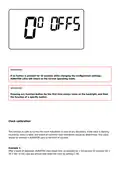




fluctuations.
For example, in the case of HI 2 hysteresis, when the temperature is set to 20°C, the boiler will be
switched on at 19.8°C, and switched off at 20.2°C. In the case of HI 4 hysteresis, when the
temperature is set to 20°C, the boiler will be switched on at 19.6°C, and switched off at 20.4°C.
The hysteresis change mode is signaled by a flashing HI. Turn the knob to the left or right to set the
desired hysteresis.
HI 2 – ±0,2 °C (preset),
HI 4 – ±0,4 °C,
HI P – PWM operating mode (see chapter “PWM operating mode”).
Confirm your choice by pressing the button. AURATON Libra will proceed to change the next
parameter.
Changes in the delay
The delay prevents too frequent activation of the actuator, e.g. due to temporary drafts (caused by
opening the window, etc.).

| General | Details |
|---|---|
| Name | AURATON Libra U Wireless Digital Room Thermostat User Manual |
| Make | AURATON |
| Language | English |
| Filetype | PDF (Download) |
| File size | 0.3 MB |
 (1 votes, average: 5.00 out of 5)
 Loading...

AURATON Libra Room Thermostat User Manual

AURATON Cetus P Wired Thermostat User Manual

19810-102 Digital Room Thermostat Libra Auraton Weekly User Manual

AURATON Apus Set Wireless Thermostat with Electronic Radiator Head User Manual


SENNA 300S Digital Room Thermostat User Manual

MYSAIR MS20 Thermostat User Manual

Wengart TP808 Wi-Fi Low Voltage Thermostat User Guide

thermokon JOY SR 5DO Electronic Fancoil Thermostat User Guide

Honeywell T834 Series Thermostat Owner’s Manual

emos P56211 Wireless Room Thermostat Instruction Manual

Danfoss GreenCon RC-T2/T4 Room Thermostat Installation Guide

GENERALLIFE MITRA 260S RF Wireless Room Thermostat User Manual

URC Support TIDE DIAL Smart Thermostat User Guide

SALUS CONTROLS RT520 Thermostat User Manual