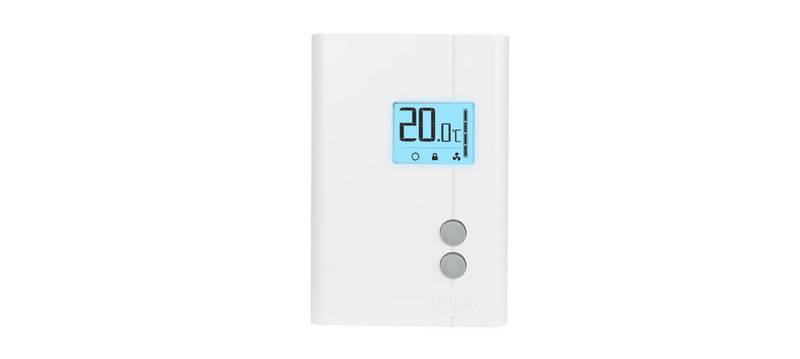
thermokon JOY SR 5DO Electronic Fancoil Thermostat User Guide
JOY SR 5DO | EC AO2DO | EC 3AO RS485 Modbus
Electronic Fancoil Thermostat (from Version 2.6.x)
Datasheet
Subject to technical alteration
Issue date: 01.05.2023 • A125
»APPLICATION
JOY SR Fancoil 5DO RS485 Modbus (85..260 V ~)
Modern design, flush mounting fan coil room thermostat. Used for individual control of temperature in commercial and residential buildings. It is
tailored for two-pipe and four-pipe fan coil units with two-wire electric valves. The device combines a modern design with a 2,5” LCD and a touch-
sensitive surface, 3 time program options each with 4 time periods options.
JOY SR Fancoil EC AO2DO RS485 Modbus (85..260 V ~)
Modern fan coil room thermostat to control fan coil units with EC fans. It is suitable for 2- and 4-pipe systems. It has 2 relays and 1 analogue output
0-10V (heating valve, cooling valve and EC fan). The device combines a modern design with a 2,5” LCD and a touch-sensitive surface, 3 time
program options each with 4 time periods options.
JOY SR Fancoil EC 3AO RS485 Modbus (24 V ~/=)
Modern design, flush mounting fan coil room thermostat. Used for individual control of temperature in commercial, industrial and residential
buildings. It is tailored for two-pipe and four-pipe fan coil units with two-wire electric valves or controlling a 6-way valve. The device combines a
modern design with a 2,5” LCD and a touch-sensitive surface, 3 time program options each with 4 time periods options.
»SECURITY ADVICE – CAUTION
The installation and assembly of electrical equipment should only be performed by authorized personnel.
The product should only be used for the intended application. Unauthorised modifications are prohibited! The product must not be
used in relation with any equipment that in case of a failure may threaten, directly or indirectly, human health or life or result in
danger to human beings, animals or assets. Ensure all power is disconnected before installing. Do not connect to live/operating
equipment.
CAUTION! Risk of electric shock due to live components within the enclosure, especially devices with mains voltage
supply (usually between 90..265 V).
Please comply with
•
•
•
Local laws, health & safety regulations, technical standards and regulations
Condition of the device at the time of installation, to ensure safe installation
This data sheet and installation manual
»PRODUCT TESTING AND CERTIFICATION
Declaration of conformity
JOY_SR Fancoil_Modbus_Datasheet_en © 2023
| General | Details |
|---|---|
| Name | thermokon JOY SR 5DO Electronic Fancoil Thermostat User Guide |
| Make | thermokon |
| Language | English |
| Filetype | PDF (Download) |
| File size | 0.59 MB |

thermokon JOY 5DO Digital Room Thermostat User Manual

thermokon JOY SR 5DO Electronic Fancoil Thermostat User Guide Overview
Summary of Contents
- Page 1: Electronic Fancoil Thermostat (from Version 2.6.x) Modern design, flush mounting fan coil room thermostat. Used for individual control of temperature in commercial and residential buildings. The device combines a modern design with a 2.5” LCD and a touch-sensitive surface, 3 time program options each with 4 time periods options. The installation and assembly of electrical equipment should only be performed by authorized personnel. The product should only be used for the intended application. Unauthorised modifications are prohibited. Ensure all power is disconnected before installing. Do not connect to live/operating equipment. Risk of electric shock due to live components within the enclosure, especially devices with mains voltage supply. Please comply with local laws, health & safety regulations, technical standards and regulations. Condition of the device at the time of installation, to ensure safe installation. The declaration of conformity of the products can be found on our website. Subject to technical alteration.
- Page 2: Notes on disposal Thermokon products are intended for permanent use as part of a building or structure, and the Waste Electrical and Electronic Act (WEEE) is not applicable. Valuable materials should be recycled and not disposed of as domestic waste. Mounting advice room sensors The accuracy of room sensors is influenced by technical specifications, positioning, and installation type. Factors such as air draught, heat sources, and building material properties can affect measurements. Assembly not recommended in: - Air draught (e.g., close to windows/doors/fans) - Near heating sources - Direct sunlight - Niches/between furniture Mounting advices Plasterboard boxes should be covered by wallpaper or paint to avoid visibility issues. Consider using white plasterboard boxes. Application notice Software descriptions are available on the Thermokon website. A MicroSD card is required for updates, upgrades, or configuration, with specific formatting requirements. Firmware update The update process involves removing the upper part, inserting a MicroSD card with a valid update file, and placing the upper part back on. The device will recognize the file and start the update process. Device configuration Configuration files can be loaded onto the device using a MicroSD card, and the device will be ready for operation after the configuration is recognized. Enocean configuration Similar to device configuration, Enocean configuration files can be loaded via a MicroSD card, and the device will restart after the update. Update function advice Device software updates are only possible within the same version main numbers.
- Page 3: TECHNICAL DATA JOY Fancoil 5DO | JOY Fancoil EC AO2DO | JOY Fancoil EC 3AO Measuring values: temperature, humidity (optional) Network technology: Radio technology Measuring range temperature: 0..+50 °C Accuracy temperature: ±1 K (typ. at 21 °C) Measuring range humidity (optional): 0..100% rH non-condensing Control function: setpoint adjustment 0..+50 °C, fan stages Display: LCD 2,5“, 240x160 px, white backlighting Protection: IP30 according to EN 60529 Mounting: flush mounted with standard EU box (Ø=60 mm)
- Page 4: Configuration via uConfig | MicroSD-card or Modbus Configuration software: uConfig | Windows 10 is required to use the uConfig configuration software. The JOY room thermostat can be parameterised using the uConfig configuration software. An SD card is used to transfer the created configuration file to the device. For BUS devices, a live configuration can also be performed via the BUS interface. The online installer for the configuration software can be found in our download center. Note: Parallel connection of the potential-loaded inputs is not permitted. If the operating mode of several devices is to be switched together by one contact, the potential-free 230V input must be used. It must be ensured that the same phase is used for jointly switched devices.
- Page 5: Function description – controller/fan stages The fan speed is linked to the controller in automatic mode. The assignment of the fan stage to the control is freely selectable. A configurable period of time ensures reliable fan motor startup. The user can override device settings via the touch surface. The fan speed is set to the configured value when the next time channel starts. Heating/cooling with PI-controller (PWM) depends on control parameters. The 2-point controller knows heating ON and OFF states, while the 3-point controller includes cooling. The resulting actuating variable is output as a pulse-width-modulated signal. The 0..10 V control of the fan is proportional to the calculated manipulated variable of the PI controller. Up to 5 steps can be set using configuration software for manual fan control.
- Page 6: Function description – buttons On the touch surface, there are adjustment options for setpoint and fan speed regulation. While pressing these buttons, the white ring-LED of the Power-button lights up for visual feedback. Fan speed adjustment: fan speed up / fan speed down. Setpoint change (setpoint range ± 3 °C, default, configurable). Power button for standby mode or presence key. In standby mode, the display and all outputs are switched off (controller deactivated). The frost and heat protection monitoring remains active. To access the diagnostics menu, select the header in the startscreen of the parameter menu, and press the ENTER key. The configuration menu is activated by simultaneously pressing the buttons “up” and “down” for at least 5 seconds. Modbus settings include address, baud rate, and parity.
- Page 7: Configuration Access to Parametermenu: Press buttons for 3 seconds simultaneously. If no entry is made for 8 minutes, the parameter menu is left automatically. Up to 3 time channels with 4 time periods each can be parameterized. Channel 3 has the highest priority. In ECO mode, the dead zone between heating and cooling is automatically set to the ECO dead zone configured in the General Settings menu. In the Time/Date menu, the time, date, and the display format can be configured. Default settings include a 24h display format and daylight savings settings (CET). Offset correction settings for internal and external sensor value. Unit – Setting the temperature unit in Celsius/Fahrenheit.
- Page 8: Menu options include common settings, EnOcean list, and EnOcean configuration. The valve protection function prevents locking of heating and cooling valves during non-usage times. The function is executed on Fridays at specific times if the valve has not been activated in the last 96 hours. ECO deadband can be adjusted, with a default setting of 10.0 K. Brightness settings can be configured for the LCD and LED ring during operation. Selecting Factory setting resets the room thermostat to factory default settings. The EnOcean list displays all channels with taught-in sensors or actuators. The EnOcean configuration menu allows for radio channel configuration and access to individual information. A password can protect access to the EnOcean configuration menu, with a default password of 2030. There are 20 channels available for different functions, including receive, send, and message server configurations.
- Page 9: Functional overview SAB The profiles used are divided into functional groups. Window contact and window handle influence the window contact function and are linked to digital inputs or Modbus default. Sensor for changeover control allows only one changeover sensor to be learned in. Receiving channel temperature is preset by an external room temperature sensor, overriding the internal temperature sensor. Up to three motion sensors can be learned in and affect the occupancy function. Controls the internal keycard function, requiring specific actions during the learn-in process. A superior control unit can override the internal functions. Up to six SABs can be learned in, with one assigned to the Bath function. Each SAB channel allows configuration of an offset for the setpoint via Modbus. A controller status is transmitted every 15 minutes and with every change of any value.
- Page 10: Information about EasySens® (radio) / airConfig general usage is available for download from the website. The structure of the data contained in the telegram can be found in the EEP (EnOcean equipment profile) list provided by the EnOcean Alliance. Receiving profiles include various types of devices such as Thermokon devices and EnOcean buttons with specific quantities and descriptions. Transmitting profiles are valid from Version 2.1.1 and include room operating panels and temperature controllers with detailed descriptions. The document outlines the maximum quantities and types for each profile. Descriptions include functionality such as temperature control, occupancy detection, and energy management. Specific device types and their corresponding EEP codes are listed for reference. The document provides information on both receiving and transmitting profiles for various applications. It includes details on the compatibility of devices with different versions of the software. Overall, the document serves as a guide for understanding the EasySens® system and its components.
- Page 11: Inputs can be configured for various functions such as windows contact, dew point, occupancy, change-over, or external sensor option. The value of an external sensor will be shown if connected and configured accordingly, allowing the room thermostat to control based on the external sensor. The Change-Over contact determines which controller is active, with the factory default set to heating when the contact is open and cooling when closed. The Change-Over Sensor automatically switches between heating and cooling modes based on temperature thresholds. If a window contact is enabled, the reference will switch to a setback set point. An active dewpoint contact locks the cooling controller. When occupancy function is active, the heating set point is reduced and the cooling set point is raised in an unoccupied state. The keycard-switch puts the device in sleep mode when the card is not inserted, locking operation of the keys. An alarm symbol may appear on the display when active, indicating a higher priority than the ECO symbol. Various optional accessories are available, including frames for surface mounting and a MicroSD card.