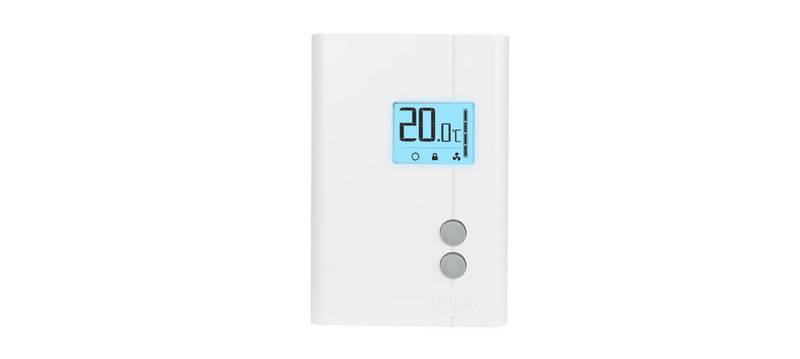
STELPRO STE241 Low Voltage 24V Electronic Thermostat User Guide


| General | Details |
|---|---|
| Name | STELPRO STE241 Low Voltage 24V Electronic Thermostat User Guide |
| Make | StelPro |
| Language | English |
| Filetype | PDF (Download) |
| File size | 0.27 MB |
 (1 votes, average: 5.00 out of 5)
 Loading...


Stelpro STE241 Manual: Questions and Answers
How do I remove the front cover of the Stelpro STE241?
Loosen the screw retaining the mounting base and front part, then tilt the front part upward to separate it. User Guide, p. 4
How do I mount the Stelpro STE241 on the wall?
Align the mounting base on the wall at about 1.5 m above the floor, facing the heating unit, on a wall section free of pipes and ducts. Secure it with the two supplied screws. User Guide, p. 3
What's the maximum resistive load the Stelpro STE241 can handle?
The thermostat supports a maximum resistive load of 12 W at 24 V, which equals 0.5 A. User Guide, p. 3
How long does the Stelpro STE241 blink the Security mode icon after power returns?
5 minutes. During this period you can deactivate Security mode by pressing both buttons simultaneously for 13 seconds. User Guide, p. 13
What does a blinking icon mean on the Stelpro STE241 after the thermostat is turned back on?
Single programming mode was active when power shut off but is no longer active. User Guide, p. 13
What do the two buttons on this thermostat do?
Press them together to switch between Day and Night modes. Press the top button to increase values, the bottom button to decrease them. User Guide, p. 10
What does the thermometer icon with bars mean on Stelpro STE241?
It shows heating power as a percentage. More bars indicate higher power output to maintain the set point.
| Power Output | Display |
|---|---|
| 75% to 100% | 4 bars |
| 50% to 75% | 3 bars |
| 25% to 50% | 2 bars |
| 1% to 25% | 1 bar |
| No heat | 0 bars |
Can I change the temperature display from Celsius to Fahrenheit on Stelpro STE241?
Yes. From Day mode, press both buttons for 8 seconds until the C/F symbol blinks, then use the top button to switch between Celsius and Fahrenheit. User Guide, p. 10
What temperature range triggers the frost-free warning on Stelpro STE241?
Between 3°C (37°F) and 5°C (41°F). A Snowflake icon appears and minimum temperature is maintained for frost control. User Guide, p. 11
Does the Stelpro STE241 have a Night mode timer I can adjust?
Yes. The Night mode timer automatically returns the thermostat to Day mode after a set period, with a factory default of 8 hours. You can adjust it from 1 to 999 hours. User Guide, p. 8
When is Night mode active on the Stelpro STE241?
The Moon icon appears on the display when Night mode is selected. The thermostat automatically switches back to Day mode (Sun icon) after the timer expires. User Guide, p. 8
More Stelpro thermostat manuals