
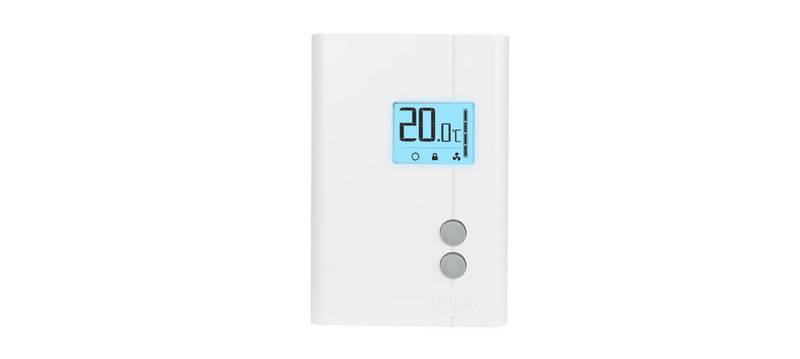
STELPRO STE241 Low Voltage 24V Electronic Thermostat User Guide


2. Turn the thermostat power back on and the
minutes.
icon will blink for a maximum of 5
3. Simultaneously press down both buttons for 13 seconds (note that the backlight
will blink after 3 seconds and the °C or °F symbol will appear after 8 seconds, but
continue to keep both buttons pressed down). After 13 seconds, the
icon will
disappear and the degrees symbol (C or F) will stop blinking, indicating that the
Security mode is deactivated. Release the buttons.
Long cycle/Short cycle mode
The Long/Short cycle activation is similar to the Celsius/Fahrenheit degrees
adjustment. To switch from long cycle heating (15 minutes, ideal for a heater with
fan) to a short cycle heating (15 seconds, ideal for a convection heater without
fan), you must simultaneously press down both buttons during 8 seconds in Day
mode. After 8 seconds, the C or F icon will blink. Release the buttons. The screen
then displays CC to indicate short cycle or CL to indicate the long cycle. To switch
from one mode to the other, press down the bottom button. Once the adjustment
done, exit this mode by not pressing down any button for 5 seconds.
Minimum ON/OFF time selection in Long cycle
In Long cycle, you can adjust the minimum ON/OFF time (e.g. the minimum time
between the start and the shut down of the heating). First, activate the Long/
Short cycle mode as described in the previous section. Press down the bottom
button for 3 seconds until the time in seconds appears on the screen. Release
the button. Adjust the minimum time from 90 to 405 seconds, by increments of
45 seconds (factory setting = 180 seconds). Please note that the Long cycle (CL)
is automatically activated when we enter in the minimum ON/OFF time selection
mode. Once the adjustment done, exit this mode by not pressing down any button
for 5 seconds.
Parameters saving and power failures
The thermostat saves some parameters in a non-volatile memory to be able
to recover them after being shut off (a power failure, for example). These
parameters are the Day/Night settings, the Single programming mode, the state
of the Security mode, the maximum symbol of the Security mode, the Celsius/
Fahrenheit symbol, short or long cycle, the number of minutes associated to a
heating cycle, the number of hours of the night time-switch, the number of hours
12
INSSTE2410622

| General | Details |
|---|---|
| Name | STELPRO STE241 Low Voltage 24V Electronic Thermostat User Guide |
| Make | StelPro |
| Language | English |
| Filetype | PDF (Download) |
| File size | 0.27 MB |
 (1 votes, average: 5.00 out of 5)
 Loading...

STELPRO STF362NP Floor Heating Thermostat Owner’s Manual

STELPRO ST302P Programmable Electronic Thermostat Owner’s Manual

STELPRO SAT402ZB Smart Thermostat User Guide

STELPRO ST252NPFF Non-Programmable Electronic Thermostat Owner’s Manual

STELPRO ST402PFF Programmable Electronic Thermostat Owner’s Manual

STELPRO ASMC402 Maestro Zigbee Smart Programmable Thermostat User Guide

STELPRO SIBTE12C Electronic Thermostat Owner’s Manual

STELPRO STZW402+ Electronic Thermostat for The Smart Home Owner’s Manual

STELPRO SIBTE13F Electronic Thermostat User Guide

STELPRO STCP MULTIPLE PROGRAMMING ELECTRONIC THERMOSTAT User Guide

homematic IP HmIP-eTRV-F Radiator Thermostat Instruction Manual

auronic AU3151 Oil Radiator with Thermostat User Manual

Danfoss TPOne-B Electronic Programmable Room Thermostat User Guide

GENERAL LIFE MITRA 260S RF Room Thermostat User Manual

Honeywell TH6320ZW2003 Pro Z-Wave Programmable Thermostat Installation Guide

Danfoss AN325057 Icon Wireless Room Thermostat Installation Guide

Honeywell PRO3000 Series Non-Programmable Digital Thermostat Instruction Manual

DELTA 8000 Heating Thermostat Instructions

Robertshaw 4350 BJ Gas Thermostat Instructions

sinop TH1500ZB Smart Double Pole Thermostat User Guide