
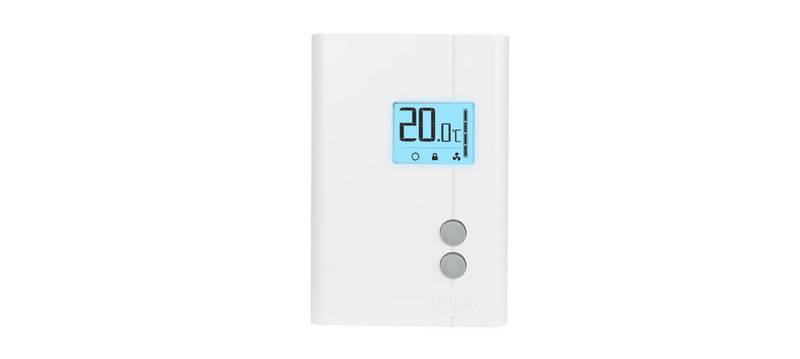
STELPRO STE241 Low Voltage 24V Electronic Thermostat User Guide


4. When the adjustment is completed, release the buttons and wait for 5 seconds
to exit the adjustment function.
NOTE: The Night mode timer will be automatically reinitialized to the latest recorded
value when switching from the Day mode to the Night mode. It is not necessary
to readjust the timer every time you switch to the Night mode. The timer is also
reinitialized when this value is adjusted. Once the timer has completed its cycle
and when the thermostat is in the Day mode, you must manually return to the
Night mode. If you want to automatically return to the Night mode, the Single
programming mode must be selected.
Single programming mode
The Single programming mode, which is associated with the Night mode timer,
allows alternating between the Day/Night modes and the two corresponding set
points over a 24-hour period. Once activated, this mode allows an automatic
return to the Night mode after 24 hours. The Single programming mode allows
you to define two periods in a single day with different set points.
For example, if the Single programming mode is activated and the Night mode
timer is set at 8 hours, the thermostat will be operating in the Night mode for 8
hours at the night temperature set point. Then, it will return to the Day mode for 16
hours operating at the day temperature set point. At the end of the 24-hour cycle,
the thermostat will return to the Night mode, and the cycle will start over. The 24-
hour cycle starts with the Night mode as soon as the Single programming mode
is activated. The Single programming mode activation should be made when you
want to return to the Night mode. The normal course of a cycle in the Single
programming mode is as follows:
1- Night mode: activated for the duration of the Night mode timer cycle. It returns
to the Day mode when the timer cycle is completed.
2- Day mode: activated for the remaining time of the 24-hour cycle. It returns to
the Night mode at the end of the 24-hour cycle.
Adjustment procedure of the Single programming mode:
1. If necessary, adjust the Day/Night set point at the desired temperatures. If
needed, switch from one mode to the other by simultaneously pressing down
the two buttons and releasing them immediately.
9
INSSTE2410622

| General | Details |
|---|---|
| Name | STELPRO STE241 Low Voltage 24V Electronic Thermostat User Guide |
| Make | StelPro |
| Language | English |
| Filetype | PDF (Download) |
| File size | 0.27 MB |
 (1 votes, average: 5.00 out of 5)
 Loading...

STELPRO STF362NP Floor Heating Thermostat Owner’s Manual

STELPRO ST302P Programmable Electronic Thermostat Owner’s Manual

STELPRO SAT402ZB Smart Thermostat User Guide

STELPRO ST252NPFF Non-Programmable Electronic Thermostat Owner’s Manual

STELPRO ST402PFF Programmable Electronic Thermostat Owner’s Manual

STELPRO ASMC402 Maestro Zigbee Smart Programmable Thermostat User Guide

STELPRO SIBTE12C Electronic Thermostat Owner’s Manual

STELPRO STZW402+ Electronic Thermostat for The Smart Home Owner’s Manual

STELPRO SIBTE13F Electronic Thermostat User Guide

STELPRO STCP MULTIPLE PROGRAMMING ELECTRONIC THERMOSTAT User Guide

MRCOOL Mini-Stat WiFi Thermostat User Manual
STELPRO STF362NP Floor Heating Thermostat Owner’s Manual

PURGEAR STC-1000 Digital Thermostat User Guide

FRICO TAP16R Electronic Thermostat User Guide

Honeywell TH1320U4002 Non Programmable Thermostat User Guide

DAIKIN IM 1366 Remote Integrated Thermostat Instruction Manual

Honeywell Home RCHT8610WF T5 Smart Thermostat Installation Guide

Danfoss MBC 8000 Heavy Duty Thermostat Installation Guide

QH Basic Quality Heating CV Clock Thermostat Instruction Manual

Aprilaire S84N 1H1C Programmable Single Stage Universal Thermostat Owner’s Manual