
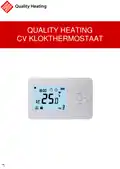
QH Basic Quality Heating CV Clock Thermostat Instruction Manual


| General | Details |
|---|---|
| Name | QH Basic Quality Heating CV Clock Thermostat Instruction Manual |
| Make | Quality Heating |
| Language | English |
| Filetype | PDF (Download) |
| File size | 0.37 MB |
 (1 votes, average: 5.00 out of 5)
 Loading...


Quality Heating QH CV Clock Manual: Questions and Answers
Quality Heating QH CV Clock specifications
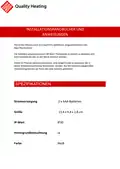
| Power supply | 2x AAA baery (not included) |
| Maximum load | 0.5A |
| Sensor | NTC 10K, 3950 Ohm at 25 degrees Celsius |
What's the difference between hysteresis and temperature limit on the Quality Heating QH CV Clock?
Hysteresis sets the switch-on difference between set and measured temperature. Temperature limit sets the maximum temperature you can configure, ranging from 25 to 60 °C. Instruction Manual, p. 16
Can I adjust the open window detection temperature drop on the Quality Heating QH CV Clock?
Yes. The temperature drop that triggers open window detection is adjustable from 2 to 4 °C, with factory setting at 2 °C. Instruction Manual, p. 17
What does OP mean on the Quality Heating QH CV Clock display?
OP indicates open window detection is enabled. The thermostat detected a sudden room temperature drop and switched heating off. Instruction Manual, p. 17
How do I connect the Quality Heating QH CV Clock to my boiler?
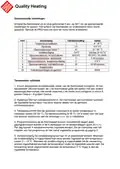
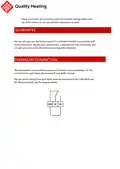
Connect the two wires from your boiler to the COM (Red) and NO (Blue) terminals on the thermostat.
- Consult your boiler manual for wiring guidance.
- Attach one wire to the COM (Red) terminal.
- Attach the second wire to the NO (Blue) terminal. Instruction Manual, p. 12
What do the flashing numbers mean on my thermostat display?
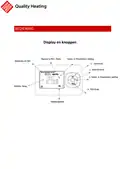
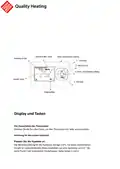
Flashing numbers indicate the field you're currently adjusting during setup or programming.
| Display | Meaning |
|---|---|
| Flashing minutes | Set the minutes during time setup |
| Flashing hours | Set the hours during time setup |
| Flashing day of week | Set the day during time setup |
| Switching point number at bottom right | You are programming that switching point |
What does the PRG button on the Quality Heating QH CV Clock do?
Press PRG to switch between Manual and Programming modes, or to navigate and save entries when setting up a schedule. Instruction Manual, p. 14
How do I know if my Quality Heating thermostat is in Programming mode?
The programming menu will appear on the display showing which days are selected (days 1 to 5, or day 6, or day 7) and the current switching point number at the bottom right. Instruction Manual, p. 15
Quality Heating QH CV Clock compared with other Quality Heating thermostats
| Specification | Quality Heating QH CV Clock | Quality Heating PRF-80 |
|---|---|---|
| Power supply | 2x AAA baery (not included) | 90-240VAC 50/60HZ |
| Maximum load | 0.5A | 3A/250V(WW);16A/250V(WE) |
| Sensor | NTC 10K, 3950 Ohm at 25 degrees Celsius | NTC (10k)1% |
More Quality Heating thermostat manuals


