
Home > Homematic IP > homematic IP HmIP-eTRV-F Radiator Thermostat Instruction Manual
homematic IP HmIP-eTRV-F Radiator Thermostat Instruction Manual


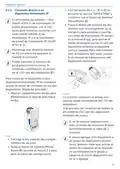




Configuration menu
message is displayed (F1, F2, F3), press
the System/Menu/Boost button (E).
needs:
• Pressing and holding the System/
Menu/Boost button (E) calls up the
configuration menu.
After the radiator thermostat has been
installed successfully, an adjustment
run has to be performed in the next
step in order to adapt the device to the
valve. To do this, proceed as follows:
• Press the System/Menu/Boost but-
ton (E)to start the adjustment run.
• Select the desired symbol using the
plus and minus buttons (C + D) and
briefly press the Menu button to
make settings for the various menu
items.
Press and hold the System/Menu/
Boost button (E) to return to the
previous level. The menu auto-
matically closes without applying
changes if there is no operation
for more than 1 minute.
2
Adaption
If you pair the device with the
Homematic IP Home Control Unit
or Homematic IP Access Point,
you can conveniently make the
settings via the free Homematic IP
app.
1
Figure 14
The adjustment run starts auto-
matically 1 minute after inserting
the batteries, provided the device
has been paired.
If you have already made settings
in the configuration menu, or if
you have already directly paired
the device with another
Homematic IP device, you first
have to restore the factory set-
tings of the device before you can
pair the radiator thermostat with a
Homematic IÜ Central Control
Unit or Homematic IP Access
Point (see „11 Restoring factory
settings“ on page 45).
7 Configuration menu
If you operate the device without a
Homematic IP Access Point, you can
use the configuration menu after com-
missioning to directly select the fol-
lowing modes and adjust the settings
to adapt the device to your personal
The display has a reduced
mode with a particularly large
temperature display and a
functional mode with more
de-
Dis-
tails in the display (see „7.8
play mode“ on page 40).
37

| General | Details |
|---|---|
| Name | homematic IP HmIP-eTRV-F Radiator Thermostat Instruction Manual |
| Make | Homematic IP |
| Language | English |
| Filetype | PDF (Download) |
| File size | 14.49 MB |
 (1 votes, average: 5.00 out of 5)
 Loading...

homematic IP HmIP-eTRV-2 Radiator Thermostat Instruction Manual

homematic IP HmIP-BWTH-A Wall Thermostat Installation Guide

homematic IP HmIP-WTH-B-2 Wall Thermostat Installation Guide

homematic IP TRV-E-A Monday Radiator Thermostat Instruction Manual

homematic IP HAP Radiator Thermostat Instruction Manual

Homematic IP HmIP-WTH-B Wireless Wall Thermostat Instruction Manual

homematic IP HmIP-eTRV-E Series Radiator Thermostat Evo Installation Guide

Homematic IP BMOAONSUT Radiator Thermostat User Manual

homematic IP C-2 Radiator Thermostat Instruction Manual

homematic IP IP HmIP-eTRV-CL Radiator Thermostat Instruction Manual


KETOTEK F0155 WiFi Thermostat Instruction Manual

Xetron STC-1000Pro Smart Digital Thermostat User Manual

AURATON Cetus P Wired Thermostat User Manual

BHT-001Series Round Thermostat User Guide

Danfoss M30 React Radiator Thermostat Installation Guide

Honeywell Home X8S Smart Thermostat User Guide

GENERAL HT220S Digital Room Thermostat User Manual

NEOMITIS RTE7D, RTE7BD Wired Digital 7 Day Programmable Room Thermostat Instruction Manual

aube TH114-AF-GA Non-Programmable Thermostat Owner’s Manual

BROUWLAND Brew Monk Fermenter Digital Thermostat Instruction Manual