
Home > Homematic IP > homematic IP HmIP-eTRV-F Radiator Thermostat Instruction Manual
homematic IP HmIP-eTRV-F Radiator Thermostat Instruction Manual






Operation
7.9 Operating lock
ly set temperature will remain the
same until the next point at which
the schedule changes. Afterwards,
the defined heating schedule will
be enabled again. During manual
mode, the temperature remains
activated until the next manual
change.
Operation of the device can be locked
to avoid settings being changed unin-
tentionally (e.g. by accidentally touch-
ing the screen). To disable the operat-
ing lock, proceed as follows:
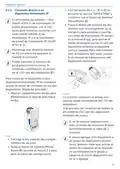
• Press and hold the System/Menu/
Boost button (E) for approx. 2 sec-
onds to open the configuration
menu.
• Boost function:Briefly press the
System/Menu/Boost button (E)
to enable the boost function for
heating up the radiator quickly and
briefly by opening the valve. There
will be a pleasant room temper-
ature right away because of the
radiated heat.
• Use the plus or minus buttons
(C + D) to select the “OPERATING
LOCK” menu item and confirm
with the System/Menu/Boost but-
ton (E).
• This takes you to the start screen,
on which the lock symbol “ ”
(Functional Mode) is displayed.
If you have paired the device with
a Homematic IP Home Control
Unit or Homematic IP Access
Point, you can configure the LED
colour of the System/Menu/Boost
button (E) for various actions di-
rectly in the app. A long press of
the System/Menu/Boost button
(E) toggles between automatic
mode and manual mode.
To deactivate the operating lock,
please proceed as follows:
• Press and hold the plus and minus
buttons (C + D) and the System/
Menu/Boost button (E)at the same
time.
• The lock symbol “ ” disappears.
8 Operation
9 Changing the batteries
After configuration, simple operations
are available directly on the device.
• Temperature: Press the plus or
minus button (C + D) to manually
change the radiator temperature.
In automatic mode, the manual-
If the symbol for empty batteries ( )
appears in the display or in the app,
please replace the used batteries with
two new LR6/Mignon/AA batteries. You
must observe the correct battery po-
41

| General | Details |
|---|---|
| Name | homematic IP HmIP-eTRV-F Radiator Thermostat Instruction Manual |
| Make | Homematic IP |
| Language | English |
| Filetype | PDF (Download) |
| File size | 14.49 MB |
 (1 votes, average: 5.00 out of 5)
 Loading...

homematic IP HmIP-eTRV-2 Radiator Thermostat Instruction Manual

homematic IP HmIP-BWTH-A Wall Thermostat Installation Guide

homematic IP HmIP-WTH-B-2 Wall Thermostat Installation Guide

homematic IP TRV-E-A Monday Radiator Thermostat Instruction Manual

homematic IP HAP Radiator Thermostat Instruction Manual

Homematic IP HmIP-WTH-B Wireless Wall Thermostat Instruction Manual

homematic IP HmIP-eTRV-E Series Radiator Thermostat Evo Installation Guide

Homematic IP BMOAONSUT Radiator Thermostat User Manual

homematic IP C-2 Radiator Thermostat Instruction Manual

homematic IP IP HmIP-eTRV-CL Radiator Thermostat Instruction Manual


KETOTEK KT3200 Plug In Thermostat Day Night Temperature Controller Instruction Manual

tecnoswitch Raffaello 230 TE215VU Electronic Recessed Thermostat User Guide

sinope Smart Low Voltage Thermostat TH1400WF Installation Guide

SALUS Thermostat and Smart Plug Installation Guide

SALUS CONTROLS SQ610 Quantum Smart Thermostat User Guide

HYSEN HY510 WiFi Heating Thermostat Instruction Manual

DEVIreg 530 Electronic Thermostat Installation Guide

SIEMENS Powers Controls TH 192-3 Series Day Night Vent Room Thermostat Instruction Manual

BEOK CONTROLS TFT-LCD Heating Thermostat Instruction Manual

GREYSTONE TLOSF24X01 TLOS Series Outside Low Limit Thermostat Instruction Manual