
Goodman GTST Connected Thermostat User Guide

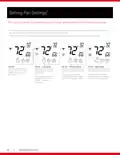
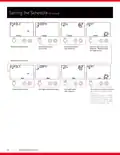
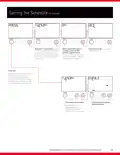
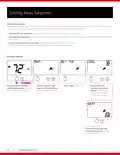
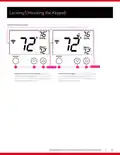



Setting Fan Settings*
*Fan settings can be changed more easily on the air quality screen of the Goodman home app
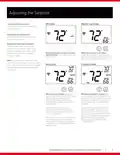
» The presence of the FAN segment indicates constant fan operation. You may turn the fan on even if the thermostat is in
the OFF mode. Pressing the FAN button toggles this feature on or off.
» If the fan is not on the display, then the fan is in auto mode and will only run when necessary to heat or cool.
MODE
FAN
MODE
FAN
MODE
FAN
MODE
FAN
Fan Off
Fan on - Low speed
Pressing the fan button
again will cycle through
fan speeds.
Fan on - Medium speed
Pressing the fan button again
will cycle through fan speeds.
Fan on - High speed
Pressing the fan button again
will cycle through fan speeds.
Pressing the fan button
turns the fan on - even
if the thermostat is in
OFF mode.
The bars below the FAN
The bars below the FAN
The bars below the FAN
segment indicate fan
speed - one bar for
low speed.
segment indicate fan speed -
two bars for medium speed.
segment indicate fan speed -
three bars for high speed.
WWW.GOODMANMFG.COM
10

| General | Details |
|---|---|
| Name | Goodman GTST Connected Thermostat User Guide |
| Make | Goodman |
| Language | English |
| Filetype | PDF (Download) |
| File size | 0.98 MB |
 (1 votes, average: 5.00 out of 5)
 Loading...


Honeywell TL6120 5-2 Electric Heating Programmable Thermostat User Guide

GENERALLIFE MITRA 230S RF Wireless Room Thermostat User Manual

Danfoss DEVIreg 330 Electronic Thermostat Installation Guide

SUNTOUCH SunStat 1140-01 R4 Relay Thermostat User Manual

Futurehome Co020, Co021 Smart Thermostat PR Owner’s Manual

GENERAL LIFE ARUNA 301S Digital Room Thermostat User Manual

MAGNUM FIRST M9-TS1 24 Volt Intelligent Thermostat Owner’s Manual

Dimplex DWT431W Non-Programmable Thermostat 4000W Owner’s Manual

heatit ET-7AW Touchscreen Programmable Thermostat User Manual

BEOK TGW60 Glass Screen Thermostat Instruction Manual