
Goodman GTST Connected Thermostat User Guide

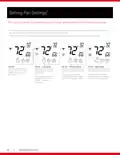
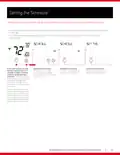
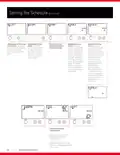
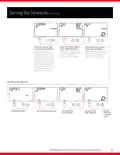
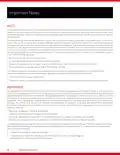




Connecting to the Goodman GTST home app
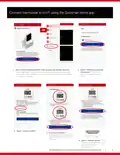
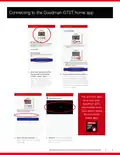
1. After your Goodman GTST
thermostat is connected
to WiFi, select “Next”. (If
not starting on this screen,
select “Add Device”, then
select “Goodman connected
thermostat” and a location,
and press “Next”.)
2. Press and hold the fan button on
the thermostat for 5 seconds to
put the thermostat in “Wireless
Setup” mode. Then press the up/
warmer button on the thermostat
to display the 6-digit pairing code
and select “Next”.
You are now able
to access your
Goodman GTST
thermostat from
your phone using
the Goodman
home app!
3. Enter the pairing code and
4. Confirm that the newly added
thermostat appears on the “My
Home” screen.
select “Add” on your Goodman
home app.
GOODMAN BRAND GTST CONNECTED THERMOSTAT HOMEOWNER GUIDE
7

| General | Details |
|---|---|
| Name | Goodman GTST Connected Thermostat User Guide |
| Make | Goodman |
| Language | English |
| Filetype | PDF (Download) |
| File size | 0.98 MB |
 (1 votes, average: 5.00 out of 5)
 Loading...


BEOK TGP53 China Piano Buttons Underfloor Heating Thermostat User Guide

PROSELECT PSTSN11AWH Non Programmable Thermostat Installation Guide

Honeywell YT43MRFBT32 Room Thermostat Instructions

Zhongjin STN731RF Thermostat Instruction Manual

Honeywell Home DT4R Wireless Room Thermostat User Guide

ise KNX RF Multi Radiator Thermostat Instructions

EZAIoT 20230324 IPS Colorful LCD Screen Touch Smart Thermostat User Manual
DAIKIN One Lite Smart Thermostat User Guide

SEELEY Ducted Gas Heater with MagiQtouch Controller or Manual Thermostat Owner’s Manual

tado 104388 Smart Thermostat