
Goodman GTST Connected Thermostat User Guide

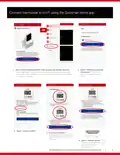
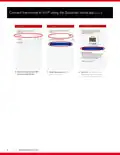
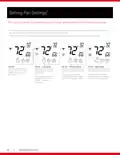
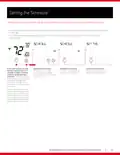
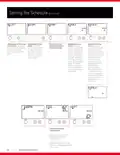
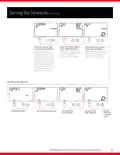
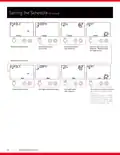
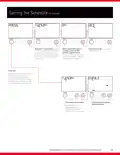
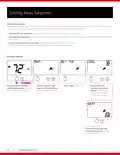
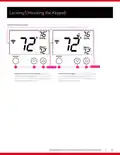




Connect thermostat to Wi-Fi using the Goodman home app
OR
1. After creating a Goodman GTST home account and adding a location,
select “Add Device” to add a thermostat. If you already have at least one
thermostat, select “add device” found in drop down menu at the top left of
the “my home” screen.
2. Select “Goodman Connected
Thermostat” from the list,
select a location, and press
“Next”.
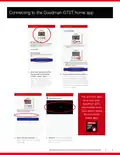
3. Select “Connect to WiFi”.
4. Press the fan button for 5
seconds to put the thermostat in
“WIRELSS SETUP”, then select
“Continue”.
5. Select “Discover Device” and
allow the Goodman GTST app to
join the thermostat’s
WiFi network.
GOODMAN BRAND GTST CONNECTED THERMOSTAT HOMEOWNER GUIDE
5

| General | Details |
|---|---|
| Name | Goodman GTST Connected Thermostat User Guide |
| Make | Goodman |
| Language | English |
| Filetype | PDF (Download) |
| File size | 0.98 MB |
 (1 votes, average: 5.00 out of 5)
 Loading...


SILVERCREST IAN 469312_2310 Digital Radiator Thermostat Instruction Manual

HVAC Controls UT32 Titan Touchscreen Thermostat User Manual

Honeywell TL6120 5-2 Electric Heating Programmable Thermostat User Guide

MOES BHT-12 Smart Thermostat Instruction Manual

Futurehome Co020, Co021 Smart Thermostat PR Owner’s Manual

heatit ET-7AW Touchscreen Programmable Thermostat User Manual

WHITE RODGERS 1E30-373 Low Voltage Thermostat Instruction Manual

EPH CONTROLS CP4 Programmable RF Thermostat User Manual

Moes ZigBee 002 Series Thermostat User Manual

Drayton RF710 Digital Wireless Room Thermostat Installation Guide