Home > PRO1 > PRO1 T771 Programmable Electronic Thermostat Instructions

PRO1 T771 Programmable Electronic Thermostat Instructions
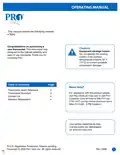
OPERATING MANUAL  
This manual covers the following models:  
• T771  
Congratulations on purchasing a  
new thermostat. This thermostat was  
designed to the highest reliability and  
ease of use standards. Thank you for  
choosing Pro1.  
Caution:  
Equipment damage hazard  
Do not operate the cooling  
system if the outdoor  
temperature is below 50˚ F  
(10˚ C) to prevent possible  
compressor damage.  
Table of Contents  
Page  
Need Help?  
Thermostat Quick Reference  
Thermostat Operation  
Contact Us  
2
3
4
4
For assistance with this product please  
Customer Care toll-free at 888-Pro1iaq  
(776-1427) during normal business hours  
(Mon-Fri 9 AM - 6 PM Eastern)  
Warranty Registration  
Una versión española de este  
manual puede ser descargada  
® U.S. Registered Trademark. Patents pending.  
Rev. 0906  
Copyright © 2009 Pro1 IAQ, Inc. All rights reserved.  
1
GeneralDetails
NamePRO1 T771 Programmable Electronic Thermostat Instructions
MakePRO1
LanguageEnglish
FiletypePDF (Download)
File size0.2 MB
Download PDF
1 Star2 Stars3 Stars4 Stars5 Stars (1 votes, average: 5.00 out of 5)
Loading...
PRO1 T751i Thermostat Installation Guide
PRO1 T731W Wireless PTAC Non-Programmable Thermostat Installation Guide
PRO1 T805 Non Programmable Thermostat Instruction Manual
PRO1 T701 Digital Non Programmable Thermostat Instruction Manual
PRO1 IAQ T721i Digital WIFI Programmable Thermostat User Manual
PRO1 R250W Wireless System Thermostat Owner’s Manual
PRO1 T725 Thermostat User Guide
PRO1 T755 Heat 2 Cool Dual Fuel Thermostat User Manual

PRO1 T771 Programmable Electronic Thermostat Instructions
Get the free PDF manual for the PRO1 T771 Programmable Electronic Thermostat Instructions and access setup steps, usage instructions, and troubleshooting tips. 👉 View online or download now to keep your thermostat running smoothly!
PRO1 T771 Programmable Electronic Thermostat Instructions Overview

Summary of Contents

  • Page 1: Operating manual This manual covers the following models: T771 Congratulations on purchasing a new thermostat. This thermostat was designed to the highest reliability and ease of use standards. Caution: Equipment damage hazard Do not operate the cooling system if the outdoor temperature is below 50˚ F (10˚ C) to prevent possible compressor damage. Table of contents Need help? Thermostat quick reference Thermostat operation Contact us
  • Page 2: Thermostat quick reference Getting to know your thermostat Displays the user selectable setpoint temperature. System operation indicators show when the cool, heat, or fan is on. The compressor delay feature is active if the operation icons are flashing. Replace batteries when the low battery indicator is shown. The low battery indicator warns that the thermostat will become inoperable if not replaced within 21 days. In extreme temperatures below 40 degrees, use 1.5V AA lithium batteries for increased battery life. Use the finger bevel to open the easy access battery door. Replace with 2 AA 1.5V batteries. Simple operating instructions are found on the back of the battery door.
  • Page 3: Thermostat operation Easy to use controls Caution: When the battery icon appears replace your AA batteries immediately. Failure to do so may result in your heating & cooling system becoming inoperable. LCD display: See page 2 for details about this display readout. System switch: Selects the operation mode of your HVAC system. Selecting ON turns on either the heating or cooling. Selecting OFF turns off heating or cooling. Glow in the dark light button: The glow in the dark light button will self illuminate for several hours after exposure to ambient light. This button turns on the display light when pressed. Fan switch: If your system has a fan, select ON or AUTO. ON will run the fan continuously. AUTO will cycle the fan on only when the heating or cooling system is on. Temperature setpoint buttons: Press the + or - buttons to select the desired room temperature.
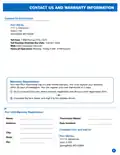
  • Page 4: Contact us information is provided for Pro1 IAQ Inc. located in Springfield, MO. The company offers a 5-year limited warranty on new Pro1 thermostats. Warranty registration must be completed within 60 days of installation. Registration can be done online or by mailing a completed form. The online registration requires selecting warranty registration on the website. The mailing option involves completing a form with personal and product details. Hours of operation are Monday to Friday from 9 AM to 6 PM Eastern. A toll-free number is available for customer inquiries. A separate toll number is provided for calls outside the USA. The document includes a section for filling out personal information for warranty registration.