Home > Drayton > Drayton 22902 Programmable 2 Channel Room Thermostat Installation Guide

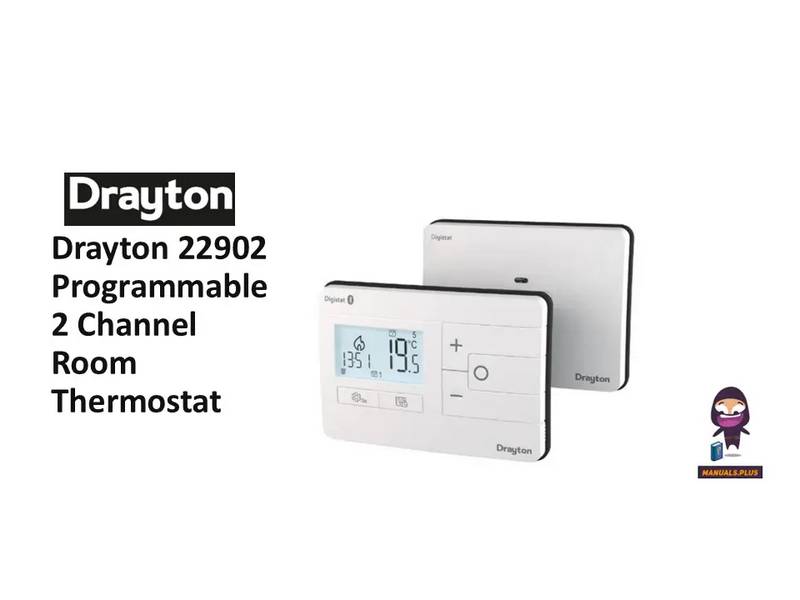
Drayton 22902 Programmable 2 Channel Room Thermostat Installation Guide

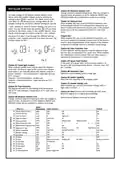
3a. Complete the wiring according to the connections  
shown in Fig 3.  
Digistat  
3rd Generation  
Programmable 2-Channel  
Room Thermostat  
Model: 22902  
Technical Helpline Tel: 0333 6000 622  
Email: customer.care@draytoncontrols.co.uk  
User and Installation Guide 06490346001 Iss B  
Installation guide  
Before Installation  
If you do not have the knowledge to install the thermostat  
safely then you must arrange for a competent electrician  
to install it for you. Wiring must conform to the current IEE  
regulations.  
(Fig. 3)  
3b. If your boiler supports OpenTherm please follow these  
instructions:  
Remove the OpenTherm cables from the existing controller  
or thermostat. Connect the cables to the OpenTherm termi-  
nals OT1 and OT2 on the Digistat. Polarity is not important.  
Wire L and N from a separate supply with a 3A fuse.  
Note that when connected to an OpenTherm boiler, Installer  
Options 06 Valve Protection and 08 Application Type are not  
available. The following options will appear in the Installer  
Options list:  
Prior to commencing the installation you must ensure the  
mains supply is switched off.  
1. Remove the front cover by releasing the 2 screws at the  
bottom. Mounting holes and electrical connections are found  
underneath the hinged black cover (Fig 1).  
10 Upper CH water set point 30-80°C  
Default 70°C  
Default 10°C  
Default 60°C  
11 Lower CH water set point  
12 Set HW temp  
10-25°C  
45-65°C  
4. Close the black hinged terminal cover and replace the  
front cover by locating the two latches at the top then fasten  
the 2 screws at the bottom (Fig 4).  
(Fig. 1)  
2. Fix back plate directly onto the wall using suitable wall plugs  
and screws or mount over existing wall box (Fig 2).  
(Fig. 4)  
5. The Digistat is now installed and will automatically start to  
control the room temperature.  
(Fig. 2)  
GeneralDetails
NameDrayton 22902 Programmable 2 Channel Room Thermostat Installation Guide
MakeDrayton
LanguageEnglish
FiletypePDF (Download)
File size0.2 MB
Download PDF
1 Star2 Stars3 Stars4 Stars5 Stars (1 votes, average: 5.00 out of 5)
Loading...
Drayton RF902 Digistat 3rd Generation Wireless 2-Channel Programmable Thermostat Installation Guide
Drayton Wiser Smart Room Thermostat Instruction Manual
Drayton 2290M Digistat 3rd Generation Programmable Room Thermostat Installation Guide
Drayton RF710 Digital Wireless Room Thermostat Installation Guide
Drayton 2290M Mains Digital Room Thermostat User Manual

Drayton 22902 Programmable 2 Channel Room Thermostat Installation Guide
Get the free PDF manual for the Drayton 22902 Programmable 2 Channel Room Thermostat Installation Guide and access setup steps, usage instructions, and troubleshooting tips. 👉 View online or download now to keep your thermostat running smoothly!
Drayton 22902 Channel Manual: Questions and Answers

Drayton 22902 Channel specifications

Power supply230VAC +/-10%, 50Hz
Setpoint range5°C to 30°C
Operating temperatureOperating: 0°C to +40°C
Storage temperature-20°C to 65°C
IP ratingIP30
Radio frequency2402-2480 MHz

Full specifications, page 3

Where are the mounting holes on the Drayton 22902 Channel thermostat?

Behind the front cover, underneath the hinged black cover that you access by releasing the 2 screws at the bottom. Installation Guide, p. 1

What fuse rating does the Drayton 22902 Channel require for OpenTherm wiring?

3A fuse. Installation Guide, p. 1

Can I connect the Drayton 22902 Channel to an OpenTherm boiler, and if so what happens to installer options?

Yes. When connected to an OpenTherm boiler, Installer Options 06 Valve Protection and 08 Application Type become unavailable. Options 10, 11 and 12 will appear instead. Installation Guide, p. 1

How do I access Installer Options on the Drayton 22902 Channel?

Press the settings button for 3 seconds to enter the Installer Options menu. Installation Guide, p. 2

What's the difference between Optimum Start and Delayed Start?

Optimum Start adjusts the setpoint early using ambient temperature and heat gain data. Delayed Start delays setpoint implementation when ambient temperature is already close to the target, saving energy. Installation Guide, p. 2

What does the Partial Sight Assistant do on the Drayton 22902?

When enabled, it sounds audible tones when you adjust setpoint manually: a single high tone per 0.5°C increase above room temperature, a double tone when equal, and a single low tone per 0.5°C decrease below it. Installation Guide, p. 2

What do the + and - buttons control on the Drayton 22902?

Use them to scroll through menu options and different settings within the Installer Options menu. Installation Guide, p. 2

What does the Valve Protection Time setting do on the Drayton 22902 Channel?

When enabled, it operates each relay output for at least one minute each week to protect the valve in hydronic heating systems. Installation Guide, p. 2

Drayton 22902 Channel compared with other Drayton thermostats

SpecificationDrayton 22902 ChannelDrayton RF902 Digistat 3rd Generation 2-Channel
Power supply230VAC +/-10%, 50Hz230VAC +/-10%, 50Hz
Setpoint range5°C to 30°C5°C to 30°C
Operating temperatureOperating: 0°C to +40°COperating 0°C to 45°C

More Drayton thermostat manuals