
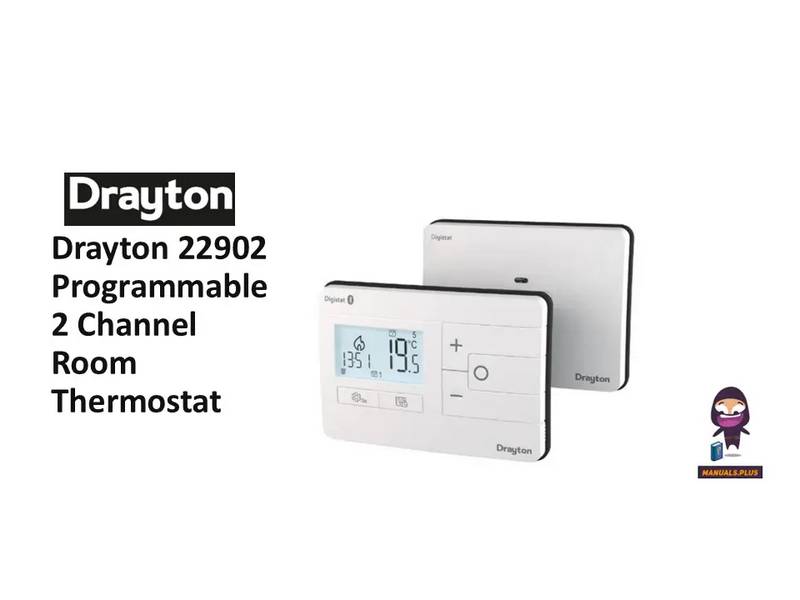
Drayton 22902 Programmable 2 Channel Room Thermostat Installation Guide

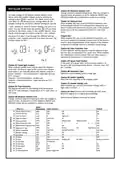
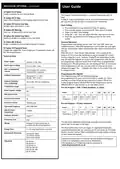
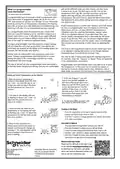


with at the different times you have chosen, and then leave
it alone to do its job. The best way to do this is to set low
temperatures first, say 18C, and then turn them up by one
degree each day until you are comfortable with the
temperatures. You won’t have to adjust the thermostat further.
Any adjustments above these settings will waste energy and cost
you more money.
What is a programmable
room thermostat?
…an explanation for householders
A programmable room thermostat is both a programmer and a
room thermostat. A programmer allows you to set ‘On’ and
‘Off ’ time periods to suit your own lifestyle. A room thermostat
works by sensing the air temperature, switching on the heating
when the air temperature falls below the thermostat setting, and
switching it off once this set temperature has been reached.
If your heating system is a boiler with radiators, there will usually
be only one programmable room thermostat to control the
whole house. But you can have different temperatures in
individual rooms by install-ing thermostatic radiator valves
(TRVs) on individual radiators. If you don’t have TRVs, you
should choose a temperature that is reasonable for the whole
house. If you do have TRVs, you can choose a slightly higher
setting to make sure that even the coldest room is comfortable,
then prevent any overheating in other rooms by adjusting the
TRVs.
So, a programmable room thermostat lets you choose what
times you want the heating to be on, and what temperature it
should reach while it is on. It will allow you to select different
temperatures in your home at different times of the day (and
days of the week) to meet your particular needs.
Turning a programmable room thermostat to a higher setting
will not make the room heat up any faster. How quickly the
room heats up depends on the design of the heating system, for
example, the size of boiler and radiators.
The time on the programmer must be correct. Some types have
to be adjusted in spring and autumn at the changes between
Greenwich Mean Time and British Summer Time.
Neither does the setting affect how quickly the room cools
down. Turning a programmable room thermostat to a lower
setting will result in the room being controlled at a lower
temperature, and saves energy.
You may be able to temporarily adjust the heating programme,
for example, ‘Override’, ‘Advance’ or ‘Boost’. These are explained
in the manufacturer’s instructions.
The way to set and use your programmable room thermostat is
to find the lowest temperature settings that you are comfortable
Programmable room thermostats need a free flow of air to sense
the temperature, so they must not be covered by curtains or
blocked by furniture. Nearby electric fires, televisions, wall or
table lamps may prevent the thermostat from working properly.
Setting up Times/Temperatures on the Digistat
5. In Pre-set Program 1 you will
have 4 time periods available, to
add more (max. 8 per day) press +
when you see the SAVE option on-
screen and time period 5 at the
bottom of the screen, to scroll to
the Add option. Press O to add
time period then adjust time and
temperature as required.
1. With the product operating as
once.
normal in Auto Mode, press
Use + and – to select the day or set
of days you want to adjust the times
and tem-peratures for. Press O to
confirm.
2. The time on the display will now
be flashing as shown, use + and – to
adjust the first period start time.
Press O to confirm.
6. To exit press
to go back until
you return to the home screen.
3. Once the time has been set the
temperature on the display will now
be flashing, use + and – to adjust the
temperature for the first time period.
Press O to confirm.
Heating or Hot Water
1. Press the cog button so the tap or radiator symbol in the
bottom left-hand corner starts to flash.
2. Press the + button to change between the options, then press
O to select your option.
Automatic to Manual
4. Move to the next time and
temper-ature periods and adjust as
needed, confirming the changes by
pressing O. The new schedule will be
saved pressing O when the word
SAvE is flashing.
1. Press and hold the Cog button until you see USEr 01,
2. Press the O button to select and you will see Mode,
3. Press O to enter and you will see either Auto, man or off.
4. Use the + and - button to choose between these options.
5. Press the O button to select your option then press the Cog
buton twice to take you to the home page.
Wheretofind User Guide
Please use the QR code to the right or go
to our website www.draytoncontrols.co.uk
to download our full online user guide
which also features Bluetooth pairing, and
how to use the smartphone app.
401 Southway Drive
Plymouth
Schneider Electric Industries
SAS 35 rue Joseph Monier
F-92500 Rueil-Malmaison
France
PL6 6QT
United Kingdom

| General | Details |
|---|---|
| Name | Drayton 22902 Programmable 2 Channel Room Thermostat Installation Guide |
| Make | Drayton |
| Language | English |
| Filetype | PDF (Download) |
| File size | 0.2 MB |
 (1 votes, average: 5.00 out of 5)
 Loading...

Drayton RF902 Digistat 3rd Generation Wireless 2-Channel Programmable Thermostat Installation Guide

Drayton Wiser Smart Room Thermostat Instruction Manual

Drayton 2290M Digistat 3rd Generation Programmable Room Thermostat Installation Guide

Drayton RF710 Digital Wireless Room Thermostat Installation Guide

Drayton 2290M Mains Digital Room Thermostat User Manual

TSTATBBEWF-01 Bryant Smart Thermostat Owner’s Manual

FantiniCosmi CH123E 230V Flush Mounting Thermostat Installation Guide

Danfoss Heating Solutions WT-T BasicPlus2 Room Thermostat Installation Guide

seitron TR D02B Wireless Digital Thermostat User Manual

tado TRV3 Smart Radiator Thermostat User Guide

tekmar TEK564 Invita WiFi Thermostat User Manual

DAIKIN ONE Smart Thermostat Instructions

nVent RAYCHEM AT-TS-13 Surface Sensing Thermostat Instruction Manual

Honeywell RLV3100 Digital Thermostat Installation Guide

Danfoss TP7000 Range Electronic 7 Day Programmable Room Thermostat Installation Guide