
Drayton 22902 Programmable 2 Channel Room Thermostat Installation Guide

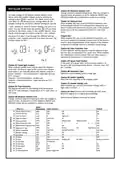
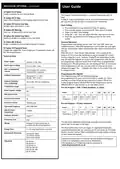
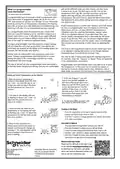


INSTALLER OPTIONS
(Option 04) Maximum Setpoint Limit
Change maximum setpoint temperature. After any changes to
setpoint limits, all setpoints in AUTO, MANUAL, BOOST and
HOLIDAY modes will be modified to conform accordingly.
To make changes to the default Installer Options shown
below, enter the Installer Options menu by pressing the
settings button
for 3 seconds. This allows access to the
(Option 05) Optimum Start
User Menu 01, the Advanced User Settings Menu 02, the
Installer Settings 03, and Service Interval Settings 04. Use the
When enabled, this uses current ambient temperature, the
next scheduled setpoint and heat gain data captured by the
device to adjust the thermostat setpoint early, so the ambient
temperature is at the required level when the next event
starts.
+ and - buttons to scroll to Installer Options and press O to
select. You can exit the menu by pressing
until you have
returned to the home screen. In the Installer Options menu
(Fig 8), scroll through the options using the + and - buttons
Delayed Start
and press O to select. Scroll through the different settings
using the + and - buttons and press O to select and save. (Fig
9 shows Option 02 OFF).
When enabled, this uses current ambient temperature, cur-
rent event setpoint and heating characteristics of the environ-
ment to delay implementation of the setpoint if the ambient
temperature is already close to it, therefore saving energy.
(Option 06) Valve Protection Time
In some hydronic heating systems it may be required to pro-
tect the valve by operating it for a given time. When enabled,
this maintenance feature ensures that each relay output is
operated for at least one (1) minute each week.
(Fig. 8)
(Fig. 9)
(Option 07) Sensor Fault Function
In the event of a sensor fault, central heating output is re-
duced to 30% by turning heating ON for 3 minutes, then OFF
for 7 minutes.
(Option 01) Partial Sight Assistant
When enabled, audible tones indicate when the setpoint is
more than, less than or equal to the current room temper-
ature when a user manually adjusts the setpoint using the +
button: Setpoint > room temperature - single high tone per
0.5°C increase
(Option 08) Application Type
Select the central heating system energy type.
(Option 09) System Capability
Select the flow capability of the heating system.
Setpoint = room temperature - double tone
Setpoint < room temperature - single low tone per 0.5°C
decrease
(Option 13) Installer Settings Lock
When enabled, you can lock the installer settings until a 3
digit code is entered.
(Option 02) Frost Protection
The Digistat will switch on the heating if the temperature
falls to 5°C and maintains a temperature of 7°C even when in
OFF mode.
(Option 20) Reset (Service Interval settings are NOT reset)
Reset the Digistat to its original factory settings.
(Option 03) Minimum Setpoint Limit
Service Interval Options continued on reverse.
Change minimum setpoint temperature. After any changes to
setpoint limits, all setpoints in AUTO, MANUAL, BOOST and
HOLIDAY modes will be modified to conform accordingly.
Screen
Abbreviations
Select between
What is it
Default
Partial Sight Assistant
Frost Protection
Low Set Point C
High Set Point C
Optimum Start
bEEP
FrSt
LoSP
HiSP
OPSt
vPrt
OFF
ON
5
Low Limit
OFF
OFF
ON
OFF
High Limit
30
Delayed Start
5
ON
ON
5
30
OFF
1 OFF
01
02
03
04
05
Optimum Start
4
3
2
06 Valve Protection Time
SEnS
APPL
SySt
LOC
rSEt
(Mins) Sensor FaultFunction
07
OFF
Gas
Fast Flow
OFF
ON
Electric
Normal/Slow Flow
ON
YES
OFF
Oil
Heat Pump Gas
08
09
13
20
Application Type
System Capability
Installer Settings
Lock Reset
Fast Flow
OFF
NO
NO
01 Si Status
02 Si Type
03 Si Due Date
04 Si Warning
OFF
ON
Heating OFF
OFF
StAt
tYPE
dUE
Reduced Comfort
YY/MM/DD
0
OFF
No Effect
Reduced Comfort
WArn
ALAr
bSt
99
ON
ON
30
Si Due Alarm
OFF
OFF
0000
05
06 Si Boost
Si Password Reset
OFF
COdE
EXit
Select 4-digit PIN
07

| General | Details |
|---|---|
| Name | Drayton 22902 Programmable 2 Channel Room Thermostat Installation Guide |
| Make | Drayton |
| Language | English |
| Filetype | PDF (Download) |
| File size | 0.2 MB |
 (1 votes, average: 5.00 out of 5)
 Loading...

Drayton RF902 Digistat 3rd Generation Wireless 2-Channel Programmable Thermostat Installation Guide

Drayton Wiser Smart Room Thermostat Instruction Manual

Drayton 2290M Digistat 3rd Generation Programmable Room Thermostat Installation Guide

Drayton RF710 Digital Wireless Room Thermostat Installation Guide

Drayton 2290M Mains Digital Room Thermostat User Manual

EUROTRONIC SPIRIT ZigBee Energy Saving Thermostat User Guide

ControlTemp Basic Tamper Proof Thermostat Instructions

Honeywell CT8602 Programmable Thermostat User Guide

AIRQUEST TSTATIIEWF ION Gray Smart Thermostat Owner’s Manual

Micro-Air 351 Air Conditioner Digital Thermostat User Guide

LUX PSP511A Smart Temp Electronic Thermostat Instruction Manual

vtech W960 E-Smart Thermostat Instruction Manual

Honeywell Home T6 Pro Smart Programmable Thermostat User Guide

EvenAir T21WF WiFi Thermostat User Manual

Roth Basicline Room Thermostat Instructions