
Drayton 22902 Programmable 2 Channel Room Thermostat Installation Guide



INSTALLER OPTIONS - continued
User Guide
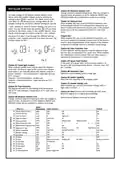
(Si Option 01) Si Status
Enable or disable Service Interval Mode.
The Drayton Digistat thermostat is a universal thermostat with 24
hour,
5-2day or 7day program types and up to 8 time/temperature events
per day and can also be used as a simple room thermostat.
(Si Option 02) Si Type
Select effect imposed on the heating when service is due.
(Si Option 03) Service Due Date
Set date when next service is due.
Clock Setting
• Press and hold the cog button until User 01 appears,
• Press the plus button to Advanced 02, then press O to enter,
• Press O to enter Time settings,
(Si Option 04) Warning
Select no. of days before service due date.
• Using the + and - you can adjust the time, then pess O to save,
• Press the cog button twice to bring you back to the home
screen.
(Si Option 05) Service Due Alarm
Enable or disable the audible service due alarm.
(Si Option 06) Si Boost
General Operation
Enable or disable the Service Boost feature (5 boosts).
Programmable thermostats do not have “On” and “Off” times like
traditional timers. They offer temperature control both day and night
and you simply select which temperatures you require at each point in
the day.
(Si Option 07) Password Reset
Change the 4 digit PIN. If you forget your Si password, please call
the Technical Helpline.
With the unit in “Auto Mode” (the calendar icon is visible at the
bottom of the screen) the temperature can be changed for a short
time by using the + and – buttons. Changing the temperature in this
way will keep the Digistat set to your new temperature until the next
pre-programmed event (at which time it will revert to programmed
temperature). The temperature you are setting will flash on the screen.
Once temperature is set, the unit will revert to showing the room
temperature again. The indicator will show on the screen if the unit
is calling for heat.
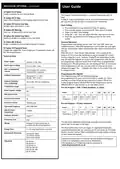
Technical Data
Power supply
230VAC +/-10%, 50Hz
Switch type & rating
3(1)A at 230V / 50Hz
Min. recommended
current
SPDT (voltage free contacts)
10mA@24VAC (inductive)
Programming the Digistat
Your Digistat comes with the following settings
pre-programmed for your convenience and is suitable for those
working out of the house during a typical 9-5 pattern. When the
5-2day program type is selected the pre-set temperatures will be
different Mon-Fri and Sat-Sun, as per the tables below:
Ambient temperature
Operating: 0°C to +40°C
Storage: -20°C to 65°C
Ambient humidity
(non condensing)
20% to 80%, 90% non-condensing
Temperature range
5°C to 30°C
Pre-set Program 1 (24h, 5-2day weekdays, or 7day):
Rated impulse voltage
4KV
1
Event
2
3
4
(5)*
(6) (7) (8)
Ball pressure test
75°C
Time
Temperature
06:30 08:30 16:30 22:30
20°C 16°C 21°C OFF
Disconnection means
Automatic action
1B
100,000 cycles
2402-2480 MHz
Pre-set Program 1 (5-2day weekend):
Operating Frequency
Event
1
2
3
4
(5)*
(6) (7) (8)
Max RF Power
transmitted
+10dBm
Time
07:00 09:00 16:00 23:00
20°C 18°C 21°C OFF
Temperature
Pollution situation
Degree 2
IP30
Protection level
Wiring
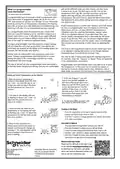
*To add these additional time periods manually (max. 8 per day)
please refer to the steps to the right.
Designed for fixed wiring only, to
com-ply with IEE wiring regulations
The Bluetooth® word mark and logos are registered trademarks
owned by Bluetooth SIG, Inc. and any use of such marks by Schneider
Electric is under license. Other trademarks and trade names are those
of their respective owners.
Energy Class
V = 3% using OpenTherm connection
Relevant EC Directives:
2014/53/EU (RED)
2011/65/EU (RoHS)
2012/19/EU (WEEE)
Hereby, Schneider Electric Controls UK Ltd, declares that Digistat
22902 is in compliance with Directive 2014/53/EU.
The declaration of conformity may be consulted at
Standards:
EN 60730-1
EN 60730-2-7
EN 60730-2-9
ESTI EN 300 328
ESTI EN 301 489
EN IEC 63000

| General | Details |
|---|---|
| Name | Drayton 22902 Programmable 2 Channel Room Thermostat Installation Guide |
| Make | Drayton |
| Language | English |
| Filetype | PDF (Download) |
| File size | 0.2 MB |
 (1 votes, average: 5.00 out of 5)
 Loading...

Drayton RF902 Digistat 3rd Generation Wireless 2-Channel Programmable Thermostat Installation Guide

Drayton Wiser Smart Room Thermostat Instruction Manual

Drayton 2290M Digistat 3rd Generation Programmable Room Thermostat Installation Guide

Drayton RF710 Digital Wireless Room Thermostat Installation Guide

Drayton 2290M Mains Digital Room Thermostat User Manual

ecoer EST01 Wi-Fi Programmable Thermostat User Guide

SAUTER 396011 Universal Thermostat Owner’s Manual

heatmiser neoStat-Pro Smart Thermostat Instruction Manual

GENERAL LIFE HT100S RF Wireless Room Thermostat User Manual

Roth Basicline H 230V Room Thermostat Instructions

DEVIreg 610 Electronic Thermostat Installation Guide

STELPRO STZW402+ Electronic Thermostat Owner’s Manual

PRO1 T751i Thermostat Installation Guide

STEGO ET 011 Electronic Thermostat User Manual

Munters RDT-5 Triple Phase Digital Thermostat User Manual