
Drayton 2290M Mains Digital Room Thermostat User Manual


3a.Complete the wiring according to the connections shown
in Fig 3.
Digistat
3rd Generation
Programmable Room
Thermostat
(Fig 3)
Model: 2290M
3b.If your boiler supports OpenTherm please follow these
instructions:
Technical Helpline Tel: 0333 6000 622
Remove the OpenTherm cables from the existing controller
or thermostat. Connect the cables to the OpenTherm
terminals OT1 and OT2 on the Digistat. Polarity is not
important.
Email: customer. care@draytoncontrols.co.uk
User and Installation Guide 06490309001 Iss C
Wire L and N from a separate supply with a 3A fuse.
Installation Guide
Note that when connected to an OpenTherm boiler, Installer
Options 06 Valve Protection and 08 Application Type are not
available. The following options will appear in the Installer
Options list:
Before Installation
If you do not have the knowledge to install the thermostat
safely then you must arrange for a competent electrician
to install it for you. Wiring must conform to the current IEE
regulations.
10 Upper CH water set point
11 Lower CH water set point
12Set DHWtemp
30-80°C
10-25°C
45-70°C
Default 70°C
Default 10°C
Default 60°C
Prior to commencing the installation you must ensure the
mains supply is switched off.
4. Close the black hinged terminal cover and replace the front
cover by locating the two latches at the top then fasten the
2 screws at the bottom (Fig 4).
1. Remove the front cover by releasing the 2 screws at the
bottom. Mounting holes and electrical connections are
found underneath the hinged black cover (Fig 1).
(Fig 4)
(Fig 1)
5. The Digistat is now installed and will automatically start to
control the room temperature.
2. Fix back plate directly onto the wall using suitable wall plugs
and screws or mount over existing wall box (Fig 2).
(Fig 2)


| General | Details |
|---|---|
| Name | Drayton 2290M Mains Digital Room Thermostat User Manual |
| Make | Drayton |
| Language | English |
| Filetype | PDF (Download) |
| File size | 0.33 MB |
 (1 votes, average: 5.00 out of 5)
 Loading...

Drayton RF902 Digistat 3rd Generation Wireless 2-Channel Programmable Thermostat Installation Guide

Drayton Wiser Smart Room Thermostat Instruction Manual

Drayton 2290M Digistat 3rd Generation Programmable Room Thermostat Installation Guide
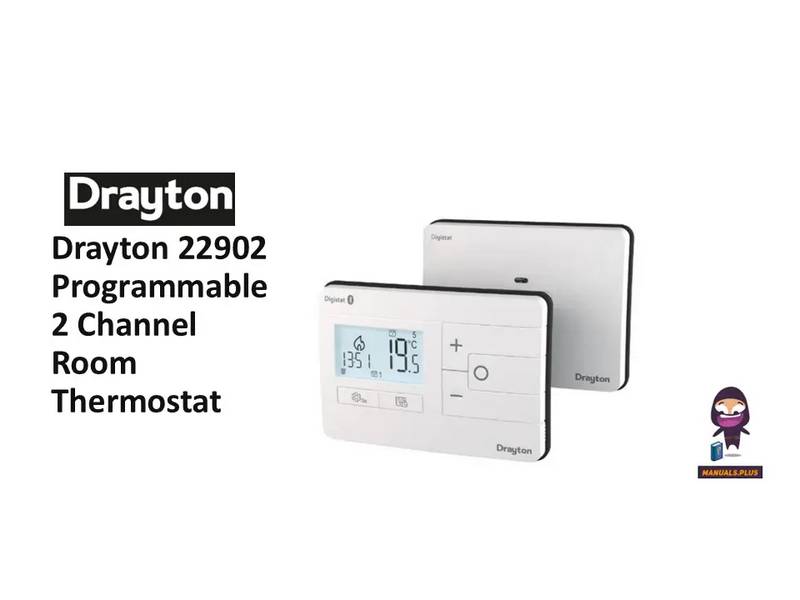
Drayton 22902 Programmable 2 Channel Room Thermostat Installation Guide

Drayton RF710 Digital Wireless Room Thermostat Installation Guide

Drayton 2290M Mains Digital Room Thermostat Manual: Questions and Answers
Drayton 2290M Mains Digital Room Thermostat specifications
| Power supply | 230VAC +/-10%, 50Hz |
| Setpoint range | 5°C to 30°C |
| Storage temperature | -20°C to 65°C |
| IP rating | IP30 |
| Radio frequency | 2402-2480 MHz |
What installer options are disabled when the Drayton 2290M connects to an OpenTherm boiler?
Options 06 Valve Protection and 08 Application Type become unavailable. Options 10, 11 and 12 appear instead, controlling upper CH water set point, lower CH water set point, and DHW temperature. User Manual, p. 1
What are the OT1 and OT2 terminals on the Drayton 2290M Mains Digital Room Thermostat for?
OpenTherm connection.
| Terminal | Purpose |
|---|---|
| OT1 | OpenTherm cable connection |
| OT2 | OpenTherm cable connection |
How do I access the Installer Options menu?
Press the settings button for 3 seconds. Use + and - buttons to scroll through options and O to select. User Manual, p. 2
Can I lock the installer settings on the Drayton 2290M Mains Digital Room Thermostat?
Yes. Enable Option 13 Installer Settings Lock and enter a 3 digit code. If the code is forgotten while locked, call the Technical Helpline. User Manual, p. 2
Drayton 2290M Mains Digital Room Thermostat compared with other room thermostats
| Specification | Drayton 2290M Mains Digital Room Thermostat | Schneider Electric 2290B | BECA BHP-8000 C | Fantini Cosmi C820RQ LED |
|---|---|---|---|---|
| Power supply | 230VAC +/-10%, 50Hz | 2x AA 1.5V alkaline batteries | 24VDC/AC +10% | 2 x 1.5V AA alkaline batteries |
| Setpoint range | 5°C to 30°C | 5°C to 30°C | 42-122 ℉ (5~50℃) | 2 - 40°C, increase 0.1°C |
| Storage temperature | -20°C to 65°C | -20°C to 65°C | 23~113℉ (-5~45℃) | -10°C - 60°C |
| IP rating | IP30 | IP30 | IP20 | IP32 |
More Drayton thermostat manuals

Danfoss VICUQ24M Icon Programmable II Room Thermostat Installation Guide

Honeywell VisionPRO TH8000 Series Touchscreen Programmable Thermostat Instruction Manual

Honeywell Home T6 Pro Smart Programmable Thermostat User Guide

DOMETIC Thermostat and Outdoor Products Instruction Manual

Emerson ST55 Sensi Wi-Fi Programmable Thermostat Installation Guide
STELPRO STE241 Low Voltage 24V Electronic Thermostat User Guide

DAIKIN DTST-ONE-ADA-A One Lite Connected Thermostat User Guide

Honeywell Home T834 Series Thermostat Owner’s Manual

COMPUTHERM Q20 Programmable Digital Room Thermostat Instruction Manual

Danfoss 088U0211 Public Room Thermostat Instructions