
emos P5686 Immersion Thermostat Instructions








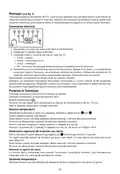




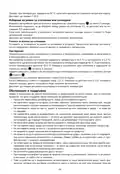


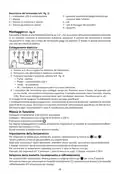

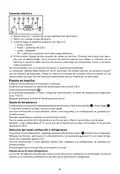




Putting the Device into Operation
Connect the thermostat with pump according to instructions.
Connect the thermostat to a 230 V power supply.
Short-press the
button.
The currently set mode and heating/cooling mode setting will flash on the display (e.g.: F1/C1).
Then, the current temperature will be displayed.
Setting Temperature
Set your temperature of choice by repeatedly pressing the up
/down
arrow.
Holding the arrow adjusts value faster.
Once temperature is set, wait several seconds until the value is automatically saved.
The display will then automatically show the current measured temperature.
To check your temperature setting, press the up or down arrow once.
Example: with temperature set to 50 °C, press the up or down arrow once. The display will show C 50.0.
Selecting Heating or Cooling Mode
Enter settings by long-pressing the down arrow
for approximately 3 seconds.
Use the arrows to choose between heating mode (C1 on the display) or cooling mode (C2 on the display).
Once temperature is set, wait several seconds until the value is automatically saved.
The display will then automatically show the current measured temperature.
Differences for cooling mode:
The activation condition for cooling mode is reversed: The thermostat activates the system when the
measured temperature is higher than the set temperature.
Hysteresis
The temperature differential (hysteresis) is the difference in temperature required for the system
to switch on and off.
If, for example, you set the temperature in heating mode to 42.5 °C and the hysteresis value to 2.5 °C,
the thermostat will activate your system as soon as the measured temperature drops to 40 °C and
deactivate it when temperature reaches 42.5 °C. Enter settings by long-pressing the up arrow
for approximately 3 seconds.
Set your hysteresis value of choice by repeatedly pressing the up
Holding the arrow adjusts value faster.
/down
arrow.
Once the value of choice is set (e.g. 2.5 °C, displayed as d 2.5) wait a few seconds until the setting
is automatically saved.
The display will then automatically show the current measured temperature.
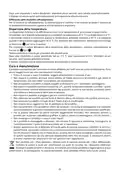
Upkeep and Maintenance
The product is designed to serve reliably for many years if used properly. Here are some tips for
proper operation:
• Read the manual carefully before using the product.
•
Do not expose the product to direct sunlight, extreme cold and humidity and sudden changes in
temperature. This would reduce measuring accuracy.
• Do not place the product in locations prone to vibration and shocks – may cause damage.
•
Do not subject the product to excessive force, impacts, dust, high temperatures or humidity
– doing so may cause malfunction, shorten battery life, damage batteries and deform plastic parts.
• Do not expose the product to rain or high humidity, dropping or splashing water.
• Do not place any open flame sources on the product, e.g. a lit candle, etc.
• Do not put the product in places with inadequate air flow.
• Do not insert any objects into the product’s vents.
•
Do not tamper with the internal electric circuits of the product – doing so may damage the
product and will automatically void the warranty. The product should only be repaired by a
qualified professional.
4

| General | Details |
|---|---|
| Name | emos P5686 Immersion Thermostat Instructions |
| Make | EMOS |
| Language | English |
| Filetype | PDF (Download) |
| File size | 0.43 MB |
 (1 votes, average: 5.00 out of 5)
 Loading...


EMOS P56201BUF Floor Heating Thermostat User Guide

emos P56201 Digital Room Thermostat User Manual

EMOS P56201UF Floor Heating Thermostat Instruction Manual

emos P5604 Thermostat Instruction Manual

EMOS P56211 Wireless Thermostat Instruction Manual

emos P5616OT Wireless Thermostat Instruction Manual

emos P56201UF GoSmart Digital Room Thermostat Instruction Manual

EMOS P5601UF Floor Heating Thermostat User Manual

emos P5684 Capillary Sensor Thermostat User Manual

emos P56211 Wireless Room Thermostat Instruction Manual


NEOMITIS RTE0RFA Wireless Digital Room Thermostat and Receiver Instruction Manual

ENGO CONTROLS EONEBATW Internet Controlled Thermostat User Guide

ENGO CONTROLS FAN-24W 24V Fan Coil Thermostat User Guide

Vaillant VRC 700 Weather Compensating Thermostat Instruction Manual

Honeywell T4098A Deluxe Electric Heat Thermostat Instruction Manual

Honeywell CT87N The Round Non Programmable Thermostat Owner’s Manual

MODINE DFG Mild Temperature Thermostat Installation Guide

EPH CONTROLS RFCA RF Cylinder Thermostat Instruction Manual

SIEMENS TH 193 HC Heating and Cooling Room Thermostat Instruction Manual

Honeywell TC300 Commercial Thermostat Instruction Manual