
emos P5686 Immersion Thermostat Instructions



















GB | Immersion Thermostat
Properties
Immersion thermostat with display
Temperature range 5 °C – 80 °C (0.1 °C resolution)
Simple electrical connection via screwless terminals
Specifications
Switched load: max. 230 V AC; 5 A for resistive load; 1.5 A for inductive load
Power supply: 230 V AC
Temperature control range: 5 °C – 80 °C
Temperature measurement: 5 °C to 80 °C with 0.1 °C resolution accuracy 1 °C
Temperature setting: 5 °C to 80 °C in 0.1 °C increments
Temperature differential setting: 0.1 °C to 15 °C with 0.1 °C resolution
Thermowell dimensions: 58 mm, Ø 8 mm, ½ inch thread
Enclosure rating: IP40
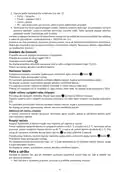
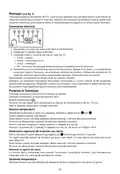
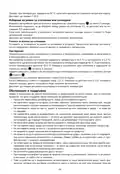
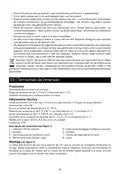
Thermostat Description (See Fig. 1)
1 – activation indicator LED
2 – display
5 – on/off/function setting button
6 – screws
3 – up arrow (increase value)
4 – down arrow (decrease value)
7 – thermowell locking screw
8 – thermowell
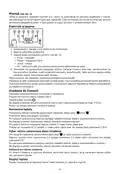
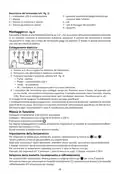
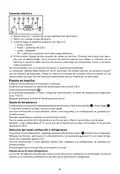
Installation (See Fig. 2)
The thermowell is fitted with a 1/2" external thread, which is to be screwed into the coupling collar
fitted at the spot where you need to measure temperature (piping, tank). The thermostat’s sensor is
inserted into the thermowell so that the body of the thermostat is in contact with the thermowell. It
is then secured in this position using the screw on the plastic collar.
Electrical Connection
1. Remove the 2 screws on the front housing of the thermostat.
2. Carefully remove the front housing.
3. Connect in accordance with the following diagram (see Fig. 2):
• Pump
• Power – 230 V
• Jump – jumper
• PE – protective earth, prevents injury by electric current
4. The thermostat features a screwless conductor connection. Press downwards onto the top plastic
connector with e.g. a screwdriver. The terminal contact will release. Plug in the conductor. Repeat
the process for all conductors needed for connection. Replace the screws.
Installation should be carried out by a qualified person!
Installation must always be performed when power is turned off; follow safety specifications. Main-
tain the maximum switched load listed in technical specifications! The manufacturer is not liable
for inexpert installation.
3

| General | Details |
|---|---|
| Name | emos P5686 Immersion Thermostat Instructions |
| Make | EMOS |
| Language | English |
| Filetype | PDF (Download) |
| File size | 0.43 MB |
 (1 votes, average: 5.00 out of 5)
 Loading...


EMOS P56201BUF Floor Heating Thermostat User Guide

emos P56201 Digital Room Thermostat User Manual

EMOS P56201UF Floor Heating Thermostat Instruction Manual

emos P5604 Thermostat Instruction Manual

emos P5616OT Wireless Thermostat Instruction Manual

EMOS P56211 Wireless Thermostat Instruction Manual

emos P56201UF GoSmart Digital Room Thermostat Instruction Manual

EMOS P5601UF Floor Heating Thermostat User Manual

emos P5684 Capillary Sensor Thermostat User Manual

emos P56211 Wireless Room Thermostat Instruction Manual


vtech Installing E-Smart W960 Thermostat User Manual
terneo rzx Smart Thermostat User Manual

HERSCHEL MD2 Wi-fi Enabled Wired Thermostat Instruction Manual

Braeburn TH-BR22 Programmable Thermostat Instructions

tuya M3 Series Thermostat User Guide

Danfoss 014G0251 Eco Radiator Thermostat User Guide
EMSQ22 Daikin ONE Lite Smart Thermostat User Manual

Roth Minishunt Plus Thermostat and Capillary Sensor Installation Guide

ENGO CONTROLS ESIMPLE230W Non-Programmable Wired Thermostat User Guide

Sygonix 2735095 Wireless Indoor Thermostat Instruction Manual