EMSQ22 Daikin ONE Lite Smart Thermostat User Manual




| General | Details |
|---|---|
| Name | EMSQ22 Daikin ONE Lite Smart Thermostat User Manual |
| Make | Daikin |
| Language | English |
| Filetype | PDF (Download) |
| File size | 1.45 MB |
 (1 votes, average: 5.00 out of 5)
 Loading...





Daikin EMSQ22 ONE Lite Manual: Questions and Answers
How long does the Daikin EMSQ22 thermostat stay in schedule programming mode?
2 minutes. The system returns to the home screen automatically if you don't press any buttons. User Manual, p. 11
Can I set different schedules for different days of the week on the Daikin EMSQ22 ONE Lite?
Yes. The schedule repeats weekly with up to 4 events per day, each day customizable independently or copied from a previous day. User Manual, p. 11
What do the mode and cooler buttons do on the Daikin EMSQ22 ONE Lite?
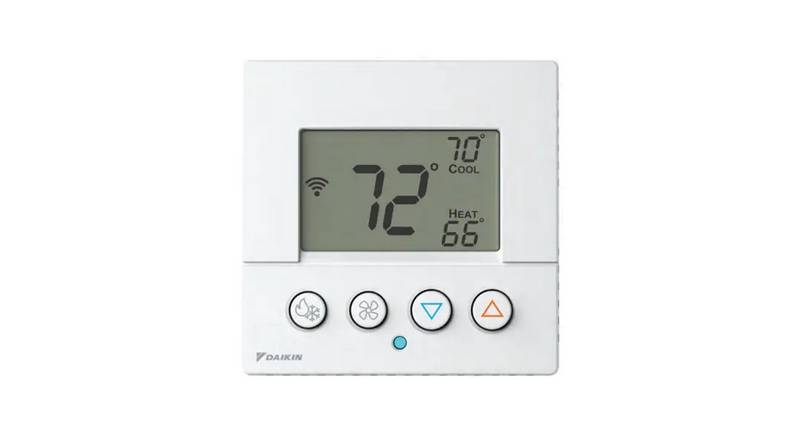
Press and hold both to enter Away mode settings. User Manual, p. 16
What does the lock icon mean on the Daikin EMSQ22 ONE Lite display?
The keypad is disabled and front panel buttons won't respond to presses. User Manual, p. 17
How do I unlock the thermostat after the lock icon appears?
Hold the mode button, then press the warmer and cooler buttons together for two seconds. User Manual, p. 17
What's the first step to configure Away setpoints on the Daikin EMSQ22?
Press and hold the mode and cooler down buttons to enter Away mode settings. User Manual, p. 16
How do I change fan speed settings on the Daikin EMSQ22 thermostat?
Press and hold the fan button for 2 seconds to access fan settings. Use the up and down buttons to cycle through available fan speeds of auto and 1 (low) through 5 (high). User Manual, p. 10
What temperature increment does the Daikin EMSQ22 ONE Lite use when adjusting setpoints in Celsius?
0.5 degrees. User Manual, p. 9
More Daikin thermostat manuals