
VENSTAR Fan Coil Thermostat T2100 / T2150 User Guide


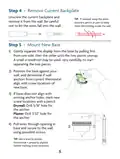
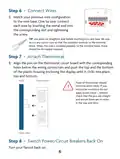




Quick Start - Connect to Wi-Fi
The Explorer thermostats are joined to a Wi-Fi network with the help
of the Venstar Configurator App. This app may be downloaded from
your mobile device’s app store. Once the thermostat is installed and
powered, the Configurator App will facilitate connection to the access
point in 6 steps as outlined below.
1
2
3
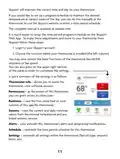
Go to the settings
of the mobile device.
Press and hold the FAN
button for 5 seconds.
When “Wireless Setup”
appears on the display,
release the FAN button.
Then press the COOLER
button on the thermostat
to configure Wi-Fi
Select “Setup
Wi-Fi” on the
Configurator App.
Select Wi-Fi, then select
the Venstar thermostat
(THERMOSTAT-XXXX).
Enter the password:
123456789 when prompted.
Return to the Configurator
App and select “Continue”.
settings. Select “continue”
on the Configurator App.
8

| General | Details |
|---|---|
| Name | VENSTAR Fan Coil Thermostat T2100 / T2150 User Guide |
| Make | VENSTAR |
| Language | English |
| Filetype | PDF (Download) |
| File size | 0.34 MB |
 (1 votes, average: 5.00 out of 5)
 Loading...


Danfoss RT 115 Thermostat Installation Guide

DeLOCK Thermostat for DIN Rail User Manual

GENERAL LIFE Senna 270S RF Wireless Room Thermostat User Manual

SEALEY FH2010.V2 2000W Fan Heater with Thermostat User Manual

ideal BOILERS Combi RF Wireless Boiler Thermostat User Guide

VIVE TP-N-751 Programmable Thermostat Installation Guide

VIMAR 02952 Well-Contact Plus Electronic Touchscreen Thermostat Instruction Manual

EPH CONTROLS PR092K7 RF Cylinder Thermostat Instruction Manual

Agatige MH1823 Intelligent Thermostat User Guide

lae AC2-2 Two Stage Thermostat Instructions