
lae AC2-2 Two Stage Thermostat Instructions
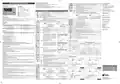
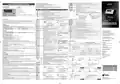


CONFIGURATION PARAMETERS
AC2-27 INSTRUCTIONS FOR USE
TECHNICAL DATA
REF; HEA Refrigerating control (REF) or heating control mode (HEA) for the auxiliary output.
2CH
2HY
2T0
■ To get access to the parameter configuration menu, press button
■ With button or select the parameter to be modified.
■ Press button to display the value.
■ By keeping button pressed, use button or to set the desired value.
■ When button is released, the newly programmed value is stored and the following parameter is displayed.
■ To exit from the setup, press button or wait for 30 seconds.
+
for 5 seconds.
Thank you for having chosen a LAE electronic product. Before installing the instrument, please read these instructions carefully
to ensure maximum performance and safety.
0...19.9°
Differential of thermostat 2. With 2HY=0 the auxiliary output always remains off.
Power supply
AC2-27…L* 7…30 Vdc / 12Vac ±10%, 3W
AC2-27…W 100…240Vac ±10%, 50/60Hz, 3W
* = in the AC2-27...L version, the power supply
of the controller and of the loads must be
of type SELV or PELV.
0...30min
Minimum ON time.
DESCRIPTION
INDICATION
After output 2 has been turned ON, it remains active for 2T0 minutes regardless of the
temperature value measured.
OUT1 = Channel 1 output
0...30min
ON/OFF
Minimum OFF time (the following parameter will be 2PF).
After output 2 has been turned OFF, it remains inactive for 2T1 minutes regardless of the
temperature value measured.
2T1
2PF
OUT2 = Channel 2 output
L1
L2
= Channel 1 setpoint modification
Relay Outputs (AC2-27..R..)
OUT1 3.6 FLA, 21.6 LRA 240Vac - 12A resistive
OUT2 3.6 FLA, 21.6 LRA 240Vac - 12A resistive
Auxiliary output state in case of probe failure.
= Channel 1 setpoint modification
= Alarm
PAR
UM
RANGE DESCRIPTION
NON;
ABS;
REL
Alarm threshold management.
ATM
c; F; Non
Unit of measure for control. Non is available in the models AC2-27A and AC2-27I.
NON: all temperature alarms are inhibited (the following parameter will be SB).
ABS: the values programmed in ALA and AHA represent the real alarm thresholds.
REL: the values programmed in ALR and AHR are alarm differentials referred to 1SP and 1SP+1HY.
= Info / Enter button
r01; r1
Resolution of measure: r01=0.1°; r1=1°. This parameter is not available when UM=F and
in the model AC2-27J.
RES
SSR Drive (AC2-27..M..)
OUT1 15mA 12Vdc
= Modify Setpoint 1 / Decrease button
= Increase / Modify Setpoint 2 button
= Exit / Stand-by button
-50°...SPH Minimum limit for 1SP setting
SPL
SPH
1SP
1CM
ON
ON
Inputs
see table of input specifications
SPL...150° Maximum limit for 1SP setting.
T[°]
Fig.1 - Front panel
T
[
°
]
OFF
OFF
SPL... SPH Setpoint (value to be maintained in the room).
1SP 1SP+1HY+AHR
1SP-ALR
1SP+AHR
1SP-1HY-ALR
1SP
INSTALLATION
Measurement range
see table of input specifications
HY; PID
Control mode.
Temperature alarm with relative thresholds,
refrigerating control (ATM=REL, 1CH=REF)
Temperature alarm with relative thresholds,
heating control (ATM=REL, 1CH=HEA).
With 1CM=HY you select control with hysteresis: parameters 1HY, 1T0 and 1T1 are used.
With 1CM=PID you select a Proportional-Integral-Derivative control mode: parameters 1PB, 1IT,
1DT, 1AR, 1CT will be used
■ The AC2-27 controller, size 72x94x47 mm (WxHxD), is to be secured to a DIN rail in such a position as to ensure that no liquid
infiltrates causing serious damage and compromising safety;
■ Make sure that electrical connections comply with the paragraph “wiring diagrams”. To reduce the effects of electromagnetic
disturbance, keep the sensor and signal cables well separate from the power wires.
-50°...AHA Low temperature alarm threshold.
Measurement accuracy
see table of input specifications
ALA
REF; HEA Refrigerating (REF) or Heating (HEA) control mode.
0...19.9° OFF/ON thermostat differential. With 1HY=0 the output is always off.
1CH
■ Place the probe T1 inside the room in a point that truly represents the temperature of the stored product.
ALA...150° High temperature alarm threshold.
AHA
ALR
AHR
Operating conditions
-10 … +50°C; 15%...80% r.H.
1HY
OPERATION
ON
ON
-12.0...0°
0...12.0°
Low temperature alarm differential.
With ALR=0 the low temperature alarm is excluded.
DISPLAY
Reference Norms
EN61000-6-1
EN61000-6-3
EN60730-1
EN60730-2-9
High temperature alarm differential.
OFF
OFF
During normal operation, the display shows either the temperature measured or one of the following indications:
With AHR=0 the high temperature alarm is excluded.
1SP 1SP+1HY T[°]
1SP-1HY 1SP
T[°]
Controller in stand-by
Controller in autotuning
In tuning: timeout1 error
In tuning: timeout2 error
In tuning: overrange error
0...120min Delay before alarm temperature warning.
NO/YES Stand-by button enabling.
ATD
ON/OFF refrigerating control
(1CM=HY, 1CH=REF)
ON/OFF heating control
(1CM=HY, 1CH=HEA)
Probe T1 overrange or failure
Room high temperature alarm
Room low temperature alarm
SB
RoHS Directive 2015/863/EU
REACH Directive 2021/979/EU
0...30 min Minimum ON time.
1T0
1T1
1PB
0mA/4mA, Sensor input selection (see table of input specifications).
T1/T2
INP
After output 1 has been turned ON, it remains active for 1T0 minutes regardless of the
temperature value measured.
ST1/SN4
This parameter is not available in the AC2-27A... and AC2-27P...
Front Protection
IP50
0...30 min Minimum OFF time (the following parameter will be 1PF).
After output 1 has been turned OFF, it remains inactive for 1T1 minutes regardless of the
temperature value measured.
-19.9...RHI Minimum range value (in the models AC2-27A…, AC2-27I… only)
RLO
RHI
MENU INFO
RLO takes the minimum value measured by the transmitter (i.e. the value matching 0V, 0/4mA).
The information available in this menu is:
RLO...99.9 Maximum range value (in the models AC2-27A…, AC2-27I… only)
0...19.9°
Proportional band width.
RHI takes the maximum value measured by the transmitter (i.e. the value matching 1V, 20mA)
M
a
x
i
m
u
m
t
e
m
p
e
r
a
t
u
r
e
r
e
c
o
r
d
e
d
Keypad state lock
Overshoot
Steady-state error
-12.5...12.5° Probe T1 offset.
OS1
TLD
SIM
Temperature control takes place by changing the
ON time of the output: the closer the temperature
to the setpoint, the less time of activation. A small
proportional band increases the promptness of
response of the system to temperature variations,
Minimum temperature recorded
1SP
1...30min
0...100
Delay for minimum temperature (TLO) and maximum temperature (THI) logging.
Display slowdown.
Access to menu and information displayed.
1PB
■ Press and immediately release button
.
Process
1...255
AC2-27 address for communication with a PC.
ASCII and RTU Modbus protocol selection.
but tends to make it less stable.
A
purely
■ With button
or
select the data to be displayed.
to display value.
ADR
PRT
temperature
proportional control stabilises the temperature
within the proportional band but does not cancel
the deviation from setpoint.
■ Press button
ASC;
RTU
■ To exit from the menu, press button
or wait for 10 seconds.
Reset of THI, TLO recordings
Time
With 1PB=0 the output is always off.
■ With button
■ Display the value with button
■ While keeping button pressed, use button
or
s
e
l
e
c
t
t
h
e
d
a
t
a
t
o
b
e
r
e
s
e
t
.
.
Overshoot
0...999s
Integral action time.
1IT
INPUT SPECIFICATIONS
.
The steady-state error is cancelled by inserting an
integral action. The integral action time, determines
the speed with which the steady-state temperature
is achieved, but a high speed (1IT low) may be the
cause of overshoot and instability in the response.
With 1IT=0 the integral control is disabled.
CHANNEL 1 SETPOINT (display and modification of desired temperature value)
■ Press and release button : the LED L1 blinks, the display shows 1SP for 1 second and then the setpoint associated value.
■ Press buttons or to set the desired value (adjustment is within the minimum SPL and maximum SPH limit).
■ To store the new value press button , or wait for 10 seconds.
1SP
RANGE [MEASUREMENT ACCURACY]
MODEL
AC2-27A...
AC2-27I...
INPUT
RES = r01 (UM = c)
R
E
S
=
r
1
(
U
M
=
c
)
RES = r1 (UM = F)
1PBx1AR%
integral control
action area
1PB
0÷1V
RLO÷RHI [< ± 3mV]
---
Process
■ To go back to normal mode without saving the new value, press
.
temperature
INP = 0mA
0÷20mA
4÷20mA
TC “J”
CHANNEL 2 SETPOINT
RLO÷RHI [< ± 0.2mA]
-50÷750°C [ < ±3°C ]
---
Time
INP = 4mA
INP=T1
■ With the auxiliary output set as thermostat control (OAU=THR), it’s possible to modify setpoint 2 during the normal operation
of the controller.
0...999s
Derivative action time.
1DT
Overshoot
---
---
■ Press and release button
: the LED L2 blinks, the display shows 2SP for 1 second if setpoint 2 is an absolute threshold
AC2-27J...
AC2-27P...
-60÷999°F [ < ±5°F ]
1SP
(2SM=ABS), alternatively the display shows 2DF, if setpoint 2 is a threshold relative to setpoint 1 (2SM=REL), then the value
associated to the parameter appears.
INP=T2
TC “K”
-50÷999°C [ < ±3°C ]
Response overshoot may be reduced by inserting
a derivative Action. A high derivative action (1DT
high) makes the system very sensitive to small
temperature variations and causes instability. With
1DT=0 the derivative control is disabled.
-50/-19.9÷99.9/150°C
[ < ±0.3°C ]
-100÷850°C
[<±1°C(-50÷850°), ±2°C]
-150÷999°F
■ Press buttons
■ To store the new value press button
or
to set the desired value.
or wait for 10 seconds.
PT100
1PB
[<±2°F(-60÷999°), ±4°F]
Process
temperature
■ To go back to normal mode without saving the new value, press
.
-50/-19.9 ÷ 99.9/150°C
-50 ÷ 150°C
-60 ÷ 300°F
INP=ST1
INP=SN4
LAE QT1..
LAE SN4..
[<±0.3°C(-30÷130°),±1°C] [<±0.3°C(-30÷130°), ±1°C] [< ±0.6°F(-20÷260°),±2°F]
STAND-BY
AC2-27T...
Button , when pressed for 3 seconds, allows the controller to be put on a standby or output control to be resumed (with SB=YES only).
-50/-19.9 ÷ 99.9/125°C -50 ÷ 125°C -40 ÷ 260°F
[<±0.3°C(-40÷100°),±1°C] [<±0.3°C(-40÷100°), ±1°C] [<±0.6°F(-40÷210°), ±2°F]
Time
KEYPAD LOCK
0...100%
1...255s
Reset of integral action time referred to 1PB
Decreasing the parameter 1AR reduces the integral control action zone, and consequently the
overshoot (see figure on paragraph 1IT).
1AR
1CT
The keypad lock avoids undesired, potentially dangerous operations, which might be attempted when the controllers is operating
in a public place. In the INFO menu, set parameter LOC=YES to inhibit all functions of the buttons. To resume normal operation
of keypad, adjust setting so that LOC=NO.
WIRING DIAGRAMS
Cycle time.
CONTROLLER AUTOTUNING IN PID MODE
Before starting
In the setup mode (see configuration parameters): set 1CM=PID; make sure that 1CH matches the desired operation mode
(1CH=REF for refrigerating control, 1CH=HEA for heating control); then adjust setpoint 1SP at the desired value.
It’s the period in which the output ON time changes. The quicker the system to be controlled
reacts to temperature variations, the smaller the cycle time must be, in order to obtain higher
temperature stability and less sensitivity to load variations.
V
TTL
RS485
rH
data I/O
2
+
3
-
ON/OFF
Output state in case of probe failure.
data I/O
2
3
4
1PF
OAU
VIN V- V+
Start autotuning
NON;
THR;
AL0;
AL1
AUX output operation.
During normal operation, keep buttons
time in order to define the dynamic of the process to be controlled. To abort the autotuning function, press ; to start autotuning
press or wait for 30 seconds.
+
pressed for 3 seconds. 1CT blinks on the display. With
+
or
set the cycle
NON : output disabled (always off). (the next parameter will be ATM)
THR: output programmed for second thermostat control (the next parameter will be 2SM).
AL0: contacts open when an alarm condition occurs (the next parameter will be ATM).
AL1: contacts make when an alarm condition occurs (the next parameter will be ATM).
OUT1
OUT2
OUT1
OUT2
+
N
L
N
L
21 20 19
18 17 16
11 12
21 20 19
18 17 16
11 12
During autotuning
During the entire autotuning phase, the display alternates TUN with the actual temperature measured. In case of power failure,
when power is resumed, after the initial autotest phase, the controller resumes the autotuning function. To abort the autotuning,
ABS;
REL
Setpoint 2 mode.
2SM
2SP
Channel 2 setpoint may be absolute (2SM=ABS), or a differential relative to setpoint 1 (2SM=REL)
without modifying the previous control parameters, keep button
pressed for 3 seconds. After the autotuning has taken place
0L0039R01-01 AC2-27
SPL...SPH Auxiliary output switchover temperature (the next parameter will be 2CH)
successfully, the controller updates the control parameters and start to control.
230V~
230V~
AC2-27AS2RW-B
AC2-27JS2RW-A
Errors
ON
ON
EN
INSTRUCTIONS FOR USE
If the autotuning function failed, the display shows an error code:
■ E1 timeout1 error: the controller could not bring the temperature within the proportional band. Increase 1SP in case of heating
control, vice versa, decrease 1SP in case of refrigerating control and re-start the process.
■ E2 timeout2 error: the autotuning has not ended within the maximum time allowed (1000 cycle times). Re-start the autotuning
process and set a longer cycle time 1CT.
■ E3 temperature overrange: check that the error was not caused by a probe malfunction, then decrease 1SP in case of heating
control, vice versa increase 1SP in case of refrigerating control and then re-start the process.
TTL
RS485
OFF
OFF
BEDIENUNGSANLEITUNG
DE
2SP 2SP+2HY T[°]
2SP-2HY 2SP
ON/OFF control in heating
(2SM=ABS, 2CH=HEA)
T[°]
ON/OFF control in refrigeration
data I/O
2
3
data I/O
OUT1
2
3
4
(2SM=ABS, 2CH=REF)
W
R
W
OUT2
■ To eliminate the error indication and return to the normal mode, press button
.
-19.9...19.9° Temperature differential relative to 1SP. The auxiliary output setpoint is equal to 1SP+2DF
2DF
OUT1
OUT2
Control improvement
■ To reduce overshoot, reduce the integral action reset 1AR
ON
ON
12V
21 20
N
L
18 17 16
11 12
21 20 19
18 17 16
11 12
■ To increase the response speed of the system, reduce the proportional band 1PB. Caution: doing this makes the system less stable.
■ To reduce swings in steady-state temperature, increase the integral action time 1IT; system stability is thus increased, although
its response speed is decreased.
■ To increase the speed of response to the variations in temperature, increase the derivative action time 1DT. Caution: a high
value makes the system sensitive to small variations and it may be a source of instability.
OFF
OFF
-
+
SSR
1SP+2DF+2HY T[°]
1SP+2DF
1SP+2DF-2HY
T[°]
2DF>0
12 7...30
Vac Vdc
2DF<0
1SP+2DF
1SP
1SP
-
+
~
~
ON/OFF control in refrigeration. Setpoint 2
relative to setpoint 1 (OAU=THR, 2CH=REF)
ON/OFF control in heating. Setpoint 2
relative to setpoint 1 (OAU=THR, 2CH=HEA)
230V~
AC2-27PS2MW-B
AC2-27TS2RL-A


| General | Details |
|---|---|
| Name | lae AC2-2 Two Stage Thermostat Instructions |
| Make | LAE |
| Language | English |
| Filetype | PDF (Download) |
| File size | 0.33 MB |
 (1 votes, average: 5.00 out of 5)
 Loading...

LAE AC1-2W Digital Thermostat Instruction Manual

LAE AC2-2 Manual: Questions and Answers
What does the 1HY setting control on LAE AC2-2?
OFF/ON thermostat differential. When 1HY=0 the output always remains off. Range 0...19.9°. Instructions, p. 1
How do I access the parameter configuration menu on LAE AC2-2?
Press the button marked with + for 5 seconds.
- Press + button for 5 seconds to enter configuration menu
- Use or buttons to select parameter to modify
- Press button to display the value
- Keep button pressed and use or to set desired value
- Release button to store value and advance to next parameter
- Press or wait 30 seconds to exit setup Instructions, p. 1
What does it mean when the display shows the controller in autotuning?
The display alternates between TUN and the actual temperature measured while the controller automatically adjusts PID control parameters. Instructions, p. 1
Can I modify setpoint 2 during normal operation on LAE AC2-2?
Yes, when the auxiliary output is set as thermostat control (OAU=THR), you can modify setpoint 2 during normal operation. Instructions, p. 1

GENERAL LIFE HT300 RF Digital Room Thermostat User Manual

VIESSMANN ViCare ZK05991 Wireless Thermostat Instruction Manual

Commercial Electric HTSA15CWB Smart Thermostat User Guide

WYZE WTMSRS 3-in-1 Digital Room Sensor for Smart Thermostat User Manual

Infracomfort HY312W Wifi Digital Thermostat User Manual

EMERSON ST765470 Digital Thermostat User Manual

Danfoss 014G0251 Eco Radiator Thermostat User Guide

ENGO CONTROLS EONEBATW Internet Controlled Thermostat User Guide

Satel ART-200 Wireless Radiator Thermostat Installation Guide

BEOK TGR85-EP Underfloor Heating Thermostat User Guide