
SALUS Thermostat RT520 User Manual








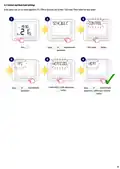


3. Before you start (first power up)
3.1 LCD icon description
2
1
7
4
6
8
3B
3A
5
9
10
12
11
13
17
14
15
16
1. Text Bar
9. Heating Mode On
2. Temperature Unit
10. Low battery status
11. Wireless connection with the receiver
12. Service Mode On
13. Temperature measured / set
14. Program number
3A. Day of the week (numeric)
3B. Day of the week (alphabetic)
4. Clock
5. AM / PM
6. Cooling Mode On
7. Holiday Mode On
8. Manual Mode On
15. Settings
16. Program indicator
17. Boost function
3.2 Button description
1
2
3
4
5
6
1. MENU / RETURN - enter the menu options, 4. UP - increase the temperature and move
press and hold for 3 sec to return to main screen through menus.
or to deactivate Boost or Manual modes.
5. BOOST - activate Boost Mode.
2. SELECT - confirm changes and enter menus. 6. MANUAL - press once to activate / press and
3. DOWN - decrease the temperature and hold for 3 sec to deactivate Manual Mode.
move through the menus.
PLEASE NOTE! The LCD screen can be activated by using any button.
9

| General | Details |
|---|---|
| Name | SALUS Thermostat RT520 User Manual |
| Make | SALUS |
| Language | English |
| Filetype | PDF (Download) |
| File size | 1.76 MB |
 (1 votes, average: 5.00 out of 5)
 Loading...


SALUS IT800 WIFI Smart Thermostat Installation Guide

SALUS 091FLRF Wireless Room Thermostat User Guide

SALUS Thermostat Sensor TS600 User Guide

SALUS Thermostat and Smart Plug Installation Guide

SALUS Programmable Wired Thermostat VS30W/VS30B Installation Guide

SALUS Wired Thermostat Installation Guide

SALUS Wired Digital Thermostat – Non-programmable HTRS230 User Manual

SALUS RT520 Radiator Thermostat User Guide

SALUS RT310 Thermostat User Manual

SALUS iT500 Internet Thermostat Installation Guide


Milesight WT201 Smart Thermostat User Guide

Danfoss UT 72-UT 73 Universal Thermostat Installation Guide

AVATTO WT598 1T1 Smart Thermostat

ENGO CONTROLS ESIMPLE230B 230V Simple Dial Thermostat User Guide

FURRION FACW10ESSA-BL Standard Single Zone Wall Thermostat User Guide

Sygonix SY-6052180 Wi-Fi Thermostat Instruction Manual

BEOK BOT-R6X Wireless Gas Boiler Thermostat User Manual

hyco PT01 Programmable Thermostat Instruction Manual

UNDERFLOOR HEATING WORLD UM1 Thermostat Instruction Manual

Aprilaire 8538 Digital Heat Cool Thermostat Owner’s Manual