
PURMO M16MI419 Advanced Thermostat Instruction Manual




EN
INFORMATION ABOUT REMOTE CONTROL
Lowering the temperature during unoccupied periods
Value of lowering
Unoccupied periods*
BY PILOT WIRE
setting temperature*
20 minutes
40 minutes
Comfort -1°C
Comfort -1,5°C
Comfort -2°C
• Overview
Your device can be controlled by a central control unit through a pilot
wire, in which case the different operating modes will be remotely en-
abled by the programmer.
1 hour
72 hours
Frost protection
* Unchangeable factory settings
You can only control the device by pilot wire in the Auto mode. In the
other modes, the orders transmitted by the pilot wire will not be exe-
cuted.
Note: when presence is detected in the room, the device automatically
returns to the initial mode.
In general, a pilot wire control system makes it possible to impose exter-
nally a lowering of the temperature setpoint, combined with the inter-
nal programming and the occupancy detection.
If several lowering requests appear simultaneously, priority is given to
the lowest temperature setpoint, thus maximizing savings (see infor-
mation on priorities for different modes on page 11).
When a signal is sent from the pilot wire, the self learning optimization
function is suspended.
Remarks:
By default, when the sensor is enabled and detects movement in the
room, the display lights up for a few seconds then switches off. To
change the backlight see page 12, backlight setting.
• Operation
Setting
temperature
19°C
18°C
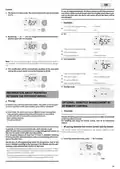
Below the different views of the display for each order sent by pilot wire:
17,5°C
17°C
auto
prog
auto
prog
auto
prog
7°C
19°C
18°C
17,5°C
17°C
7°C
3
3
3
-1°C
-1,5°C
-2°C
Time
Pilot wire = Comfort
Pilot wire = Eco
Comfort - 3,5°C
Pilot wire = Eco - 1
Comfort - 1°C
20min.
40min.
60min.
72hr
auto
prog
auto
prog
auto
prog
Unoccupancy detected
Occupancy detected
3
3
Pilot wire = Eco - 2
Comfort - 2°C
Pilot wire = Frost
protection
Pilot wire = Stop
(Standby mode)
•
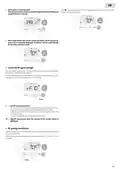
Divisions of the detection zone
Top view
Detection zone, for a tempera-
ture of 19°C.
auto
prog
65°
65°
The detection zone is divided
into active and inactive areas.
A person that crosses the area
will be detected by the infrared
sensor.
Pilot wire = Boost
Active area
• Load shedding
Inactive area
In case of over consumption, an energy power manager or a disconnec-
tor doesn’t trigger a trip of the general circuit-breaker (example: simul-
taneous operating of your various household appliances and others).
This allows you to reduce the energy power subscribed and therefore
optimize your subscription with your energy provider.
IMHOTEP creation controllers are designed to operate with pilot wire
load shedding systems.
Orders sent by the pilot wire are executed by the device’s electronic
controller which will apply the setpoint corresponding to the order sent.
The "Stop" order corresponds to the load shedding. When this order is
received, the device switches to "standby" and then returns to the initial
operating mode.
30°
Side view
Important: Do not use load shedding by a power fail. Unlike
pilot shedding, this type of shedding results in a series of sud-
den and frequent power cuts, which cause premature wear of
the device or even deterioration not covered by the manufac-
turer’s warranty.
Exemption to an order coming from a pilot wire
external programmer
This feature allows you to modify temporarily the setting temperature
until the next order sent by the central control unit or the transition to
00:00.
9

| General | Details |
|---|---|
| Name | PURMO M16MI419 Advanced Thermostat Instruction Manual |
| Make | PURMO |
| Language | English |
| Filetype | PDF (Download) |
| File size | 1.02 MB |
 (1 votes, average: 5.00 out of 5)
 Loading...


TIMEGUARD TRT05 Plug In Thermostat Instruction Manual

nVent GM-TA Thermostat User Manual

BEOK TGR85-EP Mirror Touch Screen Underfloor Heating Thermostat User Guide

STELPRO STF362NP Floor Heating Thermostat Owner’s Manual

Robertshaw RS8210 Non-Programmable Multi-Stage 2H-1C Wall Thermostat User Manual

tecnoswitch TE300ME Mechanical Thermostat User Guide

White Rodgers 1F85-0422 Blue Universal Thermostat Instruction Manual

AIRZONE AZS62THINKRB, AZS62THINKRN Wireless Think Thermostat Instruction Manual

LG PREMTB10U Programmable Thermostat Instruction Manual

FIBARO FGBHT-001 Radiator Thermostat User Guide