
PURMO M16MI419 Advanced Thermostat Instruction Manual




EN
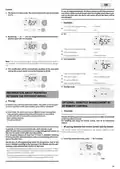
7 DAY AND DAILY PROGRAMME
INTEGRATED, ENERGY SAVINGS
SETTING THE COMFORT MODE
TEMPERATURE
AUTOMATIC PROGRAMMING WITH SELF-
LEARNING PROCESS
You can access the Comfort temperature set up from the Auto and
Comfort Mode. It is preset to 19°C.
Using
intervals of 0.5° C.
and
you can adjust the temperature from 7°C to 30°C by
Overview
Auto-programming (Auto): After an initial learning period of one week,
the device will analyze occupancy cycles to determine and implement
a weekly programme adapted to your lifecycle alternating periods in
comfort and periods in eco, the goal being to deliver the most efficient
yet comfortable and user focused heating cycle. The products algorithm
will perpetually learn and adapt to changes in your occupancy patterns,
adapting week after week to optimize the heating programme to any
changes in your evolving occupancy patterns.
boost
mode
OK
Note: you can limit the Comfort temperature, see page 13 for more de-
tails.
Operating
Upon the first activation of your
auto
prog
device, the mode "auto-pro-
gramme" is activated by default,
in mode Auto. To deactivate and
change the programme, see choice
and affectation of programmes
page 8.
The first week of operation is a
learning week during which the
device memorizes your habits
and elaborates a program for the
week.
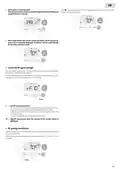
CONSUMPTION INDICATION ACCUMULATED
IN KWH, ENERGY SAVINGS
3
Example of display
in Comfort period
It is possible to see the estimation of energy consumption in kWh since
the last reset of the energy meter.
auto
prog
Display of the estimated power consumption
To see this estimation, from Auto,
Comfort, Eco or Frost protection mode,
It therefore defines a programme
built up of periods of Comfort and
Eco, independently for each day of
the week.
During this learning week, the de-
vice will provisionally function in permanent "Comfort" mode.
3
then press
.
Example of display
in Eco period
1
2
3
4
5
6
7
To exit the display mode of
consumption: press any button, the
device is automatically in the previous active mode.
Important: To ensure the auto-programming is optimized, please en-
sure the presence detection sensor is not interrupted by an external
source, see important information concerning the presence detection
system on page 9.
Resetting the energy meter
To reset the energy meter, from Auto, Comfort, Eco or Frost protection
mode, then proceed as follows.
1- Press
.
Application of the intelligent program
2- Press simultaneously
and
for more than 5 seconds.
One week after switching on, the device will apply the new program
for the next 7 days. Then week after week the device will continue to
optimize the intelligent program "Auto", adjusting the Comfort and Eco
periods to fit closely to your lifestyle.
To exit resetting the energy meter, press any button, the device is
automatically in the previous active mode.
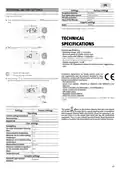
CHILD ANTI-TAMPER,
KEYPAD LOCK/UNLOCK
When the product is in Frost protection mode or in standby mode for
more than 24 hours, learning and optimization of the intelligent pro-
gram stops: the device stores the previously recorded program from the
last week before switching to the Frost protection or standby mode.
Keypad lock
- Example 1: If the product is installed in mid-season or if its installa-
tion is anticipated on the construction site, it can be switched on in
standby mode. When you select the Auto mode, the learning week
will start automatically. The device will be in permanent comfort
and will memorize your habits to apply the adapted program the fol-
lowing week.
To lock the keypad, press the
auto
prog
and
down for 10 seconds. The padlock
symbol appears on the display,
buttons and hold them
the keypad is locked.
3
- Example 2: You select frost protection mode before going on holiday.
Upon your return, when you return to Auto mode, the unit will au-
tomatically apply the previously stored intelligent program from the
last week before you left.
Keypad unlock
To unlock the keypad, press the
for 10 seconds again. The padlock symbol disappears from the display,
keypad is unlocked.
and
buttons hold them down
In the case of control by pilot wire coming from an energy manager for
example, the pilot wire will take precedence over the AUTO program
which results from the Self-learning algorythm.
When keypad is locked, only the key
is active.
If the device is on Standby mode when the keypad is locked, you
have to unlock it for the next heating on to access the setup.
5

| General | Details |
|---|---|
| Name | PURMO M16MI419 Advanced Thermostat Instruction Manual |
| Make | PURMO |
| Language | English |
| Filetype | PDF (Download) |
| File size | 1.02 MB |
 (1 votes, average: 5.00 out of 5)
 Loading...


GENERAL LIFE MITRA-261S Smart Room Thermostat User Manual

Honeywell T140 7-Day Programmable Wired Thermostat User Guide

ise KNX RF Multi Radiator Thermostat Instructions

SALUS DT500 Thermostat User Guide

ENGO CONTROLS E55-B, E55-W Wi-Fi Thermostat User Guide

emerald AC Link Smart Thermostat Owner’s Manual

Owon Technology PCT 523-W-TY Tuya WiFi 24VAC Thermostat User Guide

GENERAL LIFE Senna 270 Digital Room Thermostat User Manual

GENERAL ARUNA 301S Digital Room Thermostat User Manual

STELPRO ST252NPFF Non-Programmable Electronic Thermostat for Fan Heaters Owner’s Manual