
PURMO M16MI419 Advanced Thermostat Instruction Manual




EN
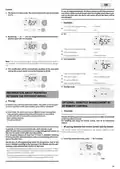
5- To change and/or allocate programmes press
. To exit the setting
7 DAY AND DAILY PROGRAMME
the time and day mode, press
3 times.
In this mode, you have the option of programming your device, by
setting one of the five programmes on offer for each day of the week.
Choices programmes
Schematic sequence of programmes:
Access to the programming mode
From Auto, Comfort, Eco or Frost protection mode, press
seconds to enter into the programming mode.
Comfort
Eco
P1
P2
P3
or 5
The device is delivered by default with the self-learning mode enabled
as described on page 7. If this programme suits your requirements, you
have nothing more to do, the device, after the initial 7 day learning
period will follow the autoprogramme which will continue to tailor
itself to your occupancy cycles.
Schematic sequence of programming settings:
Programmes
choice
Setting time
Setting day
Setting day and time
Programmes overview
In this mode, you can set day and time to program your device in line
with your needs.
- Auto: Auto-programming (See Automatic programming with selflear-
ning process page 6).
1- From Auto, Comfort, Eco or Frost protection mode, press
seconds.
for 5
- Comfort: your device will operate in Comfort mode, 24 hours a day, as
regards each day selected.
The cursor moves to the setting day and time mode.
Note: You can set the Comfort mode temperature to the temperature
you require (see the Setting the Comfort mode temperature section
page 6).
auto
prog
boost
- Eco: The device will operate 24 hours a day in Eco mode.
1
Note: You can set the temperature-lowering parameters (see page 12).
- P1: your device will operate in Comfort mode from 06:00 to 22:00 (and
in Eco mode from 22:00 to 06:00).
mode
OK
- P2: your device will operate in Comfort mode from 06:00 to 09:00 and
from 16:00 to 22:00 (and in Eco mode from 09:00 to 16:00 and from
22:00 to 06:00).
5 sec.
. The two hour figures will flash.
2- Select using
or
- P3: your device will operate in Comfort mode from 06:00 to 08:00,
from 12:00 to 14:00 and from 18:00 to 23:00 (and in Eco mode from
23:00 to 06:00, from 08:00 to 12:00 and from 14:00 to 18:00).
The hours will scroll quickly, if you press the
them.
or
and hold
Save by pressing
.
auto
prog
Potential modifications of programmes
If the default time schedules for the P1, P2 and P3 programmes does not
suit your routines, you can change them.
boost
Modifying the P1, P2 or P3 programmes.
If you modify the time schedules for the P1, P2 or P3 programmes,
the schedules will be modified for all the days of the week for which P1,
P2 or P3 had been set.
mode
OK
1
2
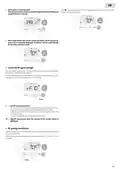
1- If you just set the time and day, go to step 2.
3- The two minute figures will flash.
From Auto, Comfort, Eco or Frost protection mode, press
seconds.
for 5
Select using
or
.
Save by pressing
.
When the cursor moves above the setting time symbol , press
shortly.
auto
prog
auto
prog
boost
1
boost
1
mode
OK
mode
OK
1
2
4- The cursor above the number 1 (which represents the Monday) will
flash. Select the date using or
Save by pressing
.
2- Press
or
. The cursor moves above prog.
.
auto
prog
auto
prog
boost
boost
mode
mode
OK
OK
1
2
6

| General | Details |
|---|---|
| Name | PURMO M16MI419 Advanced Thermostat Instruction Manual |
| Make | PURMO |
| Language | English |
| Filetype | PDF (Download) |
| File size | 1.02 MB |
 (1 votes, average: 5.00 out of 5)
 Loading...


BECA BHP-8000 Room Thermostat User Manual

nVent RAYCHEM GM-TA Thermostat Instruction Manual

Danfoss VICUX40F Icon Dial 230V Room Thermostat Installation Guide

Netatmo NTH01-AMZ Energy Saving Smart and Connected Thermostat Instruction Manual

Engo EFAN-230 Zigbee Smart Thermostat Owner’s Manual

BEOK TGP53 Wifi Thermostat User Guide

VILPE WIVE 100 Intake Vent Plus Thermostat Installation Guide

SIEMENS RDY2000BN BACnet Commercial Thermostat User Manual

Thermostats BHT-8000RF Wireless Thermostat User Manual

Honeywell Non-Programmable Digital Thermostat User Guide