
PURMO M16MI419 Advanced Thermostat Instruction Manual




EN
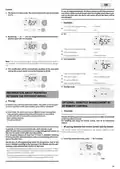
Example:
In case of programmed Boost, the Boost activation will take precedence
over others orders received except when the standby (stop) order is pre-
sent on the pilot wire, the device will switch off and the Boost will be
not activated.
1- The device is in Auto mode. The central control unit sent an Eco order
15,5°C.
auto
prog
• Examples
boost
3
7 day and daily programming
Pilot wire 6 orders
Eco
= Comfort
= Eco
mode
OK
auto
prog
2- By pressing
or
, you can change temporarily the desired tem-
perature up to 18°C for example.
auto
prog
3
boost
7 day and daily programming
Pilot wire 6 orders
= Comfort
= Eco
mode
OK
Occupancy detector
= Frost protection
Frost protection
auto
prog
Note: The cursor corresponding to the operating mode, i.e Eco mode in
our example, is blinking during the duration of the temporary deroga-
tion.
3- This modification will be automatically cancelled at the next order
sent by the central control unit or the transition to 00:00.
3
7 day and daily programming
Pilot wire 6 orders
= Eco
auto
prog
= Stop (standby mode)
= Eco
boost
Occupancy detector
3
Open window detector
= Frost protection
mode
OK
Standby mode
auto
prog
INFORMATION ABOUT PRIORITIES
BETWEEN THE DIFFERENT MODES
Principe
OPTIONAL: REMOTELY MANAGEMENT BY
RF REMOTE CONTROL
In Comfort, Eco and Frost protection modes, only orders of the occupan-
cy sensor and those of the open window sensor will be considered.
• Overview
In Auto mode, the device can receive different orders coming from :
- 7 day and daily programming integrated (Comfort or Eco orders);
- 6-order pilot wire if connected to central control unit;
- Open window detector;
Your device can be managed by a wireless RF remote control.
Only the RF pairing procedures to operate on the controller are described
in this instructions manual.
For installing and using the remote control, refer to its instructions
manual.
- Occupancy detector.
• RF pairing between the remote control and the blower
In general, it is the lowest received order which prevails except
when the pilot wire is connected to an energy management system, in
this case the orders of the pilot wire take priority.
The remote control and the blower are not bonded together at the
factory, then proceed as follow
:
If an occupancy absence of more than 72 hours is detected, switching
to frost protection takes precedence unless a load shedding order is pre-
sent on the pilot wire.
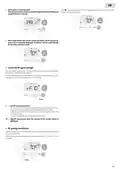
1- From Frost protection mode, press
for 5 seconds.
Special case of self-programming where the temperature level in the
room is decided according to the learning of the lifestyle and the opti-
mization mode selected (Opti Comfort or Opti Eco):
auto
prog
boost
- During the programmed passage in period Eco, if a presence is detec-
ted in the room, it will be taken into account and the appliance auto-
matically switches to Comfort mode
mode
OK
- During the programmed passage to the Comfort mode period, the ab-
sence detection system is temporarily suspended (30 minutes).
5 sec.
10

| General | Details |
|---|---|
| Name | PURMO M16MI419 Advanced Thermostat Instruction Manual |
| Make | PURMO |
| Language | English |
| Filetype | PDF (Download) |
| File size | 1.02 MB |
 (1 votes, average: 5.00 out of 5)
 Loading...


White Rodgers BP150 Line Voltage Programmable Thermostat User Guide

PYMETER PY-23T PID Dimming Thermostat Instruction Manual

SALUS CONTROLS HTR-RF Smart Home Dial Thermostat User Guide

GENERAL LIFE MITRA 250S Digital Room Thermostat User Manual

HITACHI ATW-RTU-05 Wireless Intelligent Room Thermostat Instruction Manual

homematic IP HmIP-eTRV-2 Radiator Thermostat Instruction Manual

GENERAL FH10, FH10S Underfloor Heating Thermostat User Manual

FRICO TPT16, TPT16WF Thermostat Instruction Manual

EcoNet RETST800SYS Smart Thermostat User Guide

GENERAL Life ARUNA 300S Wired Room Thermostat User Guide