
PURMO M16MI419 Advanced Thermostat Instruction Manual




EN
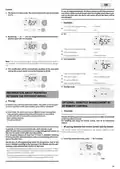
OPERATION
POWER ON/STANDBY MODE
DIAGRAM
•
Buttons overview
Power on feature
auto
prog
Press the
button to put the device in operation, in Auto mode.
6
1
boost
auto
prog
2
mode
OK
boost
beep
beep
mode
OK
2
3
4
5
Occupancy detector
1
2
Selecting operating modes
Help for the visually impaired: sound signals
The device makes 2 short beeps to notify that it is in operation, in Auto
mode.
Plus and minus buttons, used to set temperatures, time, date and
2 programmes
3
Save settings
4
5
6
Button power on/standby mode
Boost
Standby mode
This function allows you to stop the heating in summer, for example.
Press the
button to put the device in standby mode.
•
Indicators overview
10
9
auto
prog
auto
prog
boost
1
2
3
8
7
beep
boost
2
mode
OK
6
mode
OK
4
Help for the visually impaired: sound signals
The device makes 1 short beep to notify that it is in standby mode.
5
Boost indicator light
Gauge consumption
Heating indicator
1
2
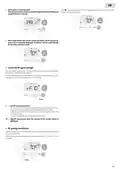
SELECTING THE OPERATING MODE
3
The
button allows you to adapt the operating sche-
Days of the week (1=Monday … 7= Sunday)
Setting temperature
4
dule of your device to your needs, depending on the sea-
son, whether your home is occupied or not.
5
mode
Occupancy detection indicator
Open window detection indicator
Keypad locked
6
Press the
mode.
button several times to select the required
7
Mode sequence:
8
Radio transmission indicator
9
Operation modes:
10
Auto mode
Auto
Comfort
Eco
Frost Protection
Comfort mode
Eco mode
Frost protection mode
Time and date setting mode
Programming mode
Settings
Mode overview
Display
•
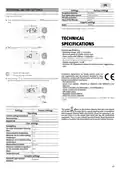
Auto mode
auto
prog
In Automatic Mode, the device will auto-
matically change from Comfort mode to
Eco mode according to the established pro-
gramme.
Important: In Auto, Comfort, Eco and Standby mode, backlight turns
off automatically after 20 seconds if no buttons are pressed. It will be
necessary to reactivate it by pressing one of the keypad buttons before
making settings.
3
2 different cases depending on your set-up:
1
7 day and daily programme
Your device has been programmed and is executing Comfort and Eco mode
orders in line with the settings and time periods you have selected (see "7 day
and daily programme integrated" chapter page 7).
Before carrying out any setting procedures, ensure that the
keypad is indeed unlocked (see page 6).
3

| General | Details |
|---|---|
| Name | PURMO M16MI419 Advanced Thermostat Instruction Manual |
| Make | PURMO |
| Language | English |
| Filetype | PDF (Download) |
| File size | 1.02 MB |
 (1 votes, average: 5.00 out of 5)
 Loading...


Honeywell RCHT8610WF T5 Plus Smart Thermostat Installation Guide

Honeywell Home T6 Pro Smart Programmable Thermostat User Guide

Thermogroup 5255 Manual Thermostat Installation Guide

Danfoss RT 103 Thermostat Installation Guide

Honeywell Home DT92E Wireless Room Thermostat User Manual

Warmup 3iE Energy Monitoring Thermostat Instruction Manual

APATOR TH 480 Bi Metallic Thermostat Instruction Manual
hansgrohe AXOR URQUIOLA Concealed Thermostat with Shut Off Valve Instruction Manual

SASWELL T11FHL Heated Floor Thermostat User Manual

Honeywell Home DT4M Wired Room Thermostat User Manual