
PURMO M16MI419 Advanced Thermostat Instruction Manual




EN
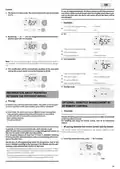
2- Press
or
.
3- With
or
, select P1.
for 5 seconds to make changes.
P1 will flash. Press
The programme set for day 1 (1= Monday, 2 = Tuesday, etc.) will
flash.
auto
prog
auto
prog
boost
boost
mode
OK
mode
OK
2
1
5 sec.
4- The P1 start time (which by default is 06:00) will flash.
3- Chose the programme you want for this day with
Save by pressing
or
.
Using
or
, you can change this time, by increments of 30
.
minutes.
auto
prog
auto
prog
boost
boost
mode
OK
mode
OK
1
2
1
2
Save by pressing
.
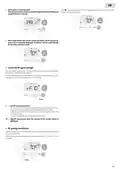
4- The programme assigned to the second day of the week (Tuesday)
5- The P1 end time (which by default is 22:00) will flash. Using
or
will flash.
, you can change this time, by increments of 30 minutes.
Repeat the procedure described previously (in point 3) for each day
of the week.
auto
prog
auto
prog
boost
boost
mode
OK
mode
OK
1
2
Save by pressing
.
6- Press to exit the programming Mode and return to Auto Mode.
5- Once you have chosen a programme for each day, confirm your selec-
tion by pressing . The days of the week will successively scroll on
Note: without action on the keys, it will return to Auto after a few mi-
nutes.
display with the programmes that you set for them (P1, P2, P3, CONF
or ECO).
To exit the Programming mode, press
twice.
Choices and allocation programmes
Viewing the programmes that you have selected
- From Auto, Comfort, Eco or Frost protection mode, press
Prior information:
display area
Correspondence days /numbers
for 5
Monday
1
2
3
4
5
6
7
seconds. Press
(Comfort, Eco, P1, P2 or P3) will scroll on display in front of you.
- To exit the programme viewing mode, press twice
twice, the programme for each day of the week
Tuesday
Wednesday
Thursday
Friday
auto
prog
.
Saturday
Sunday
2
Manual and temporary exemption from a running
programme
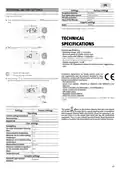
1- If you just set the time and day, the cursor moves automatically un-
der PROG.
This function allows you to change the setting temperature tempora-
rily until the next scheduled change in temperature or the transition to
0:00.
From Auto, Comfort, Eco or Frost protection mode, then press
for 5 seconds. When the cursor positionned under the set time sym-
bol , press
again.
Example:
The days of the week are all displayed. The default program Auto (Auto
Program, see page 6) appears on the display.
1- The device is in Auto mode, the running programme is Eco 15,5°C.
auto
prog
auto
prog
boost
boost
1
2
3
4
5
6
7
3
mode
mode
OK
OK
7

| General | Details |
|---|---|
| Name | PURMO M16MI419 Advanced Thermostat Instruction Manual |
| Make | PURMO |
| Language | English |
| Filetype | PDF (Download) |
| File size | 1.02 MB |
 (1 votes, average: 5.00 out of 5)
 Loading...


Thermogroup 5255 Manual Thermostat Installation Guide

BEOK CONTROLS TGT70 WIFI Fan Coil Thermostat Owner’s Manual

Honeywell RTH2510 Digital 7-day Thermostat Owner’s Manual

Google Nest Learning Thermostat (4th gen) Installation Guide

miMonitor MI-TH02-HMO-V2 Wifi Smart Thermostat User Guide

Network Thermostat NetXTM X-Series Thermostat Installation Guide

VIESSMANN ViCare ZK05991 Wireless Thermostat Instruction Manual

Danfoss TP5001B Programmable Room Thermostat User Guide

auronic AU3151 Oil Radiator with Thermostat User Manual

BECA BHP-8000 Room Thermostat User Manual