
Home > Pro1 Technologies > Pro1 Technologies T855iSH Wall Thermostat Instruction Manual
Pro1 Technologies T855iSH Wall Thermostat Instruction Manual
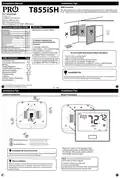
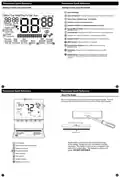
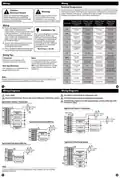
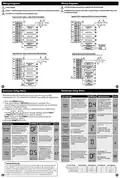
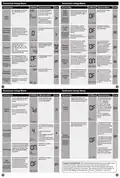
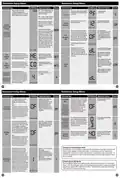
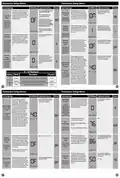
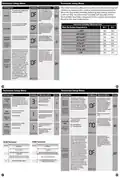


Programming
Programming
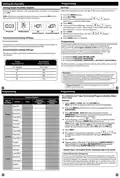
To customize your 7 day 2 time period program schedule, follow
these steps:
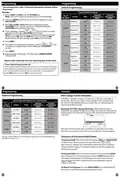
Default Programming
Factory Default Program
Monday:
1. Select HEAT or COOL with the SYSTEM key.
Note: You have to program heat and cool each seperately.
Setpoint
Temperature
(HEAT)
Setpoint
Temperature
(COOL)
Day of
the Week
Events
Time
2. Press the MENU button (If menu does not appear first press
RUN SCHED).
Wake/OCC1
6 AM
8 AM
70˚F (21˚C)
62˚F (17˚C)
78˚F (24˚C)
85˚F (28˚C)
3. Press SET SCHED. Note: Monday is displayed and the
OCCUPIED text is shown. You are now programming the
OCCUPIED time period for that day.
Leave/UNOCC1
Weekday
Saturday
Sunday
Return/OCC2
6 PM
70˚F (21˚C)
62˚F (17˚C)
70˚F (21˚C)
62˚F (17˚C)
70˚F (21˚C)
62˚F (17˚C)
70˚F (21˚C)
62˚F (17˚C)
70˚F (21˚C)
62˚F (17˚C)
78˚F (24˚C)
82˚F (26˚C)
4. Time is flashing. Use the
or
key to make your time
selection for that day’s OCCUPIED time period.
Sleep/UNOCC2
10 PM
Note: If you want the fan to run continuously during this time
period, select ON with the FAN key. If you want to use IAQ
mode during this time period, select IAQ with the fan key.
Wake/OCC1
6 AM
8 AM
6 PM
78˚F (24˚C)
85˚F (28˚C)
78˚F (24˚C)
82˚F (26˚C)
78˚F (24˚C)
85˚F (28˚C)
78˚F (24˚C)
82˚F (26˚C)
5. Press NEXT.
Leave/UNOCC1
Return/OCC2
Sleep/UNOCC2
6. The setpoint temperature is flashing. Use the
to make your setpoint selection for that day’s OCCUPIED
or
key
period.
7. Press NEXT.
10 PM
8. Repeat steps 4 through 7 for that day’s UNOCCUPIED
time period.
Wake/OCC1
6 AM
8 AM
Repeat steps 4 through 8 for the remaining days of the week.
LeaveUNOCC1
A Note About Programmable Fan:
Return/OCC2
6 PM
The programmable fan feature will run the fan continuously during any
time period it is programmed to be on. This is the best way to keep the
air circulated and to eliminate hot and cold spots in your building. If
using IAQ mode, set fan to IAQ for any time period.
Sleep/UNOCC2
10 PM
41
42
Programming
Features
Default Programming
Filter Change & Other Reminders
If the filter change reminder is enabled, you will see a reminder in
the display when your air filter needs changed. The reminder will
be shown in the display after your system has run long enough to
require an air filter change.
Factory Default Program for 2 Time Periods
Setpoint
Temperature
(HEAT)
Setpoint
Temperature
(COOL)
Day of
the Week
Events
Time
Resetting The Filter Change Reminder: When the reminder is
OCCUPIED
UNOCCUPIED
OCCUPIED
8 AM
70˚F (21˚C)
62˚F (17˚C)
70˚F (21˚C)
78˚F (26˚C)
85˚F (29˚C)
displayed, you should change your air filter and reset the reminder by
holding down the 3rd button from the left side of the thermostat for
3 seconds.
Weekday
Saturday
Sunday
6 PM
8 AM
78˚F (26˚C)
85˚F (29˚C)
78˚F (26˚C)
UNOCCUPIED
OCCUPIED
62˚F (17˚C)
70˚F (21˚C)
62˚F (17˚C)
6 PM
8 AM
6 PM
This thermostat also has other maintenance reminders (Humidity
Pad, UV lamp, and IAQ Cell), that are reset with the same procedure.
UNOCCUPIED
85˚F (29˚C)
You can use the table on the next page to plan your customized program
schedule if using 5+1+1.
Temporary & Permanent Hold Feature
Temporary Hold: The thermostat will display HOLD and RUN SCHED
on the bottom of the screen when you press the
or
key. If you do nothing, the temperature will remain at this setpoint
temporarily for 4 hours. The program setpoint will then replace the
temporary setpoint.
Permanent Hold: With a temporary hold set, If you press the HOLD
key at the bottom of your screen, you will see HOLD appear below
the setpoint temperature in the display. The thermostat will now
permanently stay at this setpoint and can be adjusted using the
or
keys.
To Return To Program: Press the RUN SCHED key at the bottom of
the screen to exit temporary and permanent holds.
43
44

| General | Details |
|---|---|
| Name | Pro1 Technologies T855iSH Wall Thermostat Instruction Manual |
| Make | Pro1 Technologies |
| Language | English |
| Filetype | PDF (Download) |
| File size | 0.59 MB |
 (1 votes, average: 5.00 out of 5)
 Loading...

Pro1 Technologies Pro1 T701i WiFi Thermostat Installation Guide

Pro1 Technologies T751 Non-Programmable Digital Thermostat Instruction Manual


REGIN RCFD-230C Fan Coil Room Thermostat Instructions

Honeywell TH8321U Touch Screen Programmable Thermostat Installation Guide

STELPRO SIBTE13F Electronic Thermostat User Guide

SIEMENS RS485 Flush Mounted Room Thermostat User Manual

Honeywell RTH7500 7-Day Programmable Thermostat Installation Guide

vtech T961NN50 Wired Thermostat User Guide

BEOK TGM50 Thermostat User Guide

DEVIreg 610 Electronic Thermostat Installation Guide

Stelrad Radiator Thermostat RAS-D2 Combi Pack, Radiator Pack Instructions

Honeywell TH5220D1003 Heater Thermostat Owner’s Manual