
micro-air EasyTouch RV 356 True Air RV Thermostat User Manual





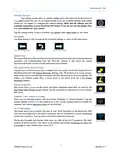


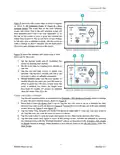


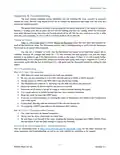


EasyTouch RV 356
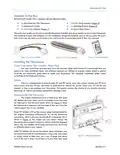
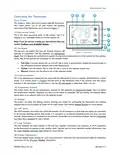
Micro-Air provides a 9-pin harness (Figure 2) that will be used to interface between EasyTouch and the RV
manufacturer’s wires. One side plugs into EasyTouch RV while the other wire-end side is used to make your
new wire connections. You will have to source or reuse electrical connectors to make these connections.
EasyTouch will also have a pre-wired 2-pin connector and a pre-wired 4-pin connector attached to the back.
Connect the provided 4-to-3 pin adapter harness (Figure 1) to EasyTouch. Strip away the black heat-shrink
on the orange/white stripe wire if the orange/white stripe wire is used. Cut off the 2-pin and 3-pin plugs as
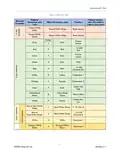
needed and use electrical connectors (not provided) to complete the installation per Table 4. Any unused
wires or plugs you can cut short or leave untouched.
When you know where each wire goes you should begin cutting wires. Move through them one at a time,
replacing an OEM thermostat wire with the appropriate EasyTouch wire until all the wires are replaced.
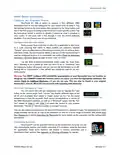
Check for Additional Hardware – Software Setup for Later
You must check your wiring to determine what
additional hardware your system may have. Later, you will
use these findings to configure the software in EasyTouch RV.
Some of them had a freeze sensor while others used an AGS
(Auto-Generator Start) output, but never both. If an AGS
system was used, it was often in a Winnebago (TrueAir)
thermostat, but a freeze sensor is most common in general.
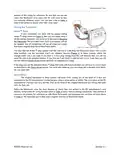
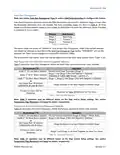
gray wires or a green wire. A green wire means that you
have AGS. Two gray wires means that you do not have AGS.
Instructions to tell the thermostat what you have. If your
Figure 6 - Inspect OEM Thermostat Wire Color
wires to the gray wires of the Micro-Air 9-pin harness
(polarity does not matter) or connect your green wire to the
pin-3 gray wire of the Micro-Air 9-pin harness. Pin-3 is the
gray wire next to orange and red.
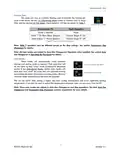
Re-apply Power
Restore DC power. The thermostat screen should light up and boot into the main menus. This will
happen if the four power wires are connected properly. All other wires control the outputs or are sensors.
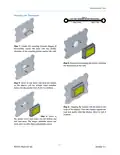
Restore AC power so that your appliances can run again. Move on to the section Mounting the Thermostat,
7
©2023 Micro-Air LLC
Revision 2.1

| General | Details |
|---|---|
| Name | micro-air EasyTouch RV 356 True Air RV Thermostat User Manual |
| Make | Micro-Air |
| Language | English |
| Filetype | PDF (Download) |
| File size | 0.48 MB |
 (1 votes, average: 5.00 out of 5)
 Loading...

micro-air EasyTouch 357 Multi Zone Replacement Thermostat Instruction Manual

Micro-Air EasyTouch RV 353 Touch Screen Thermostat Instruction Manual

Micro-Air 359 Touchscreen Thermostat Instruction Manual

Micro-Air EasyTouch RV 353 Thermostat Instruction Manual

micro-Air EasyTouch RV 351 Thermostat User Manual

Micro Air ETRV EasyTouch RV Thermostat Instruction Manual

micro-Air ASY-357-X02 EasyTouch 357 Touchscreen Thermostat User Manual

micro-Air EasyTouch 352 Thermostat User Manual

Micro-Air EasyTouch 355 Touch Screen Thermostat User Manual

Micro-Air 351 Air Conditioner Digital Thermostat User Guide


GENERAL FH10, FH10S Underfloor Heating Thermostat User Manual

Amana ATST-CWE-BL-A Smart Thermostat Owner’s Manual

vtech T961 Wired Thermostat Owner’s Manual

seitron Wi-Time Wall Wi-Fi Programmable Thermostat Instruction Manual

GENERAL LIFE HT300 RF Digital Room Thermostat User Manual

WIFI Temp2 Battery Operated Thermostat Installation Guide

ENGO CONTROLS E55-B, E55-W Wi-Fi Thermostat User Guide

Moes 002 Series Wifi Thermostat User Guide

tecnoswitch TE300ME Mechanical Thermostat User Guide

Amana DS01G Digi Smart Thermostat Instruction Manual