
micro-air EasyTouch RV 356 True Air RV Thermostat User Manual





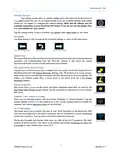


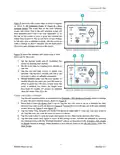


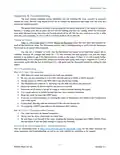


EasyTouch RV 356
Local Weather and Local Time
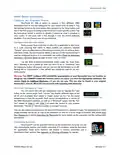
Local weather is displayed on the main screen whenever Wi-Fi and internet is available, shown
visibly in the Main Screen section. Tapping the button will reveal more detailed weather information of the
last received weather data. The local temperature is displayed under the local weather.
A valid location and an internet connection on the thermostat are required to retrieve weather data. Local
time data also requires valid location data. Location is saved in the thermostat when a Bluetooth connection
is made from a smart device with its location services enabled. You can check the current saved location from
the weather screen. Location is preserved through power losses or device restarts.
New weather data is retrieved when there is any screen press or when a connection from a smart device is
made, along with the above prerequisites.
Time is pulled in when a Bluetooth or Wi-Fi connection is made from the app. Also, an internet connection on
the thermostat will grab the time so long as there is a valid saved location. If power is interrupted or the
device is restarted, it will go out to the internet to grab the current time when the internet connection is re-
established, without app interaction.
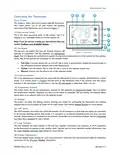
Tapping the weather icon area, whether there is information there or not, will change to the weather screen
that will show the last valid weather data or weather troubleshooting information. If the main screen has a
temperature but no weather icon, it is defaulting to the outside sensor reading on thermostats that have one.
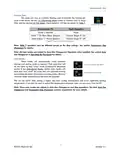
The information screen will always show the sensor reading if there is a sensor, and the weather screen will
always show the temperature reading from the internet. Systems without an outside temperature sensor
cannot add one.
Status Messages
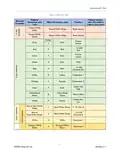
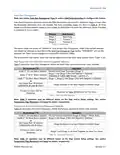
Some messages may be displayed on the main screen as shown in section (10) Status Message
Message Text
Description
OPEN INDOOR SENSOR The room sensor inside EasyTouch RV has failed open/disconnected or
shorted. It must be repaired, or replaced by an external AirXcel OEM remote
sensor using the green/white stripe wires of EasyTouch RV.
BAD INDOOR SENSOR
The freeze sensor is open to say that the indoor coil has frozen up under
cooling operation and should be serviced as directed in the OEM manual for
the A/C unit. Cooling operation will resume when the sensor closes to indicate
it has warmed up.
If not, ensure that the sensor is installed to the thermostat correctly on the two
gray wires. AGS systems do not use a freeze sensor so ensure that the
thermostat is configured properly for AGS systems if used, as described in
OPEN FREEZE SENSOR
When 120 Volts AC is removed, the sensor no longer operates as expected
and reads open. This is OK and just a nuisance fault. The fault will clear when
power is restored. Power is needed to run electric appliances and the furnace
will run if the freeze sensor is open.
Also check that the fuse at the back of the thermostat is still good. Appliances
cannot turn on with an open fuse and the freeze sensor circuit will read open.
This means that the two-hour timer of the Auto Gas Changeover logic is active.
AUX HEAT ENABLED
Table 11 - Status Message Descriptions
14
©2023 Micro-Air LLC
Revision 2.1

| General | Details |
|---|---|
| Name | micro-air EasyTouch RV 356 True Air RV Thermostat User Manual |
| Make | Micro-Air |
| Language | English |
| Filetype | PDF (Download) |
| File size | 0.48 MB |
 (1 votes, average: 5.00 out of 5)
 Loading...

micro-air EasyTouch 357 Multi Zone Replacement Thermostat Instruction Manual

Micro-Air EasyTouch RV 353 Touch Screen Thermostat Instruction Manual

Micro-Air 359 Touchscreen Thermostat Instruction Manual

Micro-Air EasyTouch RV 353 Thermostat Instruction Manual

micro-Air EasyTouch RV 351 Thermostat User Manual

Micro Air ETRV EasyTouch RV Thermostat Instruction Manual

micro-Air ASY-357-X02 EasyTouch 357 Touchscreen Thermostat User Manual

micro-Air EasyTouch 352 Thermostat User Manual

Micro-Air EasyTouch 355 Touch Screen Thermostat User Manual

Micro-Air 351 Air Conditioner Digital Thermostat User Guide


Honeywell Home T3 Pro Non-Programmable Thermostat User Manual

Vive Comfort TP-S-955WH Programmable Thermostat Instruction Manual

ROMA HEATING RWI5 Wi5 Wi-Fi Digital Heating Thermostat User Manual

Honeywell T6/T6R Smart Thermostat User Guide
DAIKIN ONE Smart Thermostat Instructions

Milesight WT201 Airteq Smart Thermostat User Guide

Neomitis RTMA Mechanical Room Thermostat Instruction Manual

network thermostat NetX X Series Thermostat Instruction Manual

GENERAL LIFE FH250S Floor Heating Thermostat User Manual

Robertshaw RS9320T Programmable Touchscreen Wall Thermostat Instruction Manual