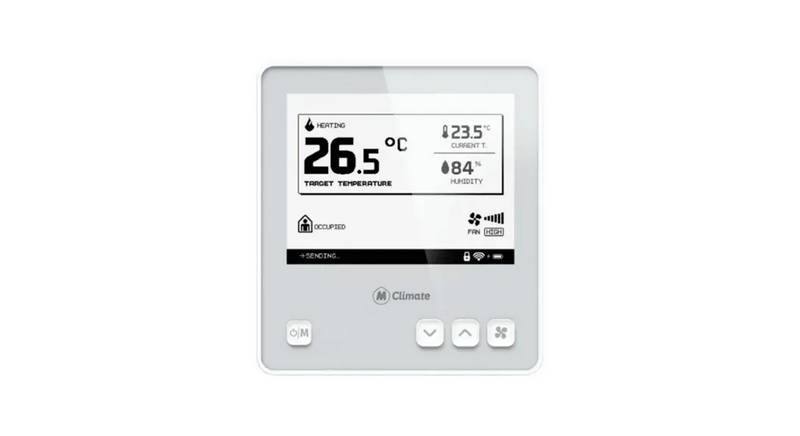
Amana DS01G Digi Smart Thermostat Instruction Manual


| General | Details |
|---|---|
| Name | Amana DS01G Digi Smart Thermostat Instruction Manual |
| Make | Amana |
| Language | English |
| Filetype | PDF (Download) |
| File size | 0.66 MB |
 (1 votes, average: 5.00 out of 5)
 Loading...


Amana DS01G Digi Manual: Questions and Answers
What do the wired magnet terminals on the Amana DS01G Digi door sensor do?
The two terminals closest to the binding button connect wired magnets. Instruction Manual, p. 5
How do I install the magnet holder on my Amana DS01G door?
Mount the magnet holder on the front of the door as close as possible to the bottom of the motion sensor.
- Position the holder no more than 1/8 inch from the bottom center of the sensor when the door is closed.
- Select the correct slot to obtain 15/16 inch from the back of the sensor mounting plate to the center of the magnet.
- Screw in place with the two screws provided.
- Open and close the door to confirm the holder and sensor don't interfere. Instruction Manual, p. 6
What is the required distance from the Amana DS01G Digi sensor mounting plate to the magnet?
15/16 inch from the back of the sensor mounting plate to the center of the magnet. Instruction Manual, p. 6
Where are the security screws located on the Amana DS01G Digi door sensor?
On each side of the sensor. Instruction Manual, p. 7
Can I bind multiple wireless devices at the same property on an Amana DS01G Digi at one time?
No. Do not attempt to bind more than one room at the same property simultaneously. RF transmits through walls. Instruction Manual, p. 10
What does a flashing dot on the lower right of a thermostat display indicate?
The unit is in C1 configuration mode. Instruction Manual, p. 10
What do the white tactile buttons on Amana DS01G Digi do?
Press and release the white button on the thermostat or sensor to bind each wireless device to the PTAC control. Instruction Manual, p. 10
How can I tell if the antenna is correctly installed on my Amana DS01G?
The LED must be at the top of the antenna housing and the Amana brand logo must be in the lower right corner for proper operation. Instruction Manual, p. 2
What do I need to do before binding wireless devices on the Amana DS01G Digi?
Room numbers must be configured in the control board prior to binding wireless devices. Instruction Manual, p. 2
When does configuration mode automatically exit on the Amana DS01G Digi?
After two minutes with no keys pressed. Instruction Manual, p. 14
More Amana thermostat manuals