
Ideal 229177 Halo Heat and System 2 Zone Extension Thermostat User Guide


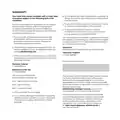


MAIN FEATURES
HEATING
ZONE 1 & ZONE 2
OVERRIDE
If you are running a schedule
with pre-set times (Auto mode)
and you want to adjust the
temperature of your heating
temporarily, simply turn the dial to
your desired temperature.
The new temperature will be
active until the next scheduled
change shown under the target
temperature.
The home screen will now display
the override icon above the target
temperature.
Turn the dial to adjust the target
temperature temporarily (this could
be up or down)
TOP TIP: You could use this
feature if you want to boost your
heating to a higher temperature
for a period of time. Maybe you’re
feeling chilly or it’s the weekend
and you’re staying up later than
when your heating is scheduled.

| General | Details |
|---|---|
| Name | Ideal 229177 Halo Heat and System 2 Zone Extension Thermostat User Guide |
| Make | IDEAL |
| Language | English |
| Filetype | PDF (Download) |
| File size | 0.83 MB |
 (1 votes, average: 5.00 out of 5)
 Loading...


homematic IP IP HmIP-eTRV-CL Radiator Thermostat Instruction Manual

Danfoss GreenCon RC-T2/T4 Room Thermostat Installation Guide

DEVIreg 330 Electronic Thermostat Installation Guide

Honeywell TH3110D1008 Non Programmable Digital Thermostat Instruction Manual

75F HyperStat All In one Commercial Thermostat User Manual

COMFORT SENTRY OH-522 Programming Thermostat Instruction Manual

EPH CONTROLS RDTP Recessed Programmable Thermostat Installation Guide

emos P56201 Digital Room Thermostat User Manual
terneo v3G33 Simple Heat Control Thermostat Instruction Manual

LG PREMTB10U Programmable Thermostat Instruction Manual