
Ideal 229177 Halo Heat and System 2 Zone Extension Thermostat User Guide


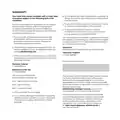


HALO OVERVIEW
Orange dot shows if
the hot water is on
Central heating zone the Halo
Programmable Room Thermostat
(PRT) is controlling
The flame symbol
is present if the
heating is on
The temperature
scale in the centre
will be orange and
red when the
Current temperature
is the current
heating is on
temperature in
your home
Target temperature
Text relating to right
hand button. Shows
whether the Halo is
in Auto, Manual or
Off mode
Text relating to left
hand button
Left hand button, use
this to enter the menu
Right hand button,
used this to switch
between modes
Turn dial to adjust temperature or navigate menu.
Press dial to alternate between heating and hot water

| General | Details |
|---|---|
| Name | Ideal 229177 Halo Heat and System 2 Zone Extension Thermostat User Guide |
| Make | IDEAL |
| Language | English |
| Filetype | PDF (Download) |
| File size | 0.83 MB |
 (1 votes, average: 5.00 out of 5)
 Loading...


Honeywell TH5220D1003 Heater Thermostat Owner’s Manual

Blue Universal OH-1202 Touchscreen Thermostat Instruction Manual

Danfoss RET 230 Electronic Heat Cool Thermostat Instruction Manual

sensi 1F87U-42WF Smart Thermostat Installation Guide

GENERAL FH101S Underfloor Heating Thermostat User Manual

SUNDIRECT Smart2.0 SDUM23001 Battery Back-Up Wireless thermostat Instruction Manual

Danfoss 220V Electronic Intelligent Timer Thermostat Installation Guide

Network Thermostat X7C-WIFI Smart Touchscreen Thermostat Instruction Manual

GENERAL LIFE HT25 Smart Room Thermostat User Manual

MYSON Unisenza Dial Thermostat User Manual