
Ideal 229177 Halo Heat and System 2 Zone Extension Thermostat User Guide




MAIN FEATURES
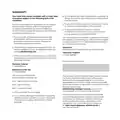
HOT WATER
ZONE 1 ONLY
Heating Plus Hours
Hot water control
Support
BOOST
If you are running a schedule
with pre-set times (Auto mode)
and you want to boost your hot
water rather than wait for the next
setting simply turn the dial.
A pop up menu will appear for
you to select how long you would
like to boost your hot water for,
turn and push the dial to make
your selection.
override
cancel
menu
Turn the dial
HW Menu
Turn the dial to select how
long you would like to boost
your hot water for
How long would you like
to boost hot water for?
1 hour
Push the dial or press the right
button to confirm
your selection
2 hours
back
confirm
HW
Hot water boost
on until 10:33pm
The home screen will
now display the override
icon above the current
temperature
TOP TIP: You could use
this feature if you’re home
early from work and want
hot water before the
scheduled time.
override
cancel

| General | Details |
|---|---|
| Name | Ideal 229177 Halo Heat and System 2 Zone Extension Thermostat User Guide |
| Make | IDEAL |
| Language | English |
| Filetype | PDF (Download) |
| File size | 0.83 MB |
 (1 votes, average: 5.00 out of 5)
 Loading...


resideo TH4110U2005 T4 Pro Programmable Thermostat User Manual

BOSCH Smart Home Room Thermostat Instruction Manual

namron 4512737 Touch Zigbee 16A Thermostat Instruction Manual

SALUS CONTROLS IT800 WIFI Smart Thermostat Instruction Manual

qunda QD-HVAC10W Programmable Thermostat Installation Guide

Danfoss RAE Radiator Thermostat Installation Guide

Honeywell ATC928 Evohome Connected Multi Zone Room Thermostat Installation Guide

Micro-Air EasyTouch RV 353 Touch Screen Thermostat Instruction Manual

SIEMENS RDE100.1 Programmable Room Thermostat Instruction Manual

Honeywell RTH230B Programmable Electronic Thermostat User Guide