
Ideal 229177 Halo Heat and System 2 Zone Extension Thermostat User Guide




MAIN FEATURES
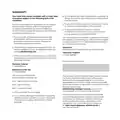
HOT WATER
ZONE 1 ONLY
MODE SELECTION
You can choose to run your
Hot Water in Auto, On or Off
mode.
HW
Auto: runs your hot water
to pre-set scheduled times
and temperatures.
Hot water on
until 10:00pm
The current mode is displayed
bottom right
ON: Your hot water is
permanently on.
hot water
menu
auto
mode
OFF: Your hot water is
permanently off.
Press the right hand button
to change the mode
Move between Auto, ON and
OFF modes using the right
hand side button, scroll down
the menu using the dial and
push to select.
HW Menu
Auto
Timed hot water on
Permanently On
back
confirm
Use the dial to scroll between
the different modes (Auto,
On and Off) and then push
the dial or press the right
hand button to confirm
your selection

| General | Details |
|---|---|
| Name | Ideal 229177 Halo Heat and System 2 Zone Extension Thermostat User Guide |
| Make | IDEAL |
| Language | English |
| Filetype | PDF (Download) |
| File size | 0.83 MB |
 (1 votes, average: 5.00 out of 5)
 Loading...


American Standard ACONT103 NP Non Programmable Heat Pump Thermostat Instruction Manual

Carrier ecobee3 Lite Smart Thermostat User Manual

SUNSKY BAC-2005 Smart Thermostat User Manual

beca BAC-003 Series WiFi Thermostat Fan Coil User Guide

HAVACO HTS Electronic Room Thermostat User Manual

EPH CONTROLS CDT2 Room Thermostat Instruction Manual

Drayton 2290M Mains Digital Room Thermostat User Manual

Schneider Electric Wiser Radiator Thermostat Instructions

CENTER EHE0200123 Wired 7 Day Programmable Thermostat Installation Guide

vtech T961NN50 Universal Wired Thermostat User Guide