
Ideal 229177 Halo Heat and System 2 Zone Extension Thermostat User Guide


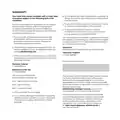


HALO SYMBOL KEY
SYMBOL
NAME
EXPLANATION
Hi
Room temperature is above 40°C
Lo
Room temperature is below 0°C
Temperature you want your heating to reach
Room temperature in the location of your Halo
Current time
Target Temp
Current Temp
Time
Date
Current date
Battery
Battery status indication
Indicates that the Halo is communicating
with the Smart Interface
Zigbee
Cloud*
Indicates that the Halo is communicating with internet and
can be controlled with the Halo app via your smart phone
*Halo Combi Wi-Fi only
Indicates that the hot water demand is active.
*Shown on zone 1 Halo only
Hot Water*
Hot Water*
When icon is orange hot water demand is on.
When icon is yellow hot water boost is active.
When icon is white demand is off. *Shown on zone 1 Halo only

| General | Details |
|---|---|
| Name | Ideal 229177 Halo Heat and System 2 Zone Extension Thermostat User Guide |
| Make | IDEAL |
| Language | English |
| Filetype | PDF (Download) |
| File size | 0.83 MB |
 (1 votes, average: 5.00 out of 5)
 Loading...


EPH CONTROLS RDT Recessed Room Thermostat Installation Guide

GENERAL LIFE HT220 RF Wireless Room Thermostat User Manual

Commercial Electric HTSA15CWB Smart Thermostat User Guide

AXOR 17716090 CARLTON Highflow Thermostat Instruction Manual

Cielo CT101WA Smart Thermostat User Manual

Network Thermostat X7-Series Thermostat Installation Guide

ENGO CONTROLS E901-RF Programmable Wireless Thermostat Instruction Manual

ENGO CONTROLS ESIMPLE230B 230V Simple Dial Thermostat User Guide

CYDATA CY917B Daisy Wi-Fi Thermostat User Guide

degrii THM Edge Cutting Smart Thermostat User Guide