
Ideal 229177 Halo Heat and System 2 Zone Extension Thermostat User Guide


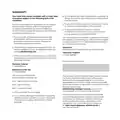


HALO SMART INTERFACE
The Halo Smart Interface will be installed in the
aperture in the front of your Ideal boiler. It will
wirelessly communicate with your Halo control and,
in the case of an internet connected Halo, your home
Wi-Fi. In normal circumstances you will not have
to interact with the Halo Smart Interface, however
the LED indications can be useful in diagnosing any
technical issues that may arise.
The Halo Smart Interface has a Failsafe/Override
feature which can be used to switch your boiler on
if wireless communication between the Halo and
Smart Interface is lost.
Connectivity LED refers
to the connection to the
home Wi-Fi network if
the Halo is an internet
connected control
Boiler LED refers to the
Power LED refers to the
power to the Halo Smart
Interface
activity of the boiler and
will be green when the
boiler is active
Override button
can be used
to switch the
boiler on if the
communication
between your
Halo control and
your Halo Smart
Interface fails
Zigbee LED refers
to the wireless
connection
between the
Halo control and
the Halo Smart
Interface
Pairing button is used
during the setup of your
Halo control
Override LED lights up
if override is active

| General | Details |
|---|---|
| Name | Ideal 229177 Halo Heat and System 2 Zone Extension Thermostat User Guide |
| Make | IDEAL |
| Language | English |
| Filetype | PDF (Download) |
| File size | 0.83 MB |
 (1 votes, average: 5.00 out of 5)
 Loading...


GENERAL LIFE SOLARA 300S Digital Room Thermostat User Manual

Satel ART-200 Wireless Radiator Thermostat Installation Guide

COLDBUSTER MCD5 Programmable Thermostat User Manual

BOSCH BCC110 Thermostat User Guide

PECO T8168B-2 BACnet Proportional Thermostat Installation Guide
COLDBUSTER CB Dual Thermostat User Manual

GV S603R-3A Programmable Digital White Thermostat User Manual

Roth Basicline Room Thermostat Instructions

Global Sources WT598 1T1 Smart Thermostat Instructions

HERSCHEL T-MT Mains Powered WiFi Thermostat Instruction Manual