Home > COLDBUSTER > COLDBUSTER MCD5 Programmable Thermostat User Manual

COLDBUSTER MCD5 Programmable Thermostat User Manual

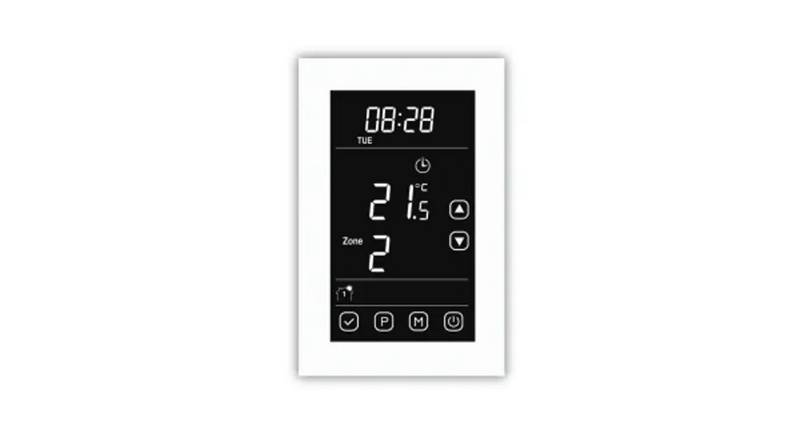
MCD5  
PROGRAMMABLE  
THERMOSTAT  
European Model  
QUICK REFERENCE USER MANUAL  
COLDBUSTER FLOORHEATING  
8/81 FRENCHS FOREST RD E,  
FRENCHS FOREST NSW 2086  
CONTACT US @ 1800 85 75 65  
GeneralDetails
NameCOLDBUSTER MCD5 Programmable Thermostat User Manual
MakeCOLDBUSTER
LanguageEnglish
FiletypePDF (Download)
File size0.16 MB
Download PDF
1 Star2 Stars3 Stars4 Stars5 Stars (1 votes, average: 5.00 out of 5)
Loading...
COLDBUSTER MWD5 Programmable Thermostat User Manual
RTH21 Programmable Thermostat Coldbuster Dual Instruction Manual
COLDBUSTER CB Dual Thermostat User Manual

COLDBUSTER MCD5 Programmable Thermostat User Manual
Get the free PDF manual for the COLDBUSTER MCD5 Programmable Thermostat User Manual and access setup steps, usage instructions, and troubleshooting tips. 👉 View online or download now to keep your thermostat running smoothly!

COLDBUSTER MCD5 Programmable Thermostat User Manual Overview

Summary of Contents

  • Page 1: Programmable thermostat European model Quick reference user manual Coldbuster floor heating
  • Page 2: Getting started On starting up, first peel off the plastic screen protector. The first option to appear will be the region/country you are in. Tap the down arrow to the 3rd option down which is for AUS/NZ. Then press the blue tick to confirm this regional option. The next screen defaults to English. Follow the prompts for the date & time. If any numeral needs to be changed, press on the applicable figure, which will then enlarge. Change date: Press main menu button, press USER settings, then scroll down with the down arrow to DATE. Change time: Press main menu button, press USER settings, then scroll down with the down arrow to TIME. Date & time formats: You can change the DATE Format (DD-MM-YYY or MM-DD-YYYY) & TIME format (12hour or 24hour) as options within the USER SETTINGS. How to program the thermostat: The initial choices to be made for programming are which days are workdays & which are home days. Workdays have 4 zones in a day & home days have 2 zones in a day. To program the thermostat, go MAIN MENU button, EVENT SCHEDULE. The 1st zone comes up & is called “WAKE UP”.
  • Page 3: Use manual mode to set the desired temperature for floor heating. The heating will remain on until turned off or switched to programming mode. Access the manual screen by pressing the manual button on the default screen. Use the up or down arrows to adjust the temperature, which will turn red when heating is active. Other useful modes include comfort mode, boost mode, and holiday mode, accessible via the other button on the screen. Comfort mode allows you to override the auto schedule with a specific time frame. Boost mode activates the heater for 100% of the next hour. Holiday mode prevents the floor area from freezing while you are away and automatically reactivates heating upon your return. To set holiday mode, input your leave and return dates after confirming the activation. Press the button to exit any mode when desired.
  • Page 4: Child lock can be enabled through the main menu under user settings. To confirm the child lock setting, press the button on the lower right corner of the screen. The child lock activates after about 2 minutes when the screen saver appears. To disable the child lock, draw an L on the screen in a single stroke. The adaptive function is defaulted to ON, allowing the thermostat to preheat before the set time. This function uses intuitive technology to determine the rate of temperature change. To switch the adaptive function OFF, access the engineer settings from the main menu. The thermostat provides a section on energy use, showing the cost of running floor heating. Users can view a 7-day usage graph and breakdown of KWh and price for different time periods. Inaccurate readings may occur if the thermostat is used for large floor areas.
  • Page 5: Sensor application involves different modes for measuring temperature. The default mode is the floor sensor, which measures floor temperature between heating elements. Suggested floor temperature is between 25°C and 30°C. The thermostat can also be set to room/floor limit and room modes. Room floor limit measures room temperature while adhering to floor temperature limitations, typically not exceeding 27°C for wooden floors. The room sensor maintains the room temperature, with suggested settings between 19°C and 21°C. Higher temperature settings will increase running costs. To change settings, press the Menu button, scroll down to Engineer Settings, and select Sensor Application. Confirm your choice by pressing the button. For more detailed information, refer to the main user manual available for download.