
Home > COLDBUSTER > COLDBUSTER MCD5 Programmable Thermostat User Manual
COLDBUSTER MCD5 Programmable Thermostat User Manual


USE MANUAL MODE
Putting the thermostat in MANUAL MODE at your desired temperature, the
floor heating will stay on until you turn it off or set it to programming mode.
2
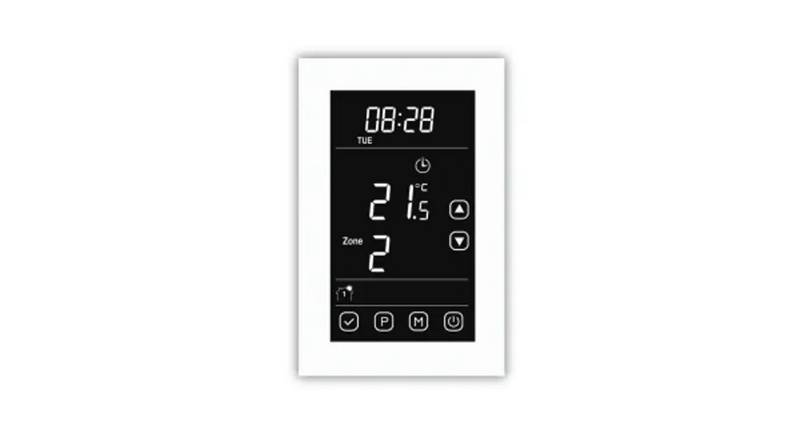
On the DEFAULT SCREEN (above Right), press on the MANUAL Button.
The MANUAL screen (right) will then come up. Use the up or
down arrows to set your required temperature.
The temperature figure will go RED when the heating is on.
Press the
mode.
button to take it out of Manual mode & will return to prog
3
OTHER MODES THAT CAN BE OF USE:
These are:
COMFORT MODE
BOOST MODE
HOLIDAY MODE
These MODES are found by clicking on the OTHER button on the lower right corner of the screen.
COMFORT MODE: This is similar to manual mode except that it has a
time frame associated with it.
Press OTHER, then choose COMFORT. The screen will tell you, “You are
overriding the Auto schedule”. Confirm by pressing the button. Then adjust
the temperature using the up or down arrows. Press the to confirm. You
can then set how many hours you would like it on by pressing the up or
down arrows. Press the to confirm.
After the set number of hours, the thermostat will return to programming mode.
BOOST MODE: This puts the heater on for 100% of the next hour.
Press OTHER, and then choose BOOST. The screen will tell you that the
thermostat will be activated for 1 hour. Confirm by pressing the .
HOLIDAY MODE: This prevents your floor area from freezing while
you are away on holiday and switches the floor heating back on when you
return. Click on the OTHER button on the lower right corner of the screen.
Scroll down with the down arrow & choose HOLIDAY. Press to the right of
the OFF button & then confirm with the button. The screen then advises
you that it will keep your floor above freezing during your planned holiday.
Press the arrow. Set your leave date, then press the button. Set your
Return date, then press the button. It will then say the Holiday mode is
activated for 1 second & then revert to the HOLIDAY MODE screen.
As with the other modes, should you wish to get out of that particular mode, press the button.

| General | Details |
|---|---|
| Name | COLDBUSTER MCD5 Programmable Thermostat User Manual |
| Make | COLDBUSTER |
| Language | English |
| Filetype | PDF (Download) |
| File size | 0.16 MB |
 (1 votes, average: 5.00 out of 5)
 Loading...

COLDBUSTER MWD5 Programmable Thermostat User Manual

RTH21 Programmable Thermostat Coldbuster Dual Instruction Manual
COLDBUSTER CB Dual Thermostat User Manual


Beca BAC-1000 Series WiFi Thermostat User Guide

Garza 401267C-401267G Smart Home Wi-fi Smart Thermostat Instruction Manual

550-13060 HVAC-Thermostat Niko Home Control Instructions

GENERAL LIFE NORA 270S RF Digital Room Thermostat User Manual

Danfoss DEVIreg 330 Electronic Thermostat Installation Guide

hama 00176592 Smart Radiator Thermostat Instruction Manual

EPH CONTROLS HRT Battery Operated Non Programmable Thermostat Installation Guide

Danfoss Link Connect Thermostat User Guide

SALUS CONTROLS IT800 WIFI Smart Thermostat Instruction Manual

ENGO CONTROLS E901RF Series Programmable Thermostat User Guide