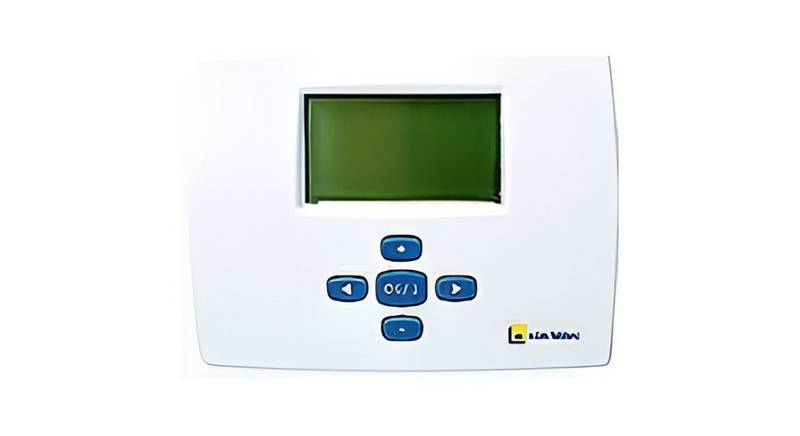
Home > e l m leblanc > e l m leblanc TRL 7.26 RF Room Thermostat User Manual
e l m leblanc TRL 7.26 RF Room Thermostat User Manual
| General | Details |
|---|---|
| Name | e l m leblanc TRL 7.26 RF Room Thermostat User Manual |
| Make | e l m leblanc |
| Language | English |
| Filetype | PDF (Download) |
| File size | 0.15 MB |

e l m leblanc TRL 7.26 RF Room Thermostat User Manual Overview
Summary of Contents
- Page 1: User manual Room thermostat with weekly programming Registered models and patents
- Page 2: Explanation of symbols and safety precautions General safety instructions Warnings characterize the type and extent of possible consequences. Declaration of Conformity Energy Consumption Product Data DANGER indicates the risk of serious or even fatal accidents. WARNING indicates the possibility of serious or fatal injuries. CAUTION indicates the risk of minor personal injury. NOTICE indicates the possibility of material damage. Important information that does not concern hazardous situations is indicated by the info symbol.
- Page 3: Product information is available upon request. This instruction manual is intended for the user operating the heating installation. The instructions in all notices must be followed to avoid property damage, bodily injury, or fatal accidents. The data meets the requirements of EU regulations no. 811/2013 and Directive 2010/30/EU. Read and keep the user manuals before use. This product must be used exclusively to regulate heating installations in single-family homes or apartment buildings. Regular inspection and maintenance are prerequisites for safe and environmentally friendly operation of the heating system. Wireless communication is facilitated by radio signal from the transmitter to the receiver. If the installation is not in operation, there is a risk of freezing; observe all instructions relating to frost protection. The manufacture and operation of this product comply with the European directives in force, proven by CE marking.
- Page 4: COMFORT temperature operating mode forces the comfort temperature indefinitely. Pressing the OK button displays the programmed comfort temperature. By pressing the + or - buttons, the comfort temperature can be adjusted. The TRL follows the chosen program according to the current time. REDUCED temperature operating mode forces the reduced temperature indefinitely. Pressing the OK button displays the programmed reduced temperature. The TRL now follows the reduced temperature. Frost protection operating mode prevents the installation from freezing. Pressing the OK key displays the programmed frost protection temperature. The TRL maintains room temperature to prevent freezing.
- Page 5: Description of modes Use this mode if your heating needs to be switched off. To put the TRL in Standby mode: The screen turns off to reduce power consumption to a minimum. The programs are saved, the clock continues and consumption is greatly reduced. Description of the factory preset programs: Editing a user program To wake the TRL from sleep mode: Risk of freezing Your user program will now follow if you place the TRL in “Auto” mode. 9 preset programs and 4 user programs are available.
- Page 6: Changing the batteries is necessary when the low battery indicator is displayed. To access the batteries, press the clip on the left side and pull the front panel to remove it. The HOLIDAY function allows you to select the duration in hours or days. To cancel the HOLIDAY function, navigate to the mode and adjust the settings accordingly. After changing the batteries, readjust the time value as described in the modes section. The keypad lock can be activated or deactivated in Auto mode by pressing the OK key and the + or - key simultaneously. The RESET function clears all programs and restores factory default settings. To close the TRL, place the front face in front of the bottom of the box and press to lock it. A summary of the instruction manual is available on the side of the TRL. Ensure to replace the batteries with 2 LR03 AAA 1.5V alkaline batteries.
- Page 7: Using the receiver On the TRL, select the Auto mode. Press the OK button for 5 seconds to enter the radio configuration mode. The TRL sends its configuration address by radio signal 4 times per second. On the receiver, press the button for 5 seconds. The green LED should light up and start flashing with each radio signal received from the TRL. Check that the green LED flashes with each radio signal. If it flashes several times per second, the installation of the TRL and the receiver is correct. If there is no flashing, you are out of range. Check the batteries of the transmitter. Check transmitter/receiver range and possible interference.
- Page 8: Technical characteristics Environmental protection is a core value of the Bosch Group. We attach equal importance to the quality of our products, their profitability and the protection of the environment. Laws and regulations concerning environmental protection are strictly observed. For the protection of the environment, we use the best possible technologies and materials. When it comes to packaging, we participate in country-specific recovery systems. All packaging materials used are environmentally friendly and recyclable. Electrical and electronic devices that are no longer in use must be collected separately. For the disposal of used electrical and electronic devices, use country-specific return and collection systems. Batteries must not be recycled with household waste. Radio frequency certifications include EN 300220-3 and EN 301489.
- Page 9: Page 9
- Page 10: Page 10
- Page 11: Page 11
- Page 12: A technical team of specialists answers all your questions live. A passion for service and comfort. Elm leblanc and its logo are registered trademarks of Robert Bosch GmbH Stuttgart, Germany.