
Ideal 229177 Halo Heat and System 2 Zone Extension Thermostat User Guide


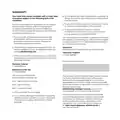


CHANGING THE BATTERIES IN YOUR
HALO CONTROL
A red, empty battery symbol means that your Halo
batteries need to be replaced.
Whether you have a desk or wall mounted unit you
will see the below symbol on the base of the unit.
There are also two finger grabs top and bottom as
shown below. Use the finger grabs to gently pull
the Halo away from the rear housing. Do not use a
screwdriver to separate.
Remove all the old batteries and replace with 4 new
AA Alkaline batteries. Check you have the correct
battery orientation then position the Halo back onto
the rear housing and gently push into place until you
feel a positive click.
The Halo will go through a short synchronisation
process while it reconnects with your Halo Smart
Interface. The Halo will then return to the home
screen.

| General | Details |
|---|---|
| Name | Ideal 229177 Halo Heat and System 2 Zone Extension Thermostat User Guide |
| Make | IDEAL |
| Language | English |
| Filetype | PDF (Download) |
| File size | 0.83 MB |
 (1 votes, average: 5.00 out of 5)
 Loading...


GENERAL LIFE 300S Wired Room Thermostat User Manual

ecoer EST01 Wi-Fi Programmable Thermostat User Guide

American Standard ACONT103 NP Non Programmable Heat Pump Thermostat Instruction Manual

RTH21 Programmable Thermostat Coldbuster Dual Instruction Manual

AIRZONE Blueface Zero Thermostat User Manual

LUX CAG1500 SERIES Smart Temp Electronic Thermostat Instruction Manual

GENERAL LIFE FH250S Underfloor Heating Thermostat User Manual

GENERALLIFE MITRA 230S RF Wireless Room Thermostat User Manual

BEOK CONTROLS TS4-EP Series Thermostat Instruction Manual

Danfoss ATF Clamp-On Pipe Mounting Frost Thermostat Installation Guide