
heatmiser Slimline-RF V3 Programmable Wireless Thermostat Instructions

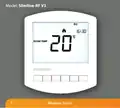
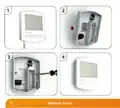
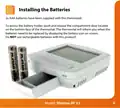
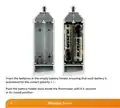
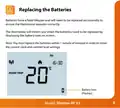















Hot Water Override
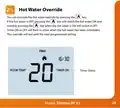
You can override the hot water override by pressing the
key.
If the hot water is OFF, pressing the
key will switch the hot water ON and
similarly pressing the key when the hot water is ON will switch it OFF.
Timer ON or OFF will flash to show when the hot water has been overridden.
This override will last until the next programmed setting.
Timer Status
28
Model: Slimline-RF V3

| General | Details |
|---|---|
| Name | heatmiser Slimline-RF V3 Programmable Wireless Thermostat Instructions |
| Make | heatmiser |
| Language | English |
| Filetype | PDF (Download) |
| File size | 0.35 MB |
 (1 votes, average: 5.00 out of 5)
 Loading...

heatmiser neoStat Touch-e Touchscreen Electric Floor Heating Thermostat Owner’s Manual

heatmiser DS1-V2 Thermostat Owner’s Manual

heatmiser neoStat-e Electric Floor Heating Thermostat Instructions

heatmiser neoStat-Pro Smart Thermostat Instruction Manual

heatmiser Slimline-B V3 Programmable Room Thermostat Owner’s Manual


micro-Air EasyTouch 352 Thermostat User Manual

namron 4512737 Touch Zigbee 16A Thermostat Instruction Manual

Beca BAC-1000 Series WiFi Thermostat User Guide

Honeywell Home TH8320R1003-Uv VisionPRO 8000 with RedLINK Multistage Thermostat Installation Guide

FRICO TAP16R Electronic Thermostat User Guide

BEOK TDS21 Wi-Fi Thermostat User Manual

Danfoss 220V Electronic Intelligent Timer Thermostat Installation Guide

HEATIT Z-TEMP3 Thermostat User Guide

Honeywell Home DT4M Wired Room Thermostat User Manual

Honeywell TH8321U Touch Screen Programmable Thermostat Installation Guide