
heatmiser Slimline-RF V3 Programmable Wireless Thermostat Instructions

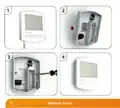

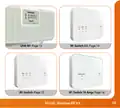




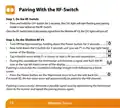


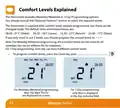


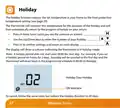





Replacing the Batteries
Batteries have a fixed lifespan and will need to be replaced occasionally to
ensure the thermostat operates correctly.
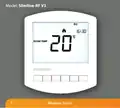
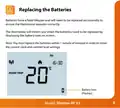
The thermostat will inform you when the batteries need to be replaced by
displaying the battery icon on screen.
Note: You must replace the batteries within 1 minute of removal in order to retain
the current clock and comfort level settings.
Battery Icon
(Flashes)
8
Model: Slimline-RF V3

| General | Details |
|---|---|
| Name | heatmiser Slimline-RF V3 Programmable Wireless Thermostat Instructions |
| Make | heatmiser |
| Language | English |
| Filetype | PDF (Download) |
| File size | 0.35 MB |
 (1 votes, average: 5.00 out of 5)
 Loading...

heatmiser neoStat Touch-e Touchscreen Electric Floor Heating Thermostat Owner’s Manual

heatmiser DS1-V2 Thermostat Owner’s Manual

heatmiser neoStat-e Electric Floor Heating Thermostat Instructions

heatmiser neoStat-Pro Smart Thermostat Instruction Manual

heatmiser Slimline-B V3 Programmable Room Thermostat Owner’s Manual


Chytre Vypinace HC-T020-EWF Series Thermostat Owner’s Manual

INKBIRD C216T-C226T Plug In Timer Thermostat User Manual

KOnighaus Infrarot Smart Thermostat User Guide

STELPRO ST252NPFF Non-Programmable Electronic Thermostat for Fan Heaters Owner’s Manual

HTS HY02TP Programmable Plug In Thermostat User Manual

ControlTemp Basic Tamper Proof Thermostat Instructions

Honeywell CT87A Round Thermostat Instruction Manual

DELTA DORE Tywell 2050 Thermostat D’Ambiance Radio Installation Guide

nVent RAYCHEM RayStat-M2 Thermostat Instruction Manual

GENERAL SENNA 270S Smart Room Thermostat User Manual